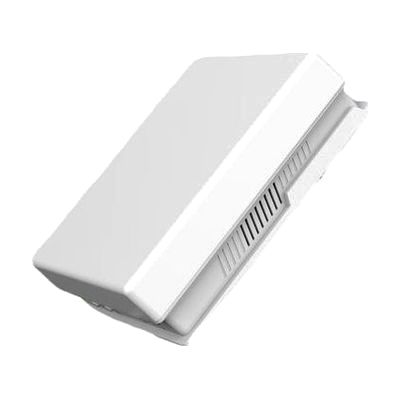
SquareGlow Smart Wi-Fi Flashing Receiver
by SquareGlow
Price is what the vendor listed when last checked. Confirm it with the vendor before buying.
What it is
Summary
AI-generated from vendor-published content · October 1, 2026
This receiver gives you a visual alert when a SquareGlow transmitter, such as a doorbell or phone alert, sends it a signal. You pick one of 7 LED colors for each signal, so a glance tells you what triggered it. Because it connects over Wi-Fi, it can also send notifications to your phone through the SquareGlow app for iOS or Android. It has 52 ringtones with volume up to 120dB, a wireless range of up to 600 feet, and works with any number of paired units. It's a receiver only, so you'll need at least one SquareGlow transmitter to send it signals.
Getting it
Try before you buy
Devices like this are often available to borrow through your state's AT Act program — typically free or low-cost — so you can try it before buying or pursuing funding.
Where to get it
This is the vendor WhatCanHelp tracks for this product — it may also be available from other retailers or a local supplier, and prices vary.
Wondering how equipment like this gets paid for? See the official funding programs in your state.
Details
Quick Facts Catalog facts · auto-generated
- Type
- Addresses
- Platform
- Age range
- Complexity
- Setup with instructions
- Price
- $139.99
- Funding
- AT Act lending
- Out of pocket
What setup looks like
- Out of the box
Insert 3 AA alkaline batteries (not included), or use the included 10 ft. micro-USB cable for power. - With a guide
- Download the SquareGlow app on your iPhone or Android phone and connect the receiver to your home Wi-Fi.
- Pair the receiver with each SquareGlow transmitter, then choose a LED color for each one so you can tell the signals apart.
- Set up scenes, schedules, and phone notifications in the app. Plan on about 30 minutes in total.
Compare & explore
Sources & fine print
Vendor facts (name, price, platforms, vendor link) sourced from Diglo — view on vendor site (opens in a new tab); last checked October 31, 2026.
Classification & description AI-generated from vendor-published content on October 1, 2026 · confidence: high. Vendor specs may lag; verify before relying on details in a clinical or funding artifact.