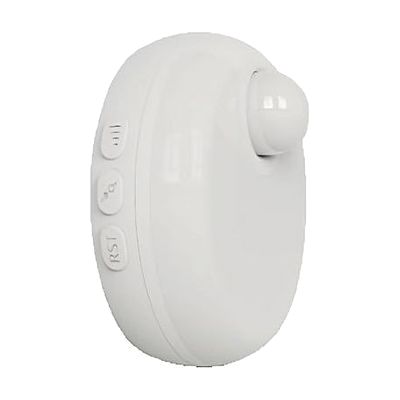
SquareGlow Smart Strobe Light + Receiver
by SquareGlow
Price is what the vendor listed when last checked. Confirm it with the vendor before buying.
What it is
Summary
AI-generated from vendor-published content · October 1, 2026
The SquareGlow Smart Strobe Light + Receiver flashes a bright strobe whenever a paired SquareGlow transmitter is triggered, so you can see an alert instead of relying on sound. It connects over both WiFi and RF (radio signal), so alerts still arrive if your internet goes down. You control it from the SquareGlow phone app (iOS or Android), where you can also add other household members so they get notifications too. It runs on USB power and is small enough to move from room to room, and it also has night light and walk-by illumination modes. It only does something once it is paired with another SquareGlow accessory, such as a transmitter that detects a doorbell or other sound.
Getting it
Try before you buy
Devices like this are often available to borrow through your state's AT Act program — typically free or low-cost — so you can try it before buying or pursuing funding.
Where to get it
This is the vendor WhatCanHelp tracks for this product — it may also be available from other retailers or a local supplier, and prices vary.
Wondering how equipment like this gets paid for? See the official funding programs in your state.
Details
Quick Facts Catalog facts · auto-generated
- Type
- Addresses
- Platform
- Age range
- Complexity
- Setup with instructions
- Price
- $89.99
- Funding
- AT Act lending
- Out of pocket
What setup looks like
- With a guide
- Plug the strobe light into a USB power source and place it where you will see it, such as the living room or bedroom.
- Download the SquareGlow app, create an account, and add the strobe light to your WiFi network.
- Pair it with your SquareGlow transmitter, then test it by triggering the transmitter and checking that the light flashes. Plan on about 30 minutes.
Compare & explore
Sources & fine print
Vendor facts (name, price, platforms, vendor link) sourced from Diglo — view on vendor site (opens in a new tab); last checked October 31, 2026.
Classification & description AI-generated from vendor-published content on October 1, 2026 · confidence: high. Vendor specs may lag; verify before relying on details in a clinical or funding artifact.