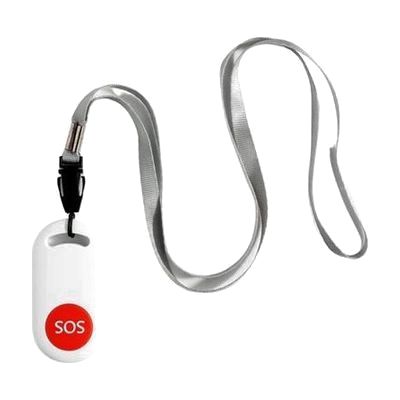
SquareGlow SOS Emergency Caregiver Pager Button
by SquareGlow
Last verified July 28, 2026 · classified April 26, 2026
What it is
Summary
AI-generated from vendor-published content · April 26, 2026
This is a wearable emergency call button that triggers both a local audible alarm and, when connected to the SquareGlow app, sends notifications to designated contacts when pressed. It's aimed at people who may need to summon help quickly — older adults living alone, individuals with cognitive or physical disabilities, or anyone whose caregiver needs to be reachable at a distance. The button comes with a lanyard so it can be worn around the neck, and it functions as a standalone loud alarm even without the app, though full alert capabilities require a smartphone running the SquareGlow app. This is app-dependent for remote alerting, so caregivers need a compatible smartphone and the contacts must have the app or notifications configured — it's not a monitored service with 24/7 response like some medical alert systems.
Quick Facts Catalog facts · auto-generated
- AT Act lending
- Out of pocket
What Setup Looks Like
- Out of the box
Put the button on the lanyard and wear it — pressing it triggers a loud local alarm right away without any app. - With a guide
- Download the SquareGlow app and create an account.
- Pair the SOS button to the app via Bluetooth or the app's device setup process.
- Add emergency contacts within the app so they receive alerts when the button is pressed.
- Test the alert to confirm contacts receive notifications — allow 15–30 minutes for full setup. See manufacturer support resources for detailed instructions.
Getting it
Try Before You Buy
Devices like this are often available to borrow through your state's AT Act program — typically free or low-cost — so you can try it before buying or pursuing funding.
Where to Get It
This is the vendor WhatCanHelp tracks for this product — it may also be available from other retailers or a local supplier, and prices vary.
Some links may be affiliate links — WhatCanHelp may earn a small commission from purchases at no extra cost to you. More on affiliates →
As an Amazon Associate we earn from qualifying purchases.
Wondering how equipment like this gets paid for? See the official funding programs in your state.
Compare & explore
Sources & fine print
Vendor facts (name, price, platforms, vendor link) sourced from SquareGlow — view on vendor site; last verified July 28, 2026.
Classification & description AI-generated from vendor-published content on April 26, 2026 · confidence: high. Vendor specs may lag; verify before relying on details in a clinical or funding artifact.