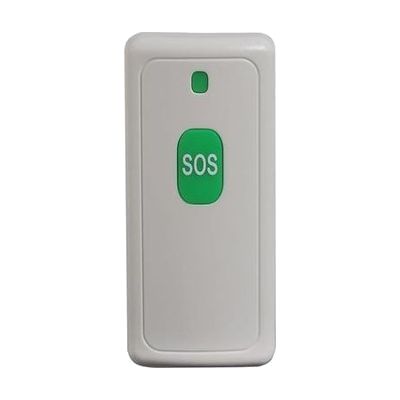
Central Alert CA360 Notification System CA-SOS Emergency Button
Price is what the vendor listed when last checked. Confirm it with the vendor before buying.
Accessory or replacement part Made to go with another product — check it fits what you have.
Last verified September 16, 2026 · classified April 26, 2026
What it is
Summary
AI-generated from vendor-published content · April 26, 2026
This is a wireless panic button that transmits an emergency signal to the CentralAlert CA360 base unit or CA-RX receiver when pressed, alerting others in the home that help is needed. It's designed for someone who is deaf or hard of hearing and lives alone or with a caregiver — pressing the button triggers visual and/or vibrating alerts on the receiver rather than an audible alarm they might miss. This is an add-on accessory, not a standalone product: you must already own a compatible CentralAlert receiver (sold separately) for it to do anything. It's water-resistant and small enough to wear or carry, which makes it practical for bathroom or kitchen emergencies where falls are most likely.
Quick Facts Catalog facts · auto-generated
- Out of pocket
What Setup Looks Like
- Out of the box
- Install the included CR2012 battery.
- Carry or wear the button — pressing it transmits a signal to any paired CentralAlert receiver within 200 ft.
- With a guide
- Pair the CA-SOS button to your CA360 or CA-RX receiver following the CentralAlert pairing instructions (typically a button-press sequence on both units).
- Test the signal from each room to confirm range coverage — allow 15–30 minutes total. See manufacturer support resources for detailed instructions.
Getting it
Many states lend devices like this for free trial periods — find your state's AT lending program.
Where to Get It
This is the vendor WhatCanHelp tracks for this product — it may also be available from other retailers or a local supplier, and prices vary.
Some links may be affiliate links — WhatCanHelp may earn a small commission from purchases at no extra cost to you. More on affiliates →
As an Amazon Associate we earn from qualifying purchases.
Wondering how equipment like this gets paid for? See the official funding programs in your state.
Compare & explore
Sources & fine print
Vendor facts (name, price, platforms, vendor link) sourced from Serene Innovations — view on vendor site; last verified September 16, 2026.
Classification & description AI-generated from vendor-published content on April 26, 2026 · confidence: high. Vendor specs may lag; verify before relying on details in a clinical or funding artifact.