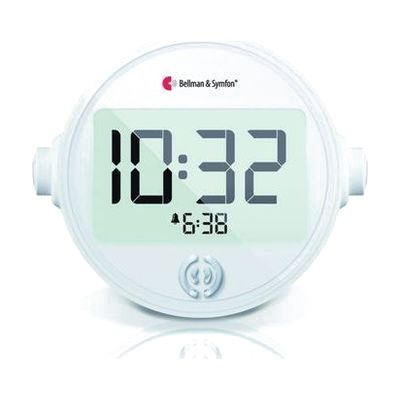
Classic Alarm Clock
Price is what the vendor listed when last checked. Confirm it with the vendor before buying.
What it is
Summary
AI-generated from vendor-published content · October 1, 2026
This alarm clock wakes you with a very loud tone that builds to over 100 dB, plus a bed shaker that vibrates under your pillow or mattress. The tone sweeps across several frequencies, so it can still get through if you have trouble hearing high pitches. Setting it is simple: two large push-and-rotate dials set the time and the alarm, and the LCD display has an adjustable backlight. You can turn the sound off and wake to vibration alone so you don't disturb others, and the smart snooze shortens its interval from 9 minutes down to 2. A battery backup keeps it running through a power outage, but the batteries are not included.
Getting it
Try before you buy
Devices like this are often available to borrow through your state's AT Act program — typically free or low-cost — so you can try it before buying or pursuing funding.
Where to get it
This is the vendor WhatCanHelp tracks for this product — it may also be available from other retailers or a local supplier, and prices vary.
Wondering how equipment like this gets paid for? See the official funding programs in your state.
Details
Quick Facts Catalog facts · auto-generated
- Type
- Addresses
- Platform
- Age range
- Complexity
- Ready to use
- Price
- $189.95
- Funding
- AT Act lending
- Out of pocket
What setup looks like
- Out of the box
- Plug in the clock and set the time and alarm with the two large push-rotate dials.
- Place the bed shaker under your pillow or mattress and connect it to the clock.
- Add batteries if you want the clock to keep working during a power outage.
- Choose sound, vibration, or both, and adjust the backlight so the display is easy to read.
Compare & explore
Sources & fine print
Vendor facts (name, price, platforms, vendor link) sourced from MaxiAids — view on vendor site (opens in a new tab); last checked November 2, 2026.
Classification & description AI-generated from vendor-published content on October 1, 2026 · confidence: high. Vendor specs may lag; verify before relying on details in a clinical or funding artifact.