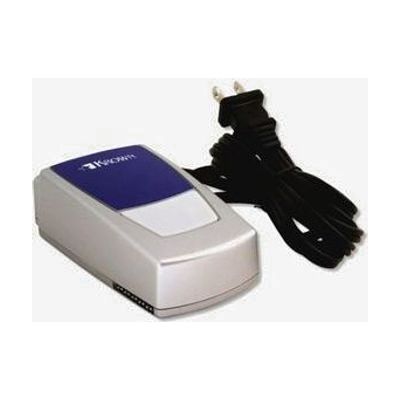
Remote Receiver for All-In-One Alarm Clock
by Krown
Price is what the vendor listed when last checked. Confirm it with the vendor before buying.
Accessory or replacement part Made to go with another product — check it fits what you have.
Last verified September 18, 2026 · classified April 26, 2026
What it is
Summary
AI-generated from vendor-published content · April 26, 2026
This desktop receiver extends the Krown KA1000/KA300 alerting system to additional rooms by flashing a connected lamp in 16 distinct patterns to distinguish between different incoming alerts — doorbell, telephone, videophone, or emergency signals. It's designed for people with moderate to profound hearing loss who need visual notification throughout their home without relying on sound. This is a component, not a standalone solution — it requires an existing Krown KA1000 or KA300 transmitter system already in place, and you'll need a lamp to plug into it to get the visual flash alerts. Worth noting: the lamp itself is not included, and this receiver only works within the Krown KA1000/KA300 ecosystem, so it won't integrate with other brands' alerting systems.
Quick Facts Catalog facts · auto-generated
- AT Act lending
- Out of pocket
What Setup Looks Like
- Out of the box
Plug the receiver into a standard electrical outlet and connect a lamp to it — the ON/OFF button controls the lamp for normal room lighting. - With a guide
- Ensure your KA1000 or KA300 transmitters are already installed and operational in your home.
- Position the remote receiver within wireless range of your existing transmitters in the room you want coverage extended to.
- Test each transmitter (doorbell, telephone, etc.) to confirm the receiver flashes the correct pattern for each alert type — allow 15–30 minutes total. See manufacturer support resources for detailed instructions.
Getting it
Try Before You Buy
Devices like this are often available to borrow through your state's AT Act program — typically free or low-cost — so you can try it before buying or pursuing funding.
Where to Get It
This is the vendor WhatCanHelp tracks for this product — it may also be available from other retailers or a local supplier, and prices vary.
Some links may be affiliate links — WhatCanHelp may earn a small commission from purchases at no extra cost to you. More on affiliates →
As an Amazon Associate we earn from qualifying purchases.
Wondering how equipment like this gets paid for? See the official funding programs in your state.
Compare & explore
Sources & fine print
Vendor facts (name, price, platforms, vendor link) sourced from Krown — view on vendor site; last verified September 18, 2026.
Classification & description AI-generated from vendor-published content on April 26, 2026 · confidence: high. Vendor specs may lag; verify before relying on details in a clinical or funding artifact.