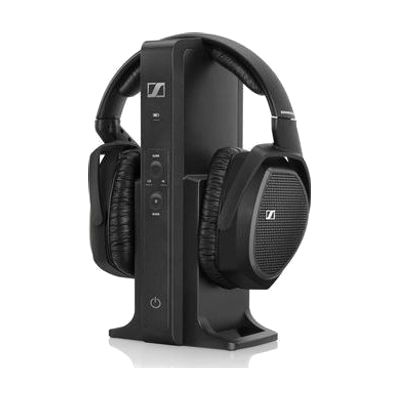
Sennheiser RS 175 TV Digital Wireless Headset Headphones
by Sennheiser
Last verified July 29, 2026 · classified April 26, 2026
What it is
Summary
AI-generated from vendor-published content · April 26, 2026
The Sennheiser RS 175 is a wireless TV headphone system that lets you listen to television audio at your own preferred volume without affecting others in the room. It's designed for people with mild to moderate hearing loss who find themselves turning up the TV louder than family members are comfortable with, or who miss dialogue and detail at typical listening levels. The system includes a charging base that also acts as the transmitter — you connect it to your TV once, and the headphones connect wirelessly from up to roughly 100 feet away. One honest heads-up: these are headphones for personal amplification and TV listening, not hearing aids — they won't help in conversations or other daily situations, and the vendor reference text describes the RS 195 model, so confirm exact features (number of sound profiles, audio input options) against current RS 175 specifications before purchasing.
Quick Facts Catalog facts · auto-generated
- AT Act lending
- Out of pocket
What Setup Looks Like
- Out of the box
Place headphones on head and power on — if transmitter is already connected and paired, audio plays immediately. - With a guide
- Connect the transmitter base to your TV using the included analog (RCA) or digital (optical) audio cable — which input you use depends on your TV's available outputs.
- Plug the transmitter into power and seat the headphones in the base to charge and auto-pair.
- Adjust the balance control and select a sound profile (speech enhancement or music mode) to match your hearing preference — allow 20–30 minutes to find your preferred settings. See manufacturer support resources for detailed instructions.
Getting it
Try Before You Buy
Devices like this are often available to borrow through your state's AT Act program — typically free or low-cost — so you can try it before buying or pursuing funding.
Where to Get It
This is the vendor WhatCanHelp tracks for this product — it may also be available from other retailers or a local supplier, and prices vary.
Some links may be affiliate links — WhatCanHelp may earn a small commission from purchases at no extra cost to you. More on affiliates →
As an Amazon Associate we earn from qualifying purchases.
Wondering how equipment like this gets paid for? See the official funding programs in your state.
Compare & explore
Sources & fine print
Vendor facts (name, price, platforms, vendor link) sourced from Sennheiser — view on vendor site; last verified July 29, 2026.
Classification & description AI-generated from vendor-published content on April 26, 2026 · confidence: medium. Vendor specs may lag; verify before relying on details in a clinical or funding artifact.