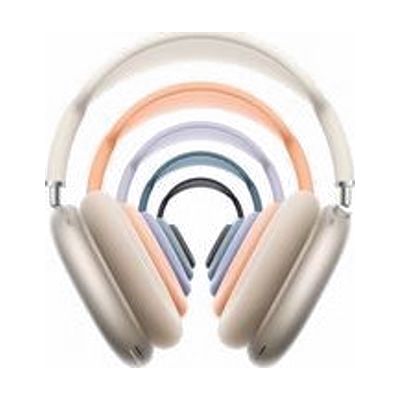
AirPods Max 2
by Apple
Price is what the vendor listed when last checked. Confirm it with the vendor before buying.
What it is
Summary
AI-generated from vendor-published content · October 1, 2026
The AirPods Max 2 are over-ear wireless headphones from Apple with active noise cancellation, which cuts down background sound so you can focus on what you're listening to. A Digital Crown on the ear cup lets you play and pause, skip tracks, answer or end calls, and change volume by turning it, so you don't need to reach for your phone. The memory-foam cushions and knit-mesh headband canopy are meant to spread out weight and pressure, which can matter if you wear headphones for long stretches. Other listed features include Adaptive Audio, Conversation Awareness, and Live Translation; check Apple's page for which devices support them. These are consumer headphones sold as a complete product, not a hearing aid.
Getting it
Many states lend devices like this for trial periods, free or at low cost — find your state's AT lending program.
Where to get it
This is the vendor WhatCanHelp tracks for this product — it may also be available from other retailers or a local supplier, and prices vary.
How to fund this
These are common places to ask about paying for equipment like this. Each one decides its own eligibility and what it covers, so start by asking them.
Details
Quick Facts Catalog facts · auto-generated
- Addresses
- Platform
- Age range
- Complexity
- Setup with instructions
- Price
- $549.00
- Funding
- Out of pocket
- Vocational rehab
What setup looks like
- With a guide
- Charge the headphones, then pair them with your phone, tablet, or computer by following the on-screen prompts or Apple's pairing steps.
- Fit the cups over your ears and slide the telescoping arms until the cushions sit snugly all the way around.
- Try the Digital Crown for play, pause, skip, and volume, and adjust the noise cancellation settings on your device. Allow about 30 minutes in total. See manufacturer support resources for detailed instructions.
Compare & explore
Sources & fine print
Vendor facts (name, price, platforms, vendor link) sourced from Apple — view on vendor site (opens in a new tab); last checked October 31, 2026.
Classification & description AI-generated from vendor-published content on October 1, 2026 · confidence: medium. Vendor specs may lag; verify before relying on details in a clinical or funding artifact.