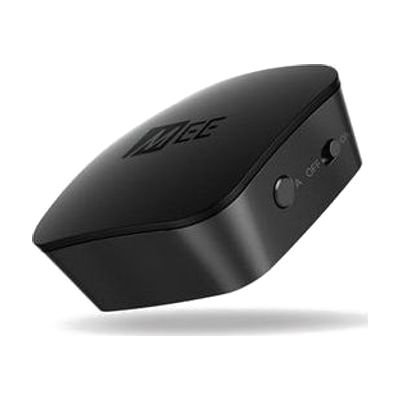
MEE Universal Bluetooth Audio Transmitter for TV/Audio
by MEE Audio
Price is what the vendor listed when last checked. Confirm it with the vendor before buying.
Last verified September 16, 2026 · classified April 26, 2026
What it is
Summary
AI-generated from vendor-published content · April 26, 2026
This small transmitter plugs into a TV's audio output and sends sound wirelessly to one or two Bluetooth headphones at the same time — letting someone listen at their own volume without disturbing others in the room. It's a practical solution for someone with hearing loss who needs to turn TV audio up significantly, or who uses Bluetooth hearing aids or headphones, without running a cable across the room. The device connects via 3.5mm headphone jack, RCA, or optical TOSLINK, so it works with most TVs old and new, and the aptX low-latency feature reduces the lip-sync delay that plagues many Bluetooth TV setups. This transmitter only works with Bluetooth headphones or hearing devices — it does not include any headphones, and the person watching TV with you won't hear audio from the TV speakers unless the TV also has a headphone output or separate speaker setup running simultaneously.
Quick Facts Catalog facts · auto-generated
- AT Act lending
- Out of pocket
What Setup Looks Like
- Out of the box
- Connect the transmitter to the TV using one of the included cables (optical, RCA, or 3.5mm).
- Pair your Bluetooth headphones or hearing device to the transmitter.
- Adjust TV audio output settings if needed so sound routes through the connected port.
- With a guide
- If TV audio settings are unclear, consult the TV's user manual to enable optical or headphone output.
- Confirm aptX is supported on your Bluetooth headphones for best low-latency performance — standard Bluetooth will still work but may have more audio delay.
- Full setup typically takes 10–20 minutes. See manufacturer support resources for detailed instructions.
Getting it
Try Before You Buy
Devices like this are often available to borrow through your state's AT Act program — typically free or low-cost — so you can try it before buying or pursuing funding.
Where to Get It
This is the vendor WhatCanHelp tracks for this product — it may also be available from other retailers or a local supplier, and prices vary.
Some links may be affiliate links — WhatCanHelp may earn a small commission from purchases at no extra cost to you. More on affiliates →
As an Amazon Associate we earn from qualifying purchases.
Wondering how equipment like this gets paid for? See the official funding programs in your state.
Compare & explore
Sources & fine print
Vendor facts (name, price, platforms, vendor link) sourced from MEE Audio — view on vendor site; last verified September 16, 2026.
Classification & description AI-generated from vendor-published content on April 26, 2026 · confidence: high. Vendor specs may lag; verify before relying on details in a clinical or funding artifact.