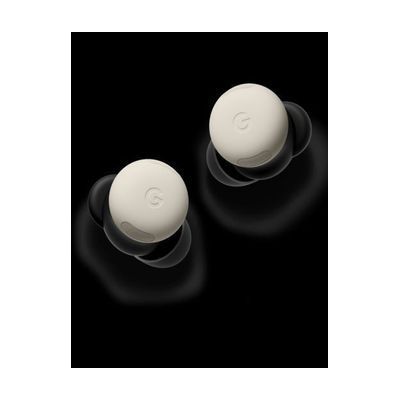
Pixel Buds Pro 2
by Google
Price is what the vendor listed when last checked. Confirm it with the vendor before buying.
What it is
Summary
AI-generated from vendor-published content · October 1, 2026
The Pixel Buds Pro 2 are wireless earbuds that manage the sound around you. Adaptive Audio automatically turns down distracting noise in loud places while still letting you hear your surroundings, and Active Noise Cancellation blocks outside noise more fully when you want that. They also dampen sudden loud sounds, like a passing siren, so they don't reach your ears at full volume. If you're sensitive to noisy environments or need to hear conversation more clearly, this can make busy places easier to manage. The earbuds can also pick up head nods and shakes to answer calls or texts, but that feature is listed as coming later. These are consumer earbuds, not hearing aids, and they don't amplify sound for a hearing loss.
Getting it
Try before you buy
Devices like this are often available to borrow through your state's AT Act program — typically free or low-cost — so you can try it before buying or pursuing funding.
Where to get it
This is the vendor WhatCanHelp tracks for this product — it may also be available from other retailers or a local supplier, and prices vary.
How to fund this
These are common places to ask about paying for equipment like this. Each one decides its own eligibility and what it covers, so start by asking them.
Details
Quick Facts Catalog facts · auto-generated
- Addresses
- Platform
- Age range
- Complexity
- Setup with instructions
- Price
- $229.00
- Funding
- AT Act lending
- Out of pocket
- Vocational rehab
What setup looks like
- With a guide
- Charge the earbuds in their case, then open the case near your phone to start Bluetooth pairing.
- Fit the earbuds snugly and choose between Adaptive Audio and Active Noise Cancellation in the settings. Plan on about 20-30 minutes to pair, fit and try each mode. See manufacturer support resources for detailed instructions.
Compare & explore
Sources & fine print
Vendor facts (name, price, platforms, vendor link) sourced from Google — view on vendor site (opens in a new tab); last checked October 31, 2026.
Classification & description AI-generated from vendor-published content on October 1, 2026 · confidence: high. Vendor specs may lag; verify before relying on details in a clinical or funding artifact.