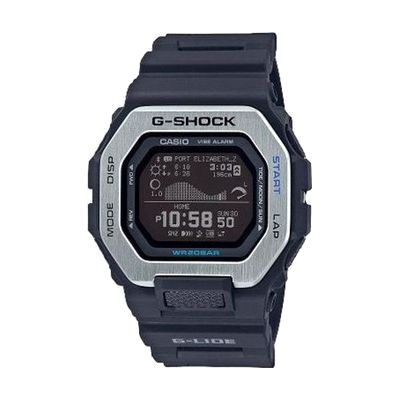
Casio Vibration G-Shock w MIP and Bluetooth (Black)
by Casio
Price is what the vendor listed when last checked. Confirm it with the vendor before buying.
What it is
Summary
AI-generated from vendor-published content · October 11, 2026
This G-Shock is a fully digital sport watch with a large, easy-to-read display and vibration alerts, so you can get notified by feel instead of by sound. It tracks time, distance, speed, pace and calories burned for training, and also shows tide graphs, moon phase and sunrise and sunset times. It can link to a smartphone app over Bluetooth for more accurate time and tide data. The case is shock-resistant and water resistant to 200 meters, and the backlight can be set to stay lit for 1.5 or 3 seconds.
Getting it
Many states lend devices like this for trial periods, free or at low cost — find your state's AT lending program.
Where to get it
This is the vendor WhatCanHelp tracks for this product — it may also be available from other retailers or a local supplier, and prices vary.
Wondering how equipment like this gets paid for? See the official funding programs in your state.
Details
Quick Facts Catalog facts · auto-generated
- Type
- Addresses
- Platform
- Age range
- Complexity
- Ready to use
- Price
- $179.95
- Funding
- Out of pocket
What setup looks like
- Out of the box
- Put the watch on and read the time right away on the large digital display.
- Use the buttons to try the stopwatch, countdown timer and backlight settings, which are built in and need no other device.
- The smartphone app and Bluetooth link are optional extras for more accurate time and tide graphs.
Compare & explore
Sources & fine print
Vendor facts (name, price, platforms, vendor link) sourced from MaxiAids — view on vendor site (opens in a new tab); last checked November 2, 2026.
Classification & description AI-generated from vendor-published content on October 11, 2026 · confidence: medium. Vendor specs may lag; verify before relying on details in a clinical or funding artifact.