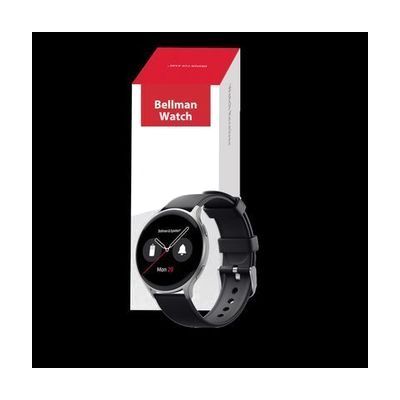
Watch Receiver
Last verified June 16, 2026 · classified April 26, 2026
What it is
Summary
AI-generated from vendor-published content · April 26, 2026
This wristwatch receiver is part of Bellman & Symfon's home alerting system, vibrating and flashing on your wrist when transmitters around your home detect events like a doorbell, phone ring, smoke alarm, or baby cry. It connects wirelessly to the Bellman system via a Bluetooth Bridge, so alerts reach you wherever you are in the home without needing to watch a wall-mounted strobe or carry a pager. It can also mirror notifications from a paired smartphone via the Bellman Assistant app, but the core alerting function works independently of a phone. This watch is a receiver only — it requires the Bellman Bluetooth Bridge and at least one Bellman transmitter to function as an alerting device, meaning the total system cost is considerably higher than this watch alone.
Quick Facts Catalog facts · auto-generated
- AT Act lending
- Out of pocket
What Setup Looks Like
- Out of the box
Charge the watch and put it on — it will not receive alerts until paired with the Bellman system. - With a guide
- Install the Bellman Bluetooth Bridge and connect it to your existing Bellman transmitters.
- Pair the watch to the Bridge following the Bellman pairing instructions.
- Optionally download the Bellman Assistant app and pair your smartphone to enable notification mirroring.
- Test each transmitter (doorbell, smoke, phone) to confirm the watch vibrates and flashes correctly — allow 30–60 minutes total. See manufacturer support resources for detailed instructions.
Getting it
Try Before You Buy
Devices like this are often available to borrow through your state's AT Act program — typically free or low-cost — so you can try it before buying or pursuing funding.
Where to Get It
Some links may be affiliate links — WhatCanHelp may earn a small commission from purchases at no extra cost to you. More on affiliates →
As an Amazon Associate we earn from qualifying purchases.
Wondering how equipment like this gets paid for? See the official funding programs in your state.
Compare & explore
Sources & fine print
Vendor facts (name, price, platforms, vendor link) sourced from Bellman & Symfon — view on vendor site; last verified June 16, 2026.
Classification & description AI-generated from vendor-published content on April 26, 2026 · confidence: high. Vendor specs may lag; verify before relying on details in a clinical or funding artifact.