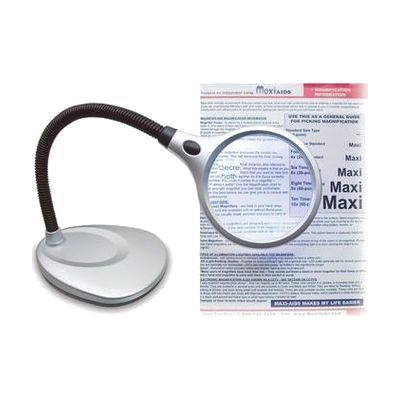
UltraOptix Desktop LED Lighted Magnifier
by UltraOptix
Price is what the vendor listed when last checked. Confirm it with the vendor before buying.
What it is
Summary
AI-generated from vendor-published content · October 1, 2026
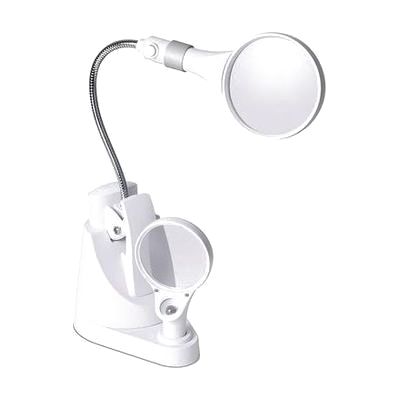
This desktop magnifier sits on a table or counter and holds its lens in place on a bendable gooseneck, so you can read or look at small details without holding anything. The 4-inch lens gives 2x magnification, and a smaller bifocal spot lens adds 6x for the finest print. Built-in LEDs light the page, which helps when room lighting makes small text hard to see. It suits someone who reads labels, mail, or hobby work at a desk and gets tired holding a handheld magnifier. It runs on 3 AA batteries, which you buy separately.
Getting it
Try before you buy
Devices like this are often available to borrow through your state's AT Act program — typically free or low-cost — so you can try it before buying or pursuing funding.
Where to get it
This is the vendor WhatCanHelp tracks for this product — it may also be available from other retailers or a local supplier, and prices vary.
Wondering how equipment like this gets paid for? See the official funding programs in your state.
Details
Quick Facts Catalog facts · auto-generated
- Addresses
- Platform
- Age range
- Complexity
- Ready to use
- Price
- $39.99
- Funding
- AT Act lending
- Out of pocket
What setup looks like
- Out of the box
- Put 3 AA batteries in the unit, set it on a desk or counter, and switch on the light.
- Bend the gooseneck to bring the lens over what you're reading, then adjust the height and angle until the print looks clear.
Compare & explore
More magnification tools
-
-
-
-
-
-
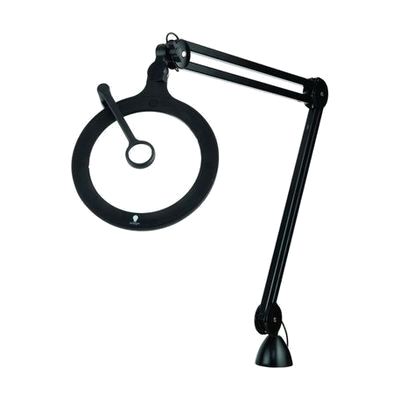
Omega 7 Magnifier Lamp
$459.99
Sources & fine print
Vendor facts (name, price, platforms, vendor link) sourced from MaxiAids — view on vendor site (opens in a new tab); last checked November 25, 2026.
Classification & description AI-generated from vendor-published content on October 1, 2026 · confidence: high. Vendor specs may lag; verify before relying on details in a clinical or funding artifact.