Vision & sight — assistive technology
Products that help people with low vision or blindness access information, navigate, and live independently — from screen readers and video magnifiers to refreshable braille displays and tactile aids.
Browse by type
Core picks
A starting set that shows the range, from simple tools to specialist devices. Not a ranking, and not a recommendation for any one person.
-

Carson Jumbo 2x LED Magnifier
$27.99
The Carson Jumbo 2x LED Magnifier is a handheld magnifier with a large 5-inch lens that enlarges whatever you hold it over to twice its size. Because the lens is so wide, you can take in a big area at once, like a page of text or a map, instead of a word or two. A built-in LED light brightens what you're viewing, which helps when room lighting is dim. It runs on one AAA battery, which is not included.
Verified 2 days agoReady to useA large lit lens that doubles print size—for mail, menus, and labels with mild low vision.
-

Clover 4 Handheld Video Magnifier
$349.00
The Clover 4 is a pocket-sized video magnifier with a 4.3-inch widescreen screen. You hold it over printed text, a label, or a map and see it enlarged on the display. It zooms from 3.5x to 16x, or 2.5x to 24x in extended mode, and you can freeze the image to study it. Full color is there for photos and maps, and the display offers 26 high-contrast color combinations that can make text easier to see. A built-in folding stand lets you rest it over a page and write under the camera. It runs on a removable rechargeable battery, about 4.5 hours per charge. It has a TV-out connection (RCA cable included) if you want a bigger picture.
Verified 2 days agoReady to usePoint the camera at a page and read it enlarged on screen—portable, no computer needed.
-

VoiceOver
Free
VoiceOver is the screen reader built into Apple devices. It speaks what's on the screen out loud, sends it to a braille display, or does both, so someone who can't see the screen can still use their device. You move around with gestures on a touchscreen or trackpad, or with a Bluetooth keyboard. You can adjust the voice, speaking speed, how much detail it gives, and the sounds and haptic (vibration) feedback. It can also describe images and screen elements, even in apps and web pages that don't label them, and it can describe things the camera sees, like people, doors, text, and furniture. Some features are not offered in every region or language.
Verified 3 days agoSetup with instructionsBuilt into iPhone, iPad, and Mac: reads everything on screen aloud, at no added cost.
-
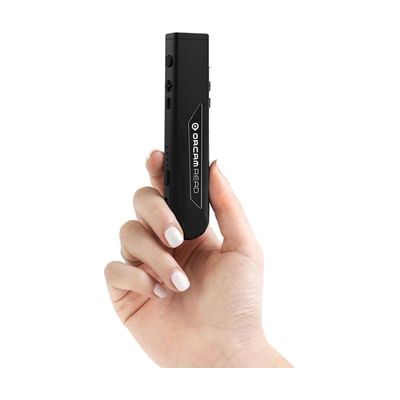
OrCam Read
$1,990.00
The OrCam Read is a small handheld reader, about the size of a marker, that speaks printed or on-screen text aloud when you point it at the page and press the button. You can capture a full page at once, or use one of two laser guides to pick where reading starts. Voice commands let you ask for just the headlines, a certain article, or dates, phone numbers and amounts, instead of listening to everything. It works on books, bills, food labels and phone or computer screens, and it can pick up distant signs. It also has a built-in light for dim rooms, and it runs offline, so no internet is needed. It suits someone who finds print tiring or hard to read because of low vision, dyslexia or reading fatigue.
Verified todaySetup with instructionsPoint it at print or a screen and it reads the text aloud, fully offline.
-
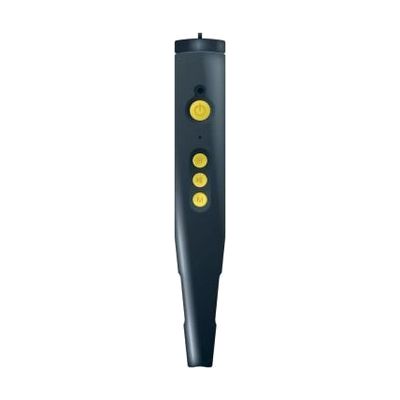
PenFriend III Voice Labeling System
$159.95
The PenFriend III is a pen-shaped recorder that lets you attach your own spoken label to nearly anything. You record a message, stick a special adhesive label on the item, and then touch the pen tip to the label to hear the recording. It works without a computer and has four buttons in a simple pattern, so it suits someone who can't read printed labels on food, clothing, paperwork, or media. Beyond labeling, it can play MP3 files and talking books, and it can double as a portable note taker. Standard labels aren't washable, so clothing that goes through the washing machine needs the special machine-washable labels sold separately.
Verified todayReady to useRecord your own voice labels, then tap a sticker to hear which can or bottle it is.
-

Clear Bump Dots Stickers Visually Impaired 200 pcs Combo
$18.95
These clear, raised dots stick onto everyday items so you can find the right spot by touch. People often put them on keyboards, phones, appliance controls, buttons, and switches, such as the start button on a microwave or the 5 key on a keypad. The pack comes as a 200-piece combo that includes different shapes, like circles, triangles, rectangles, X, and L, so you can build your own touch code, for example one shape for "on" and another for "off." They stick on with an adhesive back and are described as safe for the surface underneath. Because they are clear, they stay out of the way of labels and colors on the item.
Verified 2 days agoReady to usePeel-and-stick raised dots for finding the right button on a microwave, phone, or washer by touch.
-

Ambutech Aluminum 4-Section Folding Cane- Pencil- 36in
$26.35
This 36-inch white cane folds into four aluminum sections, so it's easy to carry and store when you're not using it. It's built for the constant contact technique, where the tip stays on the ground and sweeps ahead to feel for cracks, curbs, and obstacles. The slip-on red rolling ball tip is 2 inches across and has a stainless steel roller bearing inside. Reflective white tape with a six-inch red stripe helps other people see you. The handle is straight with a flat-sided grip, and a double elastic cord holds the sections together when it's unfolded. The cane is made from heavy-gauge aluminum, and the vendor says the joints transmit touch well. Length and tip style matter a lot for cane travel, so a short pencil-style cane like this one is best chosen with some guidance.
Verified 2 days agoProfessional guidance helpsFolding white cane that finds curbs and obstacles; an O&M specialist can confirm the right length.
-
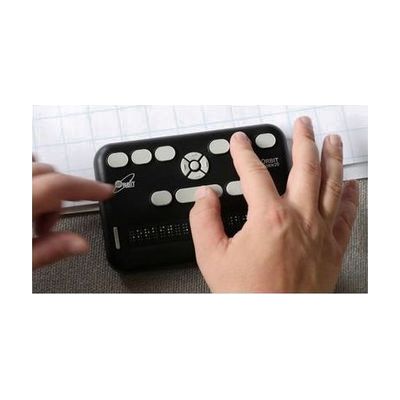
Orbit Reader 20
$799.00
The Orbit Reader 20 is a small refreshable braille device with 20 eight-dot cells that does three jobs. On its own, it reads books and files from an SD card (BRF, BRL, or text) and works as a note-taker using its Perkins-style 8-key braille keyboard. Connected to a computer, phone, or tablet by USB or Bluetooth, it becomes a braille display for a screen reader, so you can read and send messages, check email, and browse the web. It works with common screen readers on Windows, Mac, iOS, Android, and Chrome, and weighs under a pound. Twenty cells show only a short line of braille at a time, so you pan through longer text with the navigation keys.
Verified todaySetup with instructionsA 20-cell braille display that also reads books on its own and pairs with phones and computers.
Step-by-step guide
Low vision and blindness: finding the right tools: A step-by-step guide to assistive technology for low vision and blindness — from magnification and screen readers to borrowing devices, matching options, and state funding programs.
More vision & sight products
-
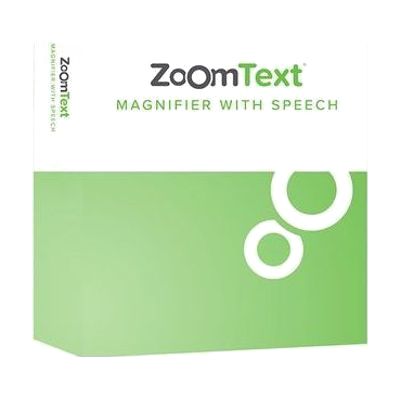
ZoomText Magnifier/Reader
$545 every year
Also from $93.50 every year
ZoomText Magnifier/Reader is Windows software that makes everything on your computer screen larger and easier to see. It also reads aloud, echoing what you type and announcing key program activity, so you can rely on hearing as well as seeing. It's built for people with low vision who still use the screen but need it enlarged and enhanced. Because it's software rather than a standalone device, it needs a Windows computer to run on.
Verified 4 days agoSetup with instructions -

Beecher Mirage Binoculars 7 X 30
$695.00
The Beecher Mirage 7 X 30 is a head-worn binocular that magnifies distant and mid-range sights 7 times, so someone with low vision can see more detail. Wearing it on your head keeps your hands free, and at about 3 ounces it is lighter than earlier Beecher head-worn models. It focuses from 8 feet to infinity with a 9-degree field of view, and an extended eyepiece is built in to widen what you can see. Because the focus range starts at 8 feet, it's meant for viewing at a distance rather than reading close up. Other magnification options are offered in this line, so it helps to try the strength you need before buying.
Verified yesterdayProfessional guidance helps -
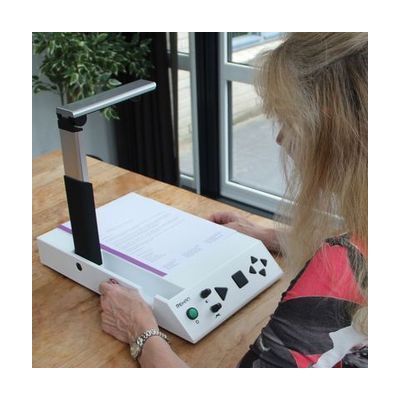
i-Reader 2 Desktop Scanner
$1,999.00
The i-Reader 2 is a desktop scanner that reads a full letter-size printed page aloud. You place the page on it, it scans the text, and a natural-sounding voice reads it back. You can pick a male or female voice and one of twelve languages, and change the reading speed and volume. It also connects to a monitor by VGA or HDMI, so you can see the scanned page with each word highlighted as it is spoken. That helps if you read along with the voice. It runs on AC power and comes with a carrying case.
Verified 2 days agoSetup with instructions -
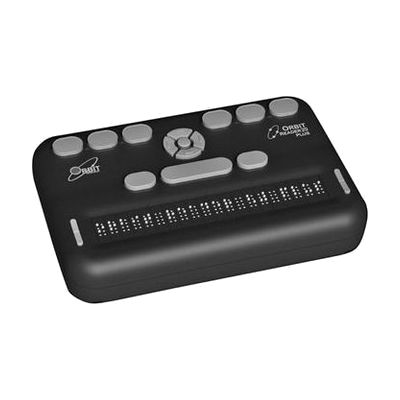
Orbit Reader 20 Plus
$899.00
The Orbit Reader 20 Plus is a 20-cell, eight-dot braille device that works three ways. You can use it by itself as a note-taker or book reader, or connect it to a computer or phone by USB or Bluetooth and use it as a braille display for a screen reader. It translates text into braille and back again on the device, with support for 40+ languages. It also has a clock and alarm, a calendar, and a calculator. It has eight braille input keys, panning keys at each end of the display, an SD-card slot, and a rechargeable battery. It's a good fit for someone who already reads braille and wants one portable tool for notes, books, email, and web browsing. The connected-device features work with Android, iOS, Windows, Fire OS, Chrome, and Linux.
Verified todaySetup with instructions -
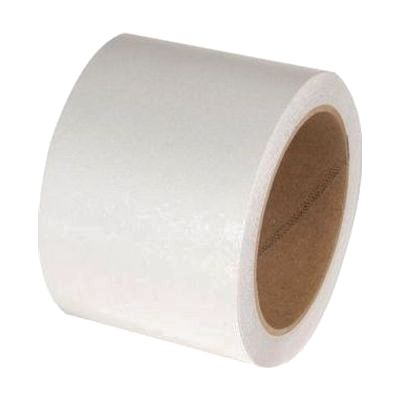
Low Vision Reflective Adhesive Tape- White
$29.95
This white reflective adhesive tape sticks onto a cane, walker, crutches, or wheelchair so drivers can see the person using it more easily. It shines brightest in low light, like when headlights hit it. It also works for marking wall corners and stationary objects in schools and warehouses to help prevent bumps and damage. Each roll is 3 inches wide and 33 feet long. It's sold as a plain tape in white only, so you decide where it goes. The manufacturer suggests having an orientation and mobility specialist, or someone who knows long white canes well, guide where and how it's applied.
Verified 2 days agoProfessional guidance helps -

Braille Pill Box, 7 day compartments
$1.45
This weekly pill organizer has seven compartments, one for each day, with braille markings on each day so a blind person can find the right compartment by touch. It's a simple way to keep a week of pills sorted without needing someone to read the labels. The box is 6 inches long, 1 1/4 inches wide and 1 inch tall, small enough to fit in a drawer or bag. It comes in white or blue depending on what the manufacturer ships, and you can't choose the color. It's not returnable once opened.
Verified yesterdayReady to use -

Walters 8x20 Monocular
$208.95
This small 8x monocular magnifies things at a distance, like a sign, a bus number, or a whiteboard across the room, and it can focus as close as 11 inches. You can hold it up to your eye by hand, or unscrew the eye piece and attach it to your eyeglasses with a separate mounting clamp. It weighs about 2.5 ounces and is under 4 inches long, so it's easy to carry. A neck strap and case come with it. The field of view is narrow at 7 degrees, so you'll see a small area at a time and need a steady hand to find your target.
Verified todaySetup with instructions -

Bright Line Reading Guide: Pink (2-pack)
$11.00
The Bright Line Reading Guide is a pink see-through sheet you lay over a page of text. It tints the print, cuts glare, and boosts contrast. A black reference line on the sheet helps a reader keep their place as they move down the page. You can trim it to any size and punch three holes in it to fit a binder. This pack has two pink guides in a vinyl pouch.
Verified 3 days agoReady to use -
ChromeVox
Free
ChromeVox is the screen reader built into ChromeOS. It reads what is on a Chromebook screen out loud, so someone who can't see the display well can still move through apps, menus, and web pages. It comes with the Chromebook, so there is nothing to buy or install. Chromebook accessibility settings can sync across your devices when you sign in to your Google Account, which saves you from setting them up again on a new machine or after a reset. The page for this product mostly covers Chromebook accessibility settings in general, so check the ChromeVox help pages for the exact keyboard commands and options.
Verified 3 days agoSetup with instructions -
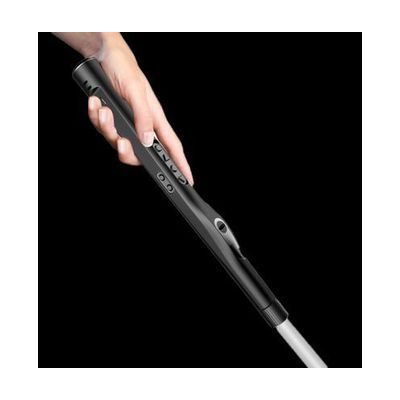
WeWALK Ultrasonic SmartCane V2 with AI
$1,250.00
The WeWALK is a white cane with a smart handle that uses ultrasonic sensing to spot obstacles above chest height, such as lampposts, tree branches, truck mirrors, and street signs. As an obstacle gets closer, the handle vibrates, and you can set the detection range from 30 to 70 inches in the app. The handle also has tactile buttons that control a free iOS or Android app, so your phone can stay in a pocket while it gives turn-by-turn directions, public transit guidance, and points of interest by Bluetooth. Version 2 adds a weatherproof handle, a flashlight, and Harman speakers. It's built for someone who already travels with a white cane and wants navigation help that doesn't need a hand on a phone. Detection is aimed at obstacles above chest height, so it adds to your cane skills rather than replacing them.
Verified todaySetup with instructions -

HALOS Multi Color Microwave Stickers
$11.95
These raised, self-adhesive stickers let you find and identify microwave buttons by touch, which helps most on flat touch-screen panels with nothing to feel. Each shape stands for a different function: a sideways triangle for start, an X for cancel, plus Power Level, Add Time, Popcorn, Pizza, Potato, Defrost, and Cook Time. Every function has its own color, so someone with some remaining sight can tell the stickers apart by sight too. A pack holds 2 stickers for each of the nine functions, so you have spares or can label a second appliance.
Verified todayReady to use -

Stand Magnifier 14X / 50D Round
$34.95
This small stand magnifier gives you 14X (50 diopter) magnification through a 29mm aspheric lens, which keeps the view free of distortion. A built-in LED light brightens whatever you're reading, and the LEDs are rated for about 10,000 hours, so there are no bulbs to swap. It's sized to fit in a hand or a purse, which makes it handy for menus, bills, product labels, and medication labels at home or out and about. A protective pouch comes with it, but you'll need to supply 3 AA batteries. At this strength you see a fairly small area at once, so it suits short spot-reading better than long stretches of text.
Verified yesterdayReady to use -

Daylight Smart Clip-on Lamp
$37.50
This rechargeable LED lamp clips onto a book, book holder, needlework frame, table, or laptop and puts extra light right on what you're reading or working on. A flexible arm lets you aim the beam where you need it, and you can pick from three brightness levels. A full charge takes about 2-3 hours and gives roughly 4 hours of light, so there are no batteries to swap. It's a good fit for someone who reads or does close handwork and finds regular room lighting too dim.
Verified todayReady to use -

Fusion Home
$187 every year
Windows software that combines the ZoomText screen magnifier with the JAWS screen reader in a single install. Someone whose vision changes over time, or who uses magnification some days and speech on others, can move between enlarged, enhanced visuals and spoken output without switching programs. This is the Home edition, a personal-use license, so it suits an individual at home rather than a workplace deployment.
Verified 4 days agoProfessional guidance helps -

CAN-DO 4 Line x 18 JUMBO Cells Aluminum Slate & Stylus, Pins on Bottom
$11.95
This aluminum slate and stylus lets someone write braille by hand, one dot at a time. It has four lines of 18 jumbo-sized cells, with the pins on the bottom, and a stylus comes with it. The slate measures 8 by 2 inches and has slots for tape, so you can secure paper while you write. It's a manual writing tool, not an electronic display, so there's nothing to read back from it on screen. Writing with a slate and stylus takes practice, since the dots are pressed into the paper from the back.
Verified todaySetup with instructions -
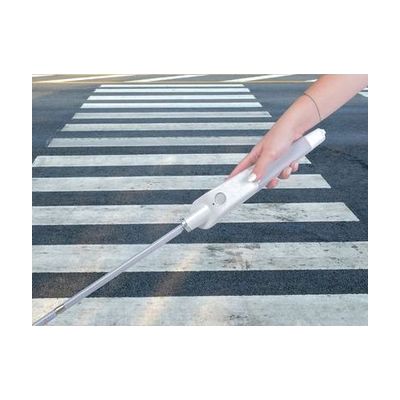
WeWALK Smart Cane - 59 inches
$599.95
The WeWALK is a smart handle that attaches to a long cane. It vibrates to warn you about low-hanging things like signs or tree branches, which the tip of a cane can miss. Once you pair it by Bluetooth with the WeWALK app on an iPhone or Android phone, you also get turn-by-turn walking directions, public transit stops and timetables, a "what's around me" place finder, and step and distance tracking. This 59-inch version is for someone who already travels with a long cane and wants navigation and extra obstacle awareness built into it. It needs a phone and the app for the smart features, and the cane still has to be used the usual way.
Verified 2 days agoSetup with instructions