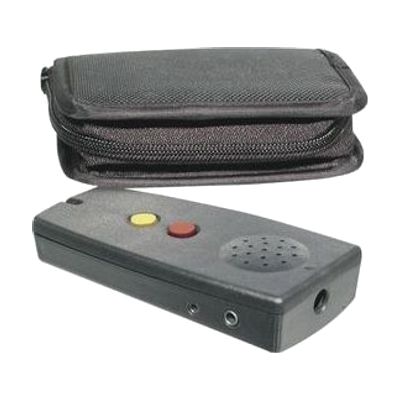
Color Identifier-Light Detector
by Colorino
Price is what the vendor listed when last checked. Confirm it with the vendor before buying.
What it is
Summary
AI-generated from vendor-published content · October 1, 2026
The Colorino speaks the color of whatever you hold it against, and it names shades, not just basic colors. It can announce up to 150 shades, so you hear "light red" or "dark red" instead of only "red." That helps with matching clothes, checking whether fruit or vegetables look ripe, and picking colors for a room. A second button turns it into a light detector: hold it in the air and a higher tone means brighter light, a lower tone means dimmer light. It's pocket-sized, has a volume control, and has a jack for earphones if you want privacy. Earphones are not included, but the 2 AAA batteries and a zippered carrying case are.
Getting it
Try before you buy
Devices like this are often available to borrow through your state's AT Act program — typically free or low-cost — so you can try it before buying or pursuing funding.
Where to get it
This is the vendor WhatCanHelp tracks for this product — it may also be available from other retailers or a local supplier, and prices vary.
How to fund this
These are common places to ask about paying for equipment like this. Each one decides its own eligibility and what it covers, so start by asking them.
Details
Quick Facts Catalog facts · auto-generated
- Type
- Addresses
- Platform
- Age range
- Complexity
- Ready to use
- Price
- $229.00
- Funding
- AT Act lending
- Medicaid waiver
- Out of pocket
- Vocational rehab
What setup looks like
- Out of the box
- The 2 AAA batteries are included. Put them in and the unit is ready to use.
- To hear a color, hold the unit flat against the item and press the red button. It speaks the shade.
- To check for light, hold the unit in the air and press the yellow button. A high tone means bright light and a low tone means dim light.
- Adjust the volume with the volume control, or plug in your own earphones for private listening.
Compare & explore
More low vision aids
-
-
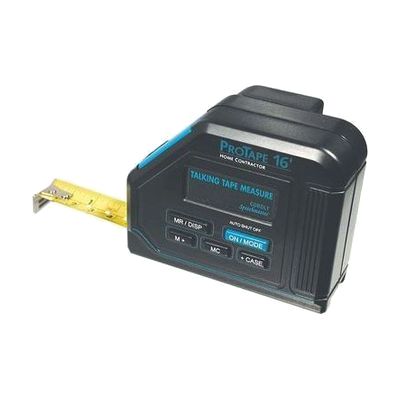
Talking Tape Measure - English
$139.95
-
Talking Tape Measure - Spanish
$139.95
-
-
-
Sources & fine print
Vendor facts (name, price, platforms, vendor link) sourced from MaxiAids — view on vendor site (opens in a new tab); last checked November 20, 2026.
Classification & description AI-generated from vendor-published content on October 1, 2026 · confidence: high. Vendor specs may lag; verify before relying on details in a clinical or funding artifact.