
Large Dial Gold Tone Talking Vibrating Watch with Black Rubber Band
by MaxiAids
Price is what the vendor listed when last checked. Confirm it with the vendor before buying.
What it is
Summary
AI-generated from vendor-published content · October 1, 2026
This wristwatch lets you check the time two ways: you can read it on a 1.5-inch white face with large black numbers 1-12 and thick black hands, or you can have it announce the time and date out loud on demand. The alarm can speak the alarm time and also gives you vibrating and chime options, so you're less likely to miss an appointment or reminder. A countdown timer is included too. It's a good fit if you want a watch that works for both low vision and hearing the time announced, with a flexible black rubber band for all-day wear. The announced time and the displayed hands are set separately, so you'll set both after putting in the battery.
Getting it
Try before you buy
Devices like this are often available to borrow through your state's AT Act program — typically free or low-cost — so you can try it before buying or pursuing funding.
Where to get it
This is the vendor WhatCanHelp tracks for this product — it may also be available from other retailers or a local supplier, and prices vary.
Wondering how equipment like this gets paid for? See the official funding programs in your state.
Details
Quick Facts Catalog facts · auto-generated
- Addresses
- Platform
- Age range
- Complexity
- Ready to use
- Price
- $59.95
- Funding
- AT Act lending
- Out of pocket
What setup looks like
- Out of the box
- Make sure a CR2032 battery is installed, then press the talk control to hear the time and date announced.
- Use the crown to set the watch hands on the dial, then set the announced time separately so the voice matches the display.
- Set the alarm and choose spoken, vibrating, or chime alerts, or start the countdown timer, as needed.
Compare & explore
More alerting systems
-
-
-
-
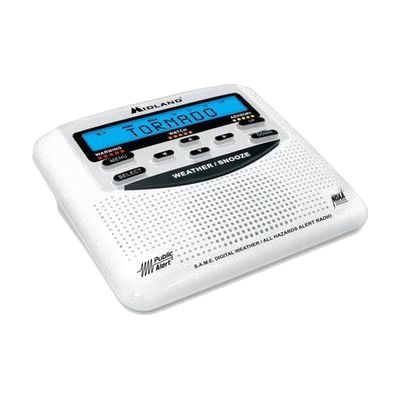
Midland Weather Radio
$49.95
-
Bones Helen Vibrating Clock
$524.99 – $525.00
-
Sources & fine print
Vendor facts (name, price, platforms, vendor link) sourced from MaxiAids — view on vendor site (opens in a new tab); last checked November 20, 2026.
Classification & description AI-generated from vendor-published content on October 1, 2026 · confidence: high. Vendor specs may lag; verify before relying on details in a clinical or funding artifact.