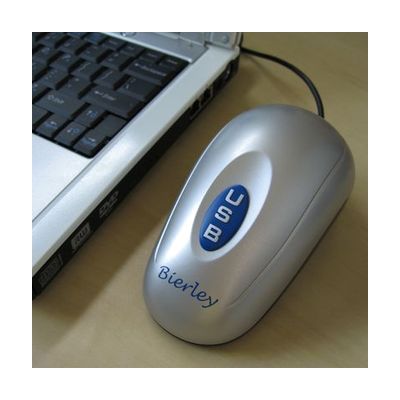
MonoMouse - USB Black & White
by LS&S
Last verified June 18, 2026 · classified May 23, 2026
What it is
Summary
AI-generated from vendor-published content · May 23, 2026
The MonoMouse is a handheld, mouse-shaped grayscale video magnifier that connects to a Windows PC via USB and displays magnified content in a resizable window on your monitor. Magnification ranges from 3x to 100x, making it useful for reading printed text, bills, labels, or book pages without needing a separate dedicated CCTV unit. It's aimed at students or workers with low vision who already have a Windows computer and want an affordable, portable magnification option at their desk. The trade-off is that it only captures in black and white — no color — which can reduce contrast for some documents compared to color CCTVs, and you'll need a working Windows computer and monitor to use it at all.
Quick Facts Catalog facts · auto-generated
- AT Act lending
- Out of pocket
- School district
- Vocational rehab
What Setup Looks Like
- Out of the box
Plug the MonoMouse into a USB 2.0 port on your Windows PC — the device should be recognized automatically. - With a guide
- Install the included software so captured images display in a resizable window on your monitor.
- Adjust magnification level (3x–100x) using the software controls to find comfortable reading size — allow 15–30 minutes to explore settings. See manufacturer support resources for detailed instructions.
Getting it
Try Before You Buy
Devices like this are often available to borrow through your state's AT Act program — typically free or low-cost — so you can try it before buying or pursuing funding.
Where to Get It
Some links may be affiliate links — WhatCanHelp may earn a small commission from purchases at no extra cost to you. More on affiliates →
How to Fund This
Equipment like this is often pursued through official state programs. These are common starting points — each program decides its own eligibility and what it covers, so the first step is always a phone call.
Compare & explore
Sources & fine print
Vendor facts (name, price, platforms, vendor link) sourced from LS&S — view on vendor site; last verified June 18, 2026.
Classification & description AI-generated from vendor-published content on May 23, 2026 · confidence: high. Vendor specs may lag; verify before relying on details in a clinical or funding artifact.