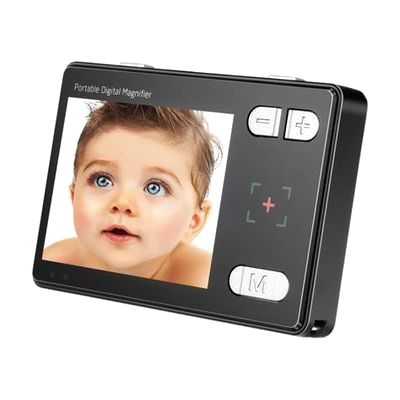
3.5" Portable Magnifier
by Reinecker
Price is what the vendor listed when last checked. Confirm it with the vendor before buying.
What it is
Summary
AI-generated from vendor-published content · October 1, 2026
This pocket-sized electronic magnifier shows whatever you hold it over on a 3.5-inch screen, with zoom from 2X to 24X. It can freeze one image so you can study it without holding steady, and it offers 15 color options to help with contrast and comfort. An included AV cable lets you send the picture to a TV for a bigger view at home. It runs about 6 hours on a charge, so it works for reading labels, menus, and mail while you're out. The screen is small, so at high zoom you see only a few words at a time.
Getting it
Try before you buy
Devices like this are often available to borrow through your state's AT Act program — typically free or low-cost — so you can try it before buying or pursuing funding.
Where to get it
These are the vendors WhatCanHelp tracks for this product — it may also be available from other retailers or a local supplier, and prices vary.
How to fund this
These are common places to ask about paying for equipment like this. Each one decides its own eligibility and what it covers, so start by asking them.
Details
Quick Facts Catalog facts · auto-generated
- Addresses
- Platform
- Age range
- Complexity
- Ready to use
- Price
- $189.00
- Funding
- AT Act lending
- Insurance
- Medicaid waiver
- Out of pocket
- Vocational rehab
What setup looks like
- Out of the box
- Power it on, hold it over the text, and adjust the zoom to the size you want. It works right away.
- Use the freeze frame to hold one image, or switch through the color options to find the one that is easiest to see.
- To view on a TV, plug the included AV cable into the magnifier and the TV.
Compare & explore
Sources & fine print
Vendor facts (name, price, platforms, vendor link) sourced from LS&S — view on vendor site (opens in a new tab); last checked November 4, 2026.
Classification & description AI-generated from vendor-published content on October 1, 2026 · confidence: high. Vendor specs may lag; verify before relying on details in a clinical or funding artifact.