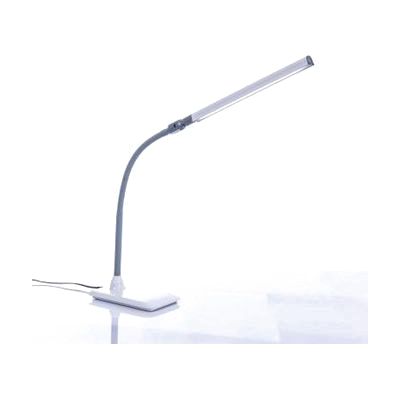
Uno Pro LED Desk Lamp
by Daylight
Price is what the vendor listed when last checked. Confirm it with the vendor before buying.
What it is
Summary
AI-generated from vendor-published content · October 1, 2026
The Uno Pro is a desk lamp that puts bright, daylight-style light right where you need it for reading, writing, or close-up tasks. Its flexible arm and pivoting head let you aim the light, and a touch dimmer on the head gives you four brightness levels, up to 400 lumens. The 28 LEDs have a 6,000K daylight color and a 95+ CRI rating, which means colors look true. An anti-glare shade helps cut harsh reflections. It stands 15 inches tall on a compact base, so it fits on most desks. This is a task light, not a magnifier, so it helps with lighting but won't enlarge print.
Getting it
Try before you buy
Devices like this are often available to borrow through your state's AT Act program — typically free or low-cost — so you can try it before buying or pursuing funding.
Where to get it
These are the vendors WhatCanHelp tracks for this product — it may also be available from other retailers or a local supplier, and prices vary.
How to fund this
These are common places to ask about paying for equipment like this. Each one decides its own eligibility and what it covers, so start by asking them.
Details
Quick Facts Catalog facts · auto-generated
- Type
- Addresses
- Platform
- Age range
- Complexity
- Ready to use
- Price
- $57.99
- Funding
- AT Act lending
- Out of pocket
- Vocational rehab
What setup looks like
- Out of the box
- Set the lamp on a desk or table and plug it in.
- Tap the touch switch on the head to turn it on and step through the four brightness levels.
- Bend the arm and tilt the head so the light falls on your work without shining in your eyes.
Compare & explore
Sources & fine print
Vendor facts (name, price, platforms, vendor link) sourced from LS&S — view on vendor site (opens in a new tab); last checked November 4, 2026.
Classification & description AI-generated from vendor-published content on October 1, 2026 · confidence: high. Vendor specs may lag; verify before relying on details in a clinical or funding artifact.