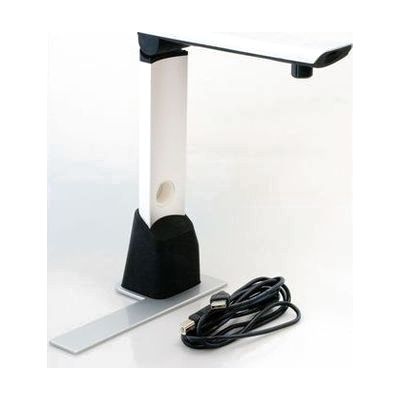
ReadDesk
by LS&S
Price is what the vendor listed when last checked. Confirm it with the vendor before buying.
Last verified September 19, 2026 · classified April 26, 2026
What it is
Summary
AI-generated from vendor-published content · April 26, 2026
The ReadDesk is a USB camera that connects to a Windows PC or laptop, uses OCR software to scan printed documents, and then reads the text aloud using a natural-sounding voice while also displaying a magnified view on-screen. It's well-suited for someone with low vision who needs to independently read mail, prescription bottles, books, or paperwork at a desk without relying on another person. You're getting the camera and software together, but you must supply your own Windows computer — this is not a standalone device. Setup requires software installation and some configuration of voice and display preferences, so plan for a learning curve to get settings dialed in.
Quick Facts Catalog facts · auto-generated
- AT Act lending
- Out of pocket
- Vocational rehab
What Setup Looks Like
- With a guide
- Install the included software on your Windows computer.
- Connect the ReadDesk camera to the computer via USB cable.
- Adjust color, magnification, and voice settings through the software menu to suit your vision and hearing needs — expect 30–60 minutes to explore and personalize settings. See manufacturer support resources for detailed instructions.
- With professional help
- A low vision specialist or assistive technology professional (ATP) can assess optimal magnification levels and contrast settings for your specific vision needs.
- An OT or ATP can also advise on desk positioning and workflow integration for the most effective daily use.
Getting it
Try Before You Buy
Devices like this are often available to borrow through your state's AT Act program — typically free or low-cost — so you can try it before buying or pursuing funding.
Where to Get It
This is the vendor WhatCanHelp tracks for this product — it may also be available from other retailers or a local supplier, and prices vary.
Some links may be affiliate links — WhatCanHelp may earn a small commission from purchases at no extra cost to you. More on affiliates →
As an Amazon Associate we earn from qualifying purchases.
How to Fund This
Equipment like this is often pursued through official state programs. These are common starting points — each program decides its own eligibility and what it covers, so the first step is always a phone call.
Compare & explore
Sources & fine print
Vendor facts (name, price, platforms, vendor link) sourced from LS&S — view on vendor site; last verified September 19, 2026.
Classification & description AI-generated from vendor-published content on April 26, 2026 · confidence: high. Vendor specs may lag; verify before relying on details in a clinical or funding artifact.