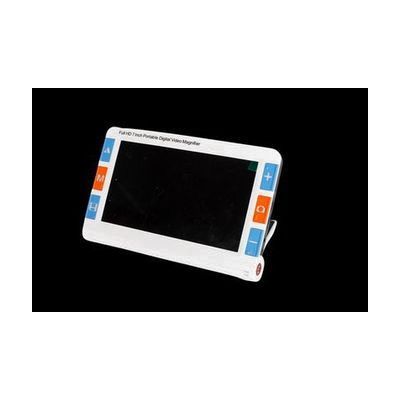
7" Portable Electronic Magnifier with Distance
Last verified June 19, 2026 · classified April 26, 2026
What it is
Summary
AI-generated from vendor-published content · April 26, 2026
This is a handheld video magnifier with a 7-inch screen that uses two separate cameras — one for close-up reading (2x to 32x magnification) and one for distance viewing up to about 16 feet away, useful for things like reading shelf labels or bus numbers. It's designed for someone with low vision who wants a single portable device that handles both near tasks like reading mail and distance tasks when out in the community. This is a complete, self-contained unit — the screen, cameras, battery, and 26 color contrast modes are all built in, and it folds flat for easy transport; a fold-out stand lets you use it hands-free for reading or writing. Four hours of battery life is on the shorter side for a full day out, and the screen resolution (1024x600) is modest compared to newer high-end video magnifiers in this price range.
Quick Facts Catalog facts · auto-generated
- AT Act lending
- Medicaid waiver
- Out of pocket
- Vocational rehab
What Setup Looks Like
- Out of the box
- Charge fully via USB-C before first use.
- Power on and point the close-up camera at text to begin magnifying — use the zoom controls to adjust magnification.
- Toggle to the distance camera using the mode button to view objects up to 16 feet away.
- With a guide
- Explore the 26 color contrast modes to find which combination is most comfortable for your specific vision condition.
- Set up freeze frame and voice memo features for capturing and labeling important images (e.g., medication labels).
- If using TV output, connect via HDMI or AV cable to a larger display — allow 15–30 minutes to configure. See manufacturer support resources for detailed instructions.
- With professional help
- A low vision specialist or certified low vision therapist (CLVT) can assess whether dual-camera magnification fits your functional vision needs and recommend optimal contrast and magnification settings.
- Expect a single low vision clinic visit of 1–2 hours for evaluation and hands-on training.
Getting it
Try Before You Buy
Devices like this are often available to borrow through your state's AT Act program — typically free or low-cost — so you can try it before buying or pursuing funding.
Where to Get It
Some links may be affiliate links — WhatCanHelp may earn a small commission from purchases at no extra cost to you. More on affiliates →
As an Amazon Associate we earn from qualifying purchases.
How to Fund This
Equipment like this is often pursued through official state programs. These are common starting points — each program decides its own eligibility and what it covers, so the first step is always a phone call.
Compare & explore
Sources & fine print
Vendor facts (name, price, platforms, vendor link) sourced from Independent Living Aids — view on vendor site; last verified June 19, 2026.
Classification & description AI-generated from vendor-published content on April 26, 2026 · confidence: high. Vendor specs may lag; verify before relying on details in a clinical or funding artifact.