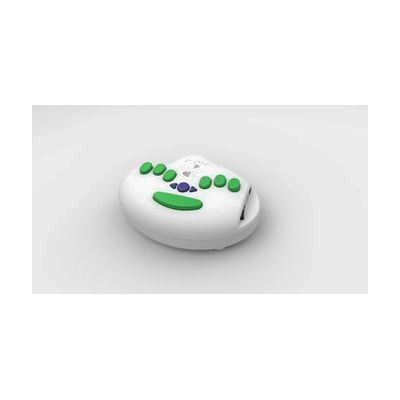
6Dot Electronic Braille Label Maker
Last verified June 19, 2026 · classified May 25, 2026
What it is
Summary
AI-generated from vendor-published content · May 25, 2026
This standalone device embosses braille labels onto standard 3/8" vinyl adhesive tape — the same DYMO-compatible tape widely available in stores. It can be operated via the built-in six-key braille keyboard (supporting contracted and uncontracted braille in multiple languages) or through a standard QWERTY USB keyboard, which makes it practical for sighted teachers, family members, or workplace colleagues who need to create labels without knowing braille. The kit comes complete with the unit, AC adapter, USB QWERTY keyboard, and 10 tape rolls, so you can start labeling right out of the box. At this price point it's a significant investment, and tape rolls are a recurring consumable cost to factor in — but the automatic scoring and cutting and the patented embossing mechanism produce consistently readable dots, which cheaper braille labelers often fail to do reliably.
Quick Facts Catalog facts · auto-generated
- AT Act lending
- Medicaid waiver
- Out of pocket
- Vocational rehab
What Setup Looks Like
- Out of the box
- Plug in the AC adapter or install 6 AA batteries.
- Connect the included QWERTY keyboard via USB if preferred, or use the built-in braille keys.
- Load a tape roll and press keys to enter text — the unit scores and cuts automatically.
- With a guide
- Review the included documentation to configure language settings or braille grade (contracted vs. uncontracted).
- Test a few labels to confirm dot height and tape feed are correct before labeling in bulk — allow 15–20 minutes to get comfortable with the workflow.
- See manufacturer support resources for detailed instructions.
Getting it
Try Before You Buy
Devices like this are often available to borrow through your state's AT Act program — typically free or low-cost — so you can try it before buying or pursuing funding.
Where to Get It
Some links may be affiliate links — WhatCanHelp may earn a small commission from purchases at no extra cost to you. More on affiliates →
How to Fund This
Equipment like this is often pursued through official state programs. These are common starting points — each program decides its own eligibility and what it covers, so the first step is always a phone call.
Compare & explore
Sources & fine print
Vendor facts (name, price, platforms, vendor link) sourced from Independent Living Aids — view on vendor site; last verified June 19, 2026.
Classification & description AI-generated from vendor-published content on May 25, 2026 · confidence: high. Vendor specs may lag; verify before relying on details in a clinical or funding artifact.