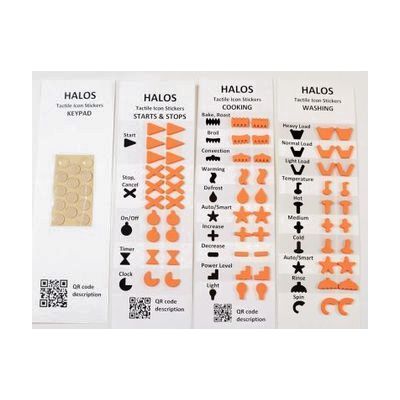
HALOS Home Package - Black or Orange
Price is what the vendor listed when last checked. Confirm it with the vendor before buying.
What it is
Summary
AI-generated from vendor-published content · October 1, 2026
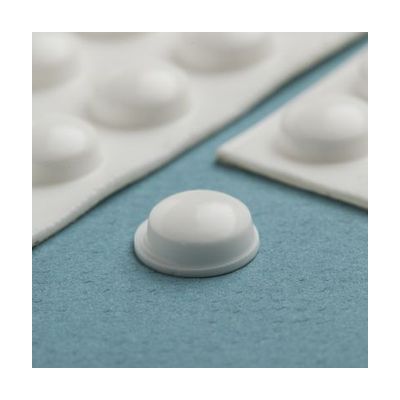
HALOS Home is a kit of 60 tactile stickers that lets you mark appliance controls so you can find them by touch. The icons cover common functions like Start, Stop/Cancel, On/Off, Clock, Timer, Bake, Broil, Defrost, and washer settings such as Heavy Load, Hot, Cold, Rinse, and Spin. It also includes a numbered keypad set with 12 flat round stickers and 2 domed ones. This is a good fit for someone who can't see the labels on a microwave, oven, or washer, and it works especially well on flat touch-screen panels that have no buttons to feel. You choose black or orange when you order, so pick the color that stands out against your appliances.
Getting it
Try before you buy
Devices like this are often available to borrow through your state's AT Act program — typically free or low-cost — so you can try it before buying or pursuing funding.
Where to get it
This is the vendor WhatCanHelp tracks for this product — it may also be available from other retailers or a local supplier, and prices vary.
Wondering how equipment like this gets paid for? See the official funding programs in your state.
Details
Quick Facts Catalog facts · auto-generated
- Type
- Addresses
- Platform
- Age range
- Complexity
- Ready to use
- Price
- $25.95
- Funding
- AT Act lending
- Out of pocket
What setup looks like
- Out of the box
- Peel a sticker and press it next to or on the control you want to mark, such as Start on a microwave.
- Use the keypad stickers (12 flat, 2 domed) to mark the number pad. Consider using a domed one as a landmark on a key like 5.
- Ask a sighted helper to check placement the first time if you can, then feel each sticker to learn the layout.
Compare & explore
More low vision aids
-
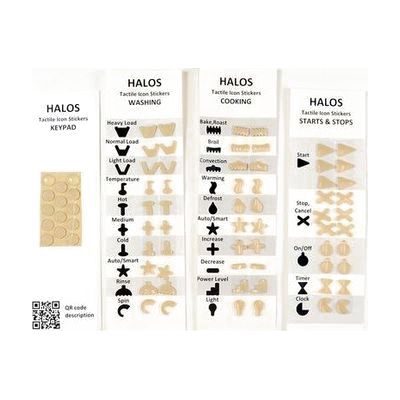
HALOS Home Package Clear
$45.95
-
-

-
-
-
Sources & fine print
Vendor facts (name, price, platforms, vendor link) sourced from Independent Living Aids — view on vendor site (opens in a new tab); last checked November 22, 2026.
Classification & description AI-generated from vendor-published content on October 1, 2026 · confidence: high. Vendor specs may lag; verify before relying on details in a clinical or funding artifact.