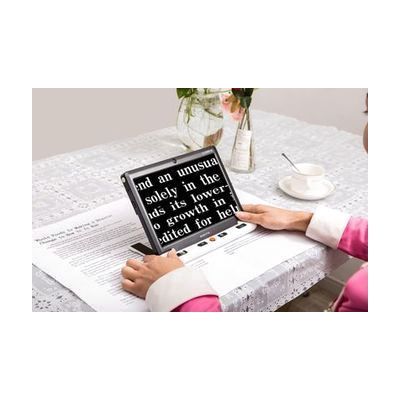
Clover 10 Handheld Video Magnifier
by Clover
$1,299.00 ▲ $500.00 (63%)
Last verified June 17, 2026 · classified May 23, 2026
What it is
Summary
AI-generated from vendor-published content · May 23, 2026
The Clover 10 is a handheld video magnifier with a 10-inch IPS LCD screen — larger than most portable magnifiers in this category — designed for people with low vision who need to read text, view photos, or write with magnified feedback. It captures live video through a built-in camera and displays it at magnification levels ranging from roughly 2x to 28x or more, with multiple color contrast modes (true color, high-contrast enhanced colors) for users with conditions like macular degeneration or diabetic retinopathy. A fold-away stand lets you set it flat on a desk for hands-free reading or writing, and image freeze with storage means you can capture a label or menu and review it without holding position. At 10 inches, this is on the large end for a handheld device — it's genuinely portable but not pocket-sized, and battery life of around 3 hours means longer reading sessions will require access to a power outlet.
Quick Facts Catalog facts · auto-generated
- AT Act lending
- Medicaid waiver
- Out of pocket
- Vocational rehab
What Setup Looks Like
- Out of the box
- Charge the device fully before first use.
- Power on, point the camera at reading material, and use the joystick or buttons to adjust magnification level — no pairing or software required.
- With a guide
- Review the user manual to configure preferred color contrast modes and save them as favorites.
- Set up the fold-away stand angle and reading line/mask overlay for your most common use case — typically takes 15–20 minutes with the included guide.
Getting it
Try Before You Buy
Devices like this are often available to borrow through your state's AT Act program — typically free or low-cost — so you can try it before buying or pursuing funding.
Where to Get It
Some links may be affiliate links — WhatCanHelp may earn a small commission from purchases at no extra cost to you. More on affiliates →
How to Fund This
Equipment like this is often pursued through official state programs. These are common starting points — each program decides its own eligibility and what it covers, so the first step is always a phone call.
Compare & explore
Sources & fine print
Vendor facts (name, price, platforms, vendor link) sourced from Clover — view on vendor site; last verified June 17, 2026.
Classification & description AI-generated from vendor-published content on May 23, 2026 · confidence: medium. Vendor specs may lag; verify before relying on details in a clinical or funding artifact.