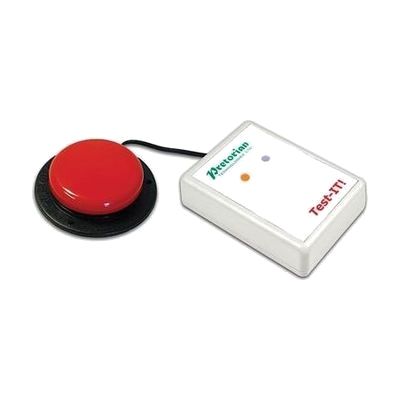
Test-IT!
by AbleNet
Est. $25–$60, see price history
Typical price range, not a vendor quote. Confirm it with the vendor before buying.
What it is
Summary
AI-generated from vendor-published content · October 1, 2026
Test-IT! is a small battery-powered tester that tells you whether a switch is working. Plug any switch with a 3.5mm plug into its socket. An orange light comes on to show the tester has power. Press the switch and a green light comes on if the switch is working. It shuts itself off after you unplug the switch, which saves the battery. It's handy for teachers, therapists, and families who want to rule out a dead switch before a session starts or when something stops responding. It only checks the switch itself, not the device or software the switch controls. A 9V battery is included.
Getting it
Many states lend devices like this for trial periods, free or at low cost — find your state's AT lending program.
Where to get it
This is the vendor WhatCanHelp tracks for this product — it may also be available from other retailers or a local supplier, and prices vary.
How to fund this
These are common places to ask about paying for equipment like this. Each one decides its own eligibility and what it covers, so start by asking them.
Details
Quick Facts Catalog facts · auto-generated
- Addresses
- Platform
- Age range
- Complexity
- Ready to use
- Price
- Est. $25–$60
- Funding
- Out of pocket
- School district
- Vocational rehab
What setup looks like
- Out of the box
- Plug a switch with a 3.5mm plug into the socket. The orange light shows the tester is on.
- Press the switch. A green light means the switch is working.
- Unplug the switch when you're done and the tester turns itself off.
Compare & explore
Sources & fine print
Vendor facts (name, price, platforms, vendor link) sourced from Inclusive Technology — view on vendor site (opens in a new tab); last checked October 31, 2026.
Classification & description AI-generated from vendor-published content on October 1, 2026 · confidence: high. Vendor specs may lag; verify before relying on details in a clinical or funding artifact.