Hands & fine motor — assistive technology
Adaptations for people with limited hand strength, dexterity, or fine motor control — alternative keyboards, switches, trackballs, mounting systems, and adapted tools for everyday tasks.
Browse by type
Core picks
A starting set that shows the range, from simple tools to specialist devices. Not a ranking, and not a recommendation for any one person.
-

Windows Voice Access
Free
Voice Access is a built-in Windows 11 feature that lets you run your PC by speaking. You can open and switch between apps, browse the web, and write and read email, and it works without an internet connection. It's a good fit if using a keyboard and mouse is hard or tiring. It's only available on Windows 11 version 22H2 or later, so older PCs will need the update first. A built-in guide walks you through the basic commands and has a practice area, which helps because learning the spoken commands takes some time.
Verified 3 days agoSetup with instructionsControl a Windows 11 PC by voice — open apps, browse, and dictate without keyboard or mouse.
-

Big Grip Adaptive Eating Utensils
$14.95
These eating utensils have a wide, soft, textured handle about 1 3/8 inches across, which gives weak or shaky hands more to hold onto. The fork and spoons have a twist in the metal shaft, so you can bend them to whatever angle suits your hand and reach, for either left- or right-handed use. That bendable shaft also helps if lifting food to your mouth is hard. Each utensil is sold as a single piece (fork, rocker knife, teaspoon, or tablespoon), so you pick the type you need and order more if you want a set.
Verified todayReady to useThick, weighted handles that bend to an angle — easier eating with weak grip, tremor, or arthritis.
-

Classic Reacher- 36 in.
$20.95
The PikStik Classic Reacher gives you a 36-inch reach, so you can grab items from high shelves or pick things up off the floor without bending or stretching. A pistol-style grip lets you squeeze to close the jaws around an object. The body is rustproof thermoplastic resin, and the tips come off for easy replacement. It ships with texture tips; suction cup tips are sold separately if you want them. This is a good fit for someone with arthritis, back, neck, or leg pain, or someone recovering from hip or knee surgery who needs to avoid bending. The line comes in three lengths, so check that 36 inches suits where and how you'll use it.
Verified 2 days agoReady to useA trigger grabber for picking things up without bending, stretching, or reaching overhead.
-
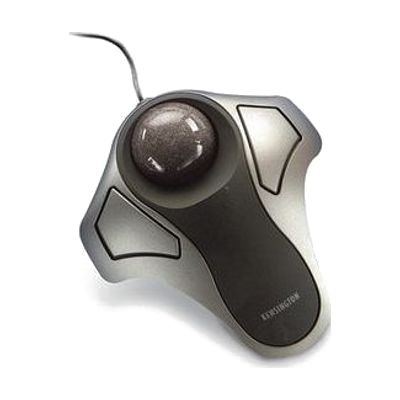
Kensington Orbit Optical Trackball
Est. $30–$55
The Kensington Orbit is a stationary trackball. You roll the ball with your fingers or palm to move the cursor, and the base never moves, so there's no sweeping your arm across the desk like you would with a mouse. That makes it a good fit for someone who finds mouse movements tiring or who has little desk space. It plugs into a PC or Mac by USB and works right away. The optical sensing is designed to resist dust, so it should need less cleaning than older trackballs.
Verified 4 days agoReady to useMove the cursor with your fingertips while the trackball stays still — easier with tremor or wrist pain.
-

Xbox Adaptive Controller
$99.99
The Xbox Adaptive Controller is a flat hub that lets you build a custom game controller from the switches, buttons, mounts, and joysticks that work best for your body. It has 3.5mm jacks and USB ports for plugging those devices in, and each one can stand in for a button, thumbstick, or trigger input. It works with Xbox Series X|S, Xbox One, and Windows PCs, and connects by Xbox Wireless, Bluetooth, or USB. You can remap buttons and save profiles in the Xbox Accessories app, then flip between three of them with the built-in Profile button. The controller alone isn't a full setup: the buttons, switches, and joysticks that plug into it are sold separately.
Verified 3 days agoSetup with instructionsPlug in switches, joysticks, or foot pedals and play Xbox or PC games your own way.
-

Jelly Bean
$75.00
The Jelly Bean is a push-button switch with a 2.5-inch (6.4 cm) round activation surface, a good fit for someone who can reach and press a smaller target. The top comes off and can be swapped for red, blue, yellow, or green, and a clear snap cap is included so you can slip a picture symbol inside. That helps match the switch to someone's tastes or visual needs. This is the switch only. It does nothing until it is connected to a device, toy, or communication aid that responds to switch input.
Verified 4 days agoProfessional guidance helpsA 2.5-inch press switch that plugs into AAC devices, computers, adapted toys, and environmental controls.
-
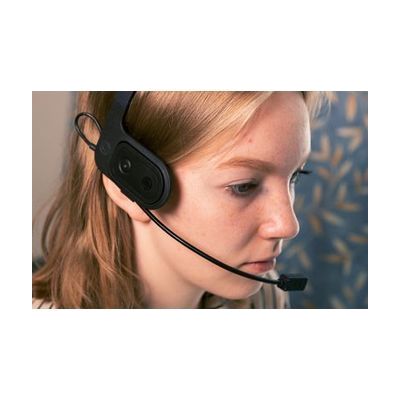
Quha Zono Mouse 2
Est. $1,000–$2,000
The Quha Zono Mouse 2 is a wireless, hands-free mouse that uses gyroscopes to turn small head or body movements into cursor movement, for people who can't use a regular mouse. You can mount it with a head kit that has an eyeglass clip and neckband, an adjustable headband, or an eyewear kit. Gestures handle pause, scrolling, and re-centering, and you can connect up to two external switches for clicking. Its built-in rechargeable battery runs about 60 hours of active use and shuts off after an hour of inactivity. It also works with software such as Quha Dwell, Grid 3, and Dwell Clicker, which add features like vibration smoothing and target snapping.
Verified 4 days agoProfessional guidance helpsHead or body movement moves the cursor — hands-free computer use when hand movement is very limited.
Step-by-step guide
Hands and fine motor: easier grip, reach, and computer access: A step-by-step guide to assistive technology for grip, dexterity, and computer access — adapted everyday tools, trackballs, switches, voice control, borrowing, and state funding programs.
More hands & fine motor products
-
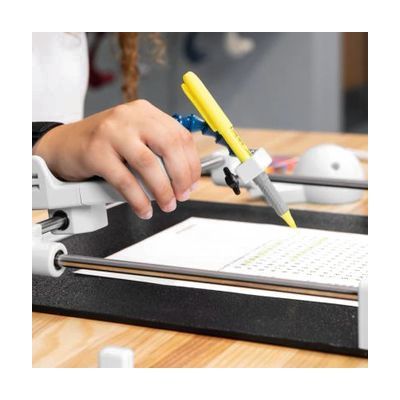
Guided Hands Bundle - Assistive Hand Mobility Kit for Writing, Drawing, Painting & Tech with Custom Adaptations
$999.00
The Guided Hands Bundle is a kit for people who have limited hand mobility and want an easier way to write, draw, paint, and use technology. It's meant for use at home, at school, or in therapy. The product name mentions custom adaptations, so this looks like a set of tools you fit to the person's hands, not a single one-size device.
Verified 3 days agoProfessional guidance helps -
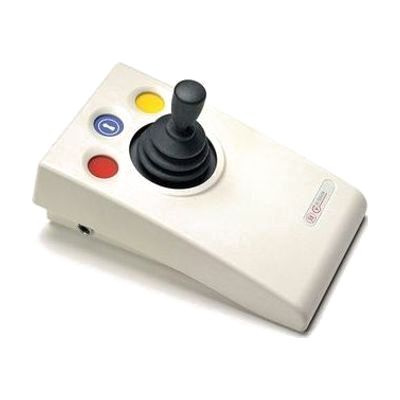
it-Stick Wireless Joystick
Est. $150–$350
The it-Stick is a wireless joystick that moves the cursor on a computer or tablet, for someone who finds a mouse or trackpad hard to control. It responds to a very light touch, so it can suit a person with limited strength or range of movement. It has left-click, right-click, and drag lock buttons, four cursor speed settings, and sounds that confirm each action. It works with Windows, Mac, Chromebook, iPadOS, and iOS, and the built-in battery recharges over USB. The it-Receive receiver is required and isn't in the box with the joystick alone. It comes in the Starter Pack, and it reaches about 10 metres from the receiver.
Verified 4 days agoSetup with instructions -
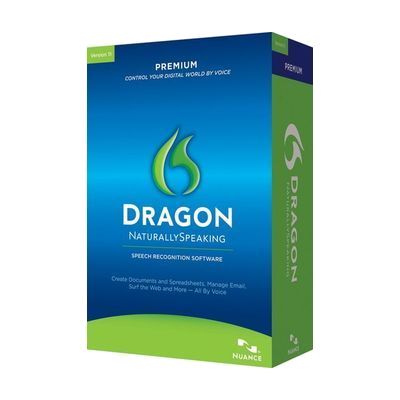
Dragon NaturallySpeaking Premium (Spanish)
$699.00
Dragon NaturallySpeaking Premium (Spanish) is speech recognition software for Windows. You talk to the computer and your words appear on screen as text. It also takes spoken commands, so you can proofread, edit, write and listen to email, and switch between programs without a keyboard or mouse. It works inside Word and WordPerfect, with its commands shown in the menu bar. This suits someone who finds typing slow, tiring, or hard to do. The installer checks your computer first, and it won't install if the machine doesn't meet the minimum requirements.
Verified todaySetup with instructions -

Switch Modifier
$104.95
The Switch Modifier sits between a momentary switch and a toy or device and changes how the switch behaves. It can keep the device on only while the switch is held, turn it on with one press and off with the next, or run it for a set time. An adjustable intention delay asks the user to press for 1 to 15 seconds before anything happens, which helps when tremors or uncontrolled movements cause accidental hits. This is a control box, not a switch: you need your own switch and something to run with it. It runs on one 9-volt battery.
Not recently verifiedSetup with instructions -
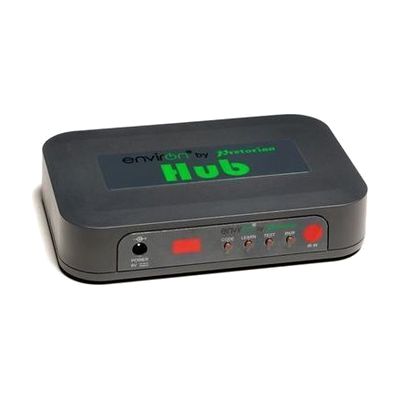
EnvirON Hub
Est. $150–$350
The EnvirON Hub is the central box in the EnvirON system. It lets someone control things like a TV, radio, lamp, or fan using the free EnvirON App on an Apple device, a wireless switch, or a scanning remote. For infrared devices, you point the existing remote at the Hub and press a button so the Hub learns that signal. Lamps, fans, and other mains-powered devices are controlled through iClick controllers, which are separate. It works with iOS Switch Control, so someone who uses a Bluetooth switch such as the APPlicator or iSwitch can scan through choices and operate their surroundings that way. Because the system has several parts, it helps to have someone experienced choose and set up the right access method.
Verified 4 days agoProfessional guidance helps -
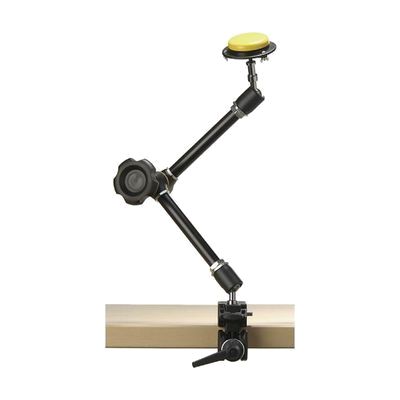
Universal Switch Mounting - Variable Friction Arm
Est. $60–$130
This adjustable arm holds a switch in the exact spot where someone can reach and press it reliably. A large knob loosens the arm so you can move it smoothly, then locks it in place; the arm reaches out to about 20 inches (51 cm) and holds up to 2 kg. It comes with a Super Clamp for attaching to a wheelchair or a table edge. The arm fits devices with a standard 3/8" or 1/4" camera thread, but you'll need to buy a separate mounting plate (such as a Manfrotto triangular plate) and your own switch, since neither is included.
Verified 4 days agoProfessional guidance helps -

Accessible Activity-PC Table-Hand Crank Adjust-DS
$958.00
This activity table or computer workstation raises and lowers with a hand crank that folds away underneath. It adjusts from 27 to 39 inches, so it works for people seated in wheelchairs and for people at different heights, and it suits places where the height changes often. The top is 1-1/8 inch thick laminate with PVC edging, the feet are powder coated steel, and it holds up to 450 lbs. It comes in four sizes, and wheels are sold separately if you want to move it around.
Verified 2 days agoSetup with instructions -
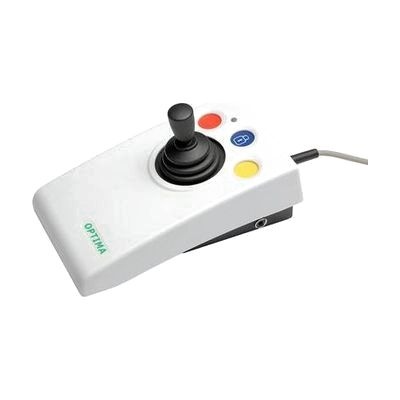
OPTIMA Joystick
Est. $150–$350
The OPTIMA Joystick is a computer joystick that moves the cursor with a light touch, for people who find a standard mouse hard to grip or control. It comes with three interchangeable handles, so you can pick the shape that suits the hand, and the wide base and built-in hand rest help it stay steady during long sessions. Colour-coded, recessed buttons handle left click, right click, and drag lock, and there are sockets for plugging in remote switches. It has four cursor speeds, with a sound each time you change the setting, and it works with PC, Mac, and iOS or iPadOS devices through Switch Control. Because it replaces the mouse, the right handle and speed may take some trial and error to find.
Verified 4 days agoSetup with instructions -
Quha Dwell 2
Est. $60–$150
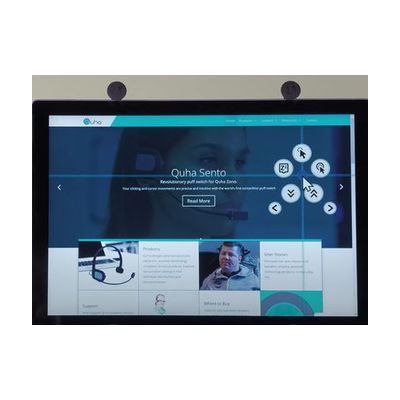
Quha Dwell 2 is Windows software that lets someone control the computer with an assistive mouse and no physical clicking. The cursor pauses on a target (a dwell), and the software clicks for you, so scrolling, copy and paste, and switching between programs all work hands-free. An alternative selection pop-up offers other click options, and Quha switches can also bring up that pop-up by hand. It includes an on-screen keyboard with word prediction for typing, and extra functions can be added to fit one person's needs. It's a download with an activation code sent by email, and it's sold to UK customers only.
Verified 4 days agoProfessional guidance helps -

Freedom
Est. $150–$350
The Freedom lets one switch control up to four different devices. You can move between them by holding the main switch down for a set time, or by tapping a second select switch. Each device plugs in through a standard 3.5mm switch jack, and you can program which channels are active so it skips any that are unused. The hold time is adjustable, and the keypad can be locked after setup so settings don't get changed by accident. Phones and tablets may need an extra adapter to connect, and the switch itself is sold separately.
Verified 4 days agoProfessional guidance helps -
Participation Box
Est. $50–$120
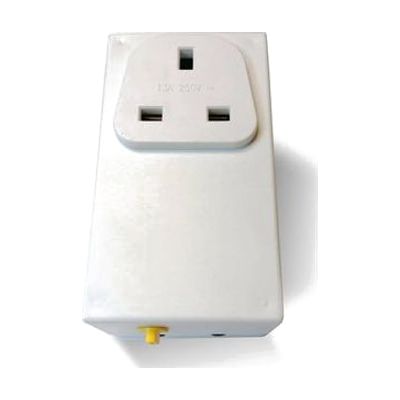
The Participation Box lets someone use a switch to turn a mains-powered appliance on and off. You plug a lamp, fan, toy, TV, or similar device into the box, plug the box into the wall, and connect your own switch. It has three modes. Direct mode keeps the appliance running only while the switch is held. Timed mode runs it for a preset time, with six choices between 2 and 90 seconds. On/off mode flips the appliance on or off with each press. It works with switches that are pressed, blown into, sucked on, or activated in other ways. The box is small and light, but no switch comes with it, so you'll need to choose one that matches how the person can move.
Verified 4 days agoSetup with instructions -

REHAdapt TableClamp OneHand Light
Est. $120–$280
The TableClamp OneHand Light clamps to the edge of a table and holds a tablet or other device at a position you can adjust. It tilts up to 90° vertically and turns a full 360° horizontally, and it holds devices from 0.7 to 3 kg (1.5 to 7 lbs). A two-lever quick release lets you attach or remove the device fast, and the small footprint keeps ports and screens clear. It fits REHAdapt's UDS mounting system, and VESA-mounted devices can use it too with a separately sold REHAdapt Mounting Plate.
Verified 1 week agoSetup with instructions -

Sit-Stand-Recline Workstation - Model 500
$4,995.00
The Model 500 is a computer workstation built for people who work while reclining. It straddles a bed or recliner, so the tabletop sits over you instead of in front of a desk chair. Motors raise and lower the height and tilt the monitor platform up to 55 degrees, and the keyboard mechanism adjusts so you can set up a comfortable position. The tabletop is 24 by 60 inches and the whole frame stands 72 inches tall with a 30 by 64 inch footprint, so measure your room and your bed or recliner before ordering.
Verified 2 days agoSetup with instructions -
Pillow Switch
$140.00
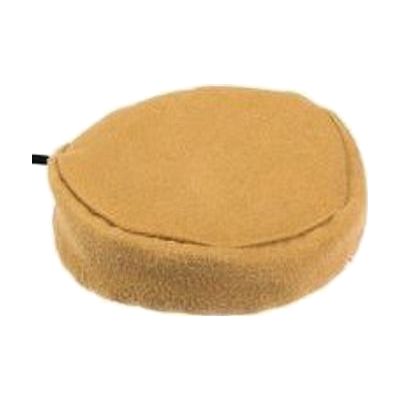
The Pillow Switch is a soft, smooth switch that someone can press with the head, cheek, or another body part, with a light touch. It plugs in through a 3.5mm mono switch jack, so it can operate compatible communication aids, toys, and other switch-accessible technology. It fastens to a pillow or wheelchair cushion with a safety pin and Velcro, which puts it right where the person's head or cheek rests. This is only the switch. You'll need a switch-accessible device to plug it into, and a therapist can help with choosing a good spot and checking that the person can activate it reliably.
Verified 4 days agoProfessional guidance helps -
it-Click-On Plus
Est. $120–$250
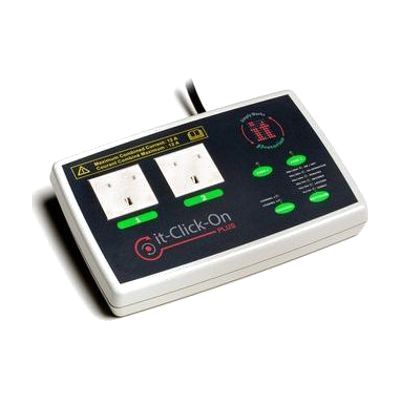
The it-Click-On Plus lets a person use a switch to turn mains-powered appliances on and off, such as a lamp, a fan, or a toy. It has two mains sockets that can run separately or together, and two 3.5mm inputs for wired switches. It also has a built-in receiver for the it-Switch wireless switch, which works from up to 10 metres away, and wired and wireless switches can be mixed. You can pick from several control modes, including direct, latched, timed, cooperative, and two-switch on/off. A small LED display helps with pairing and with changing the mode and time, and the unit remembers its settings after it's switched off. The sockets are 220V, 50Hz, so check that this matches your electricity supply before buying. This unit only controls the appliance. You will need your own switch, and choosing the right switch and mode for the person is where help from a professional pays off.
Verified 4 days agoProfessional guidance helps -
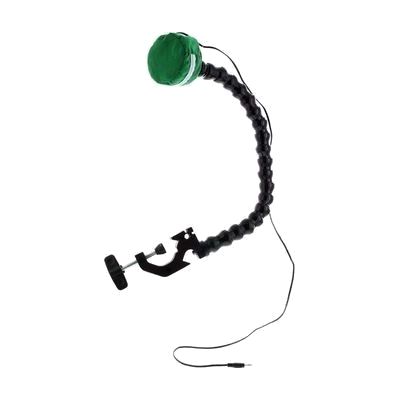
Pillow Switch on Easy Flex Mount
$125.95
This is a pillow switch attached to a flexible, clamp-on mount, so someone can activate a switch-controlled device by pressing a soft pillow. The mount clamps to a surface, and you bend the arm to put the pillow where the user can reach it most comfortably. It takes a light touch, around 35 to 40 grams of force, which suits someone who can't press a hard button. The arm is about 20 inches long and the whole set weighs about a pound. It's only the input piece. You'll need a switch-adaptable toy, communicator, or other device to plug it into.
Not recently verifiedProfessional guidance helps