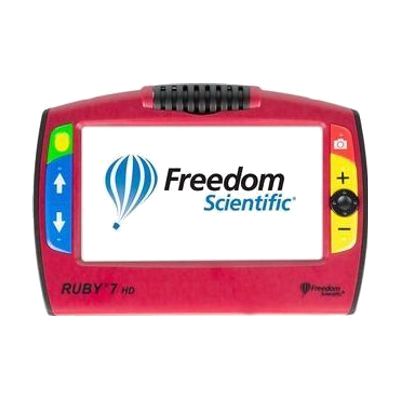
RUBY 7 HD
Price is what the vendor listed when last checked. Confirm it with the vendor before buying.
Last verified September 16, 2026 · classified April 26, 2026
What it is
Summary
AI-generated from vendor-published content · April 26, 2026
The Ruby 7 HD is a handheld electronic magnifier with a 7-inch color screen that displays whatever its rotating camera is pointed at — text, photos, labels, or distant objects — at magnification levels from 2x up to 24x. The pivoting camera is the standout feature: it flips between reading documents flat on a table, viewing items up close like needlework or pill bottles, checking a price tag at a distance, and even a self-view mode, all without swapping devices. This is a complete, self-contained unit — no phone, tablet, or computer required. One practical limitation to know: at 7 inches, the screen is larger than pocket magnifiers but not as large as a desktop CCTV unit, so it may not be ideal for extended reading sessions where a bigger display would reduce eye strain.
Quick Facts Catalog facts · auto-generated
- AT Act lending
- Insurance
- Medicaid waiver
- Out of pocket
- Vocational rehab
What Setup Looks Like
- Out of the box
- Power on the device — it is ready to use out of the box with no pairing or software setup required.
- Rotate the PivotCam to the desired viewing mode (reading, distance, self-view, etc.) and adjust magnification with the controls.
- With a guide
- Review the user manual or a short video tutorial to learn all five camera positions and the panning button behavior.
- Practice using high-contrast color modes (e.g., white-on-black) to find the best setting for your vision needs — allow 15–30 minutes to explore options.
- With professional help
- A low vision specialist or optometrist can recommend the appropriate magnification range and viewing modes for your specific visual acuity and tasks.
- An occupational therapist (OT) can advise on ergonomic positioning and whether this handheld form factor suits your fine motor abilities. See manufacturer support resources for detailed instructions.
Getting it
Try Before You Buy
Devices like this are often available to borrow through your state's AT Act program — typically free or low-cost — so you can try it before buying or pursuing funding.
Where to Get It
This is the vendor WhatCanHelp tracks for this product — it may also be available from other retailers or a local supplier, and prices vary.
Some links may be affiliate links — WhatCanHelp may earn a small commission from purchases at no extra cost to you. More on affiliates →
As an Amazon Associate we earn from qualifying purchases.
How to Fund This
Equipment like this is often pursued through official state programs. These are common starting points — each program decides its own eligibility and what it covers, so the first step is always a phone call.
Compare & explore
Sources & fine print
Vendor facts (name, price, platforms, vendor link) sourced from Freedom Scientific — view on vendor site; last verified September 16, 2026.
Classification & description AI-generated from vendor-published content on April 26, 2026 · confidence: high. Vendor specs may lag; verify before relying on details in a clinical or funding artifact.