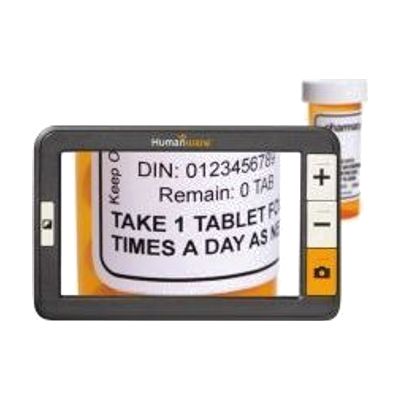
explorē 5 – Pocket-size video magnifier
by HumanWare
Price is what the vendor listed when last checked. Confirm it with the vendor before buying.
Last verified May 3, 2026 · classified April 26, 2026
What it is
Summary
AI-generated from vendor-published content · April 26, 2026
The explorē 5 is a pocket-sized handheld video magnifier with a 5-inch screen that captures live images through a built-in camera and displays them enlarged — up to around 14x magnification — for reading price tags, menus, medicine labels, or other short bursts of text on the go. It's designed for someone with low vision who needs a discreet, portable magnification tool they can slip into a pocket or bag and pull out when needed. The device works entirely on its own with no phone, app, or computer required, and comes with a range of color contrast modes to help people who benefit from high-contrast display rather than standard color rendering. At nearly $2,800, it's priced at the high end for handheld magnifiers — shoppers should compare it against comparable models from Eschenbach and Enhanced Vision before purchasing, and should confirm the screen size and battery life meet their real-world needs.
Quick Facts Catalog facts · auto-generated
- AT Act lending
- Insurance
- Medicaid waiver
- Out of pocket
- Vocational rehab
What Setup Looks Like
- Out of the box
- Charge the device fully before first use.
- Power on and point the camera at text — the magnified image appears on screen immediately.
- Use the zoom controls to adjust magnification level and the mode button to cycle through contrast options.
- With professional help
- A low vision optometrist or orientation and mobility specialist can assess whether this device's magnification range and screen size match the person's functional vision needs.
- A low vision rehabilitation specialist can demonstrate contrast modes and ergonomic holding techniques to maximize usability — typically one outpatient session.
Getting it
Try Before You Buy
Devices like this are often available to borrow through your state's AT Act program — typically free or low-cost — so you can try it before buying or pursuing funding.
Where to Get It
This is the vendor WhatCanHelp tracks for this product — it may also be available from other retailers or a local supplier, and prices vary.
Some links may be affiliate links — WhatCanHelp may earn a small commission from purchases at no extra cost to you. More on affiliates →
As an Amazon Associate we earn from qualifying purchases.
How to Fund This
Equipment like this is often pursued through official state programs. These are common starting points — each program decides its own eligibility and what it covers, so the first step is always a phone call.
Compare & explore
Sources & fine print
Vendor facts (name, price, platforms, vendor link) sourced from HumanWare — view on vendor site; last verified May 3, 2026.
Classification & description AI-generated from vendor-published content on April 26, 2026 · confidence: high. Vendor specs may lag; verify before relying on details in a clinical or funding artifact.