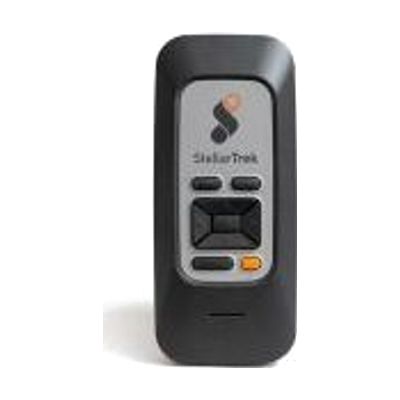
StellarTrek - Digital orientation and mobility assistant
by HumanWare
$999.00 ▲ $170.00 (21%)
Price is what the vendor listed when last checked. Confirm it with the vendor before buying.
Last verified May 3, 2026 · classified April 26, 2026
What it is
Summary
AI-generated from vendor-published content · April 26, 2026
The StellarTrek is a dedicated handheld navigation device from HumanWare designed specifically for people who are blind or have low vision. It uses GPS to announce street names, intersections, and points of interest aloud, and includes an OCR (optical character recognition) camera that can read printed text — such as signs or labels — when pointed at them. This is a standalone device that works independently without a smartphone, making it a complete solution rather than an accessory. One important consideration: GPS accuracy can vary in urban canyons or dense building areas, and the device requires familiarity and practice to use effectively in unfamiliar environments, so working with an orientation and mobility specialist is strongly recommended to get full benefit.
Quick Facts Catalog facts · auto-generated
- AT Act lending
- Medicaid waiver
- Out of pocket
- Vocational rehab
What Setup Looks Like
- Out of the box
- Power on the device and use the physical buttons to access GPS navigation — it will begin announcing your location.
- Point the built-in camera at printed text and press the OCR button to have it read aloud.
- With a guide
- Connect to Wi-Fi and update firmware and maps via HumanWare's update tool.
- Customize speech rate, GPS verbosity, and announcement preferences through the settings menu.
- Review HumanWare's tutorial documentation and video guides to learn all navigation modes — expect 2-4 hours of guided self-study. See manufacturer support resources for detailed instructions.
- With professional help
- An orientation and mobility (O&M) specialist can teach route planning strategies, how to use the device at intersections, and how to integrate it with white cane or guide dog travel.
- Expect 2-4 sessions with an O&M specialist over several weeks for confident independent use in new environments.
Getting it
Try Before You Buy
Devices like this are often available to borrow through your state's AT Act program — typically free or low-cost — so you can try it before buying or pursuing funding.
Where to Get It
This is the vendor WhatCanHelp tracks for this product — it may also be available from other retailers or a local supplier, and prices vary.
Some links may be affiliate links — WhatCanHelp may earn a small commission from purchases at no extra cost to you. More on affiliates →
As an Amazon Associate we earn from qualifying purchases.
How to Fund This
Equipment like this is often pursued through official state programs. These are common starting points — each program decides its own eligibility and what it covers, so the first step is always a phone call.
Compare & explore
Sources & fine print
Vendor facts (name, price, platforms, vendor link) sourced from HumanWare — view on vendor site; last verified May 3, 2026.
Classification & description AI-generated from vendor-published content on April 26, 2026 · confidence: high. Vendor specs may lag; verify before relying on details in a clinical or funding artifact.