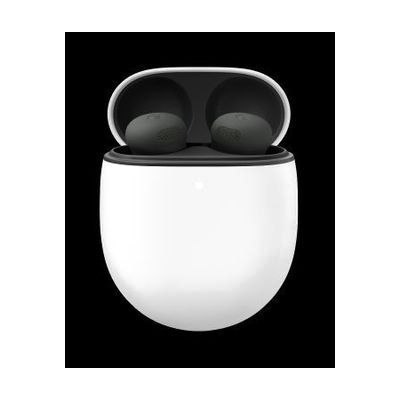
Google Pixel Buds 2a
by Google
Last verified July 28, 2026 · classified April 26, 2026
What it is
Summary
AI-generated from vendor-published content · April 26, 2026
The Pixel Buds 2a are wireless Bluetooth earbuds with Active Noise Cancellation, Google Assistant integration, and real-time language translation capabilities — features that make them genuinely useful as assistive tools beyond standard consumer audio. People with hearing differences who benefit from noise isolation, those with sensory sensitivities who need controlled sound environments, or people who rely on live captioning and Google's real-time Translate feature will find specific value here. You get a complete out-of-the-box solution: earbuds, charging case, and four eartip sizes — no additional hardware required, though full feature access needs an Android 6.0+ phone with a Google account. At $79, these are significantly more accessible in price than dedicated assistive listening products with similar noise-blocking capabilities, but they are not hearing aids and won't amplify speech for people with significant hearing loss.
Quick Facts Catalog facts · auto-generated
- AT Act lending
- Out of pocket
What Setup Looks Like
- Out of the box
Open the charging case near an Android phone — Pixel Buds 2a will prompt automatic Bluetooth pairing via a pop-up notification. - With a guide
- For iOS or non-Pixel Android devices, pair manually via Bluetooth settings on your phone.
- Visit mypixelbuds.google.com or install the Pixel Buds companion app to configure ANC levels, touch controls, and accessibility features like Live Caption — allow 15–20 minutes. See the Pixel Buds Help Center for detailed setup instructions.
Getting it
Try Before You Buy
Devices like this are often available to borrow through your state's AT Act program — typically free or low-cost — so you can try it before buying or pursuing funding.
Where to Get It
These are the vendors WhatCanHelp tracks for this product — it may also be available from other retailers or a local supplier, and prices vary.
Some links may be affiliate links — WhatCanHelp may earn a small commission from purchases at no extra cost to you. More on affiliates →
As an Amazon Associate we earn from qualifying purchases.
Wondering how equipment like this gets paid for? See the official funding programs in your state.
Compare & explore
Sources & fine print
Vendor facts (name, price, platforms, vendor link) sourced from Google — view on vendor site; last verified July 28, 2026.
Classification & description AI-generated from vendor-published content on April 26, 2026 · confidence: high. Vendor specs may lag; verify before relying on details in a clinical or funding artifact.