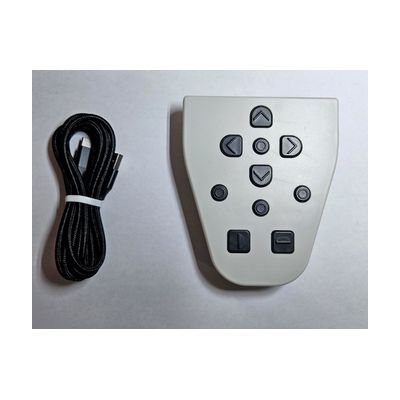
LyriQ Reader Optional Keypad
Price is what the vendor listed when last checked. Confirm it with the vendor before buying.
Accessory or replacement part Made to go with another product — check it fits what you have.
What it is
Summary
AI-generated from vendor-published content · October 1, 2026
This wireless keypad adds extra buttons for moving through text on a LyriQ OCR reader, which reads printed text aloud. With it, you can jump by character, word, sentence, or paragraph, which helps when you want to go back and re-hear one spot instead of starting over. It snaps onto the back of the reader, so it travels with the device. It's an add-on only: you need a LyriQ Reader for it to do anything.
Getting it
Where to get it
These are the vendors WhatCanHelp tracks for this product — it may also be available from other retailers or a local supplier, and prices vary.
How to fund this
These are common places to ask about paying for equipment like this. Each one decides its own eligibility and what it covers, so start by asking them.
Details
Quick Facts Catalog facts · auto-generated
- Type
- Addresses
- Platform
- Age range
- Complexity
- Setup with instructions
- Price
- $235.00
- Funding
- Out of pocket
- Vocational rehab
What setup looks like
- Out of the box
Snap the keypad onto the back of the LyriQ Reader. - With a guide
- Follow the manufacturer's instructions to connect the wireless keypad to your LyriQ Reader.
- Try each navigation button on a scanned page to learn how character, word, sentence, and paragraph movement feels. Plan on about 20-30 minutes.
Compare & explore
Sources & fine print
Vendor facts (name, price, platforms, vendor link) sourced from Independent Living Aids — view on vendor site (opens in a new tab); last checked November 4, 2026.
Classification & description AI-generated from vendor-published content on October 1, 2026 · confidence: high. Vendor specs may lag; verify before relying on details in a clinical or funding artifact.