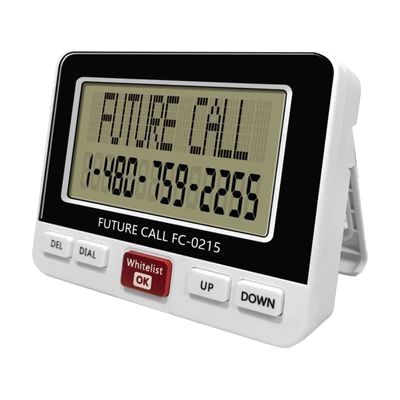
Talking Caller ID with Big Display
by LS&S
Price is what the vendor listed when last checked. Confirm it with the vendor before buying.
What it is
Summary
AI-generated from vendor-published content · October 1, 2026
This stand-alone caller ID unit speaks the caller's name and number aloud when the phone rings and shows the same details on a large 3 3/4" x 2" screen. It is made for someone with low vision who uses a landline and wants to know who is calling. You can record names for up to 50 trusted numbers; any other caller's number is spoken but not the name. It can also block up to 50 numbers and play a recorded message to those callers. It stores the last 99 calls, lets you dial a number straight from the list, and has five contrast levels, an 8-second backlight, and English or Spanish display. It plugs into AC power and has a battery backup that uses 4 AAA batteries, which are not included.
Getting it
Try before you buy
Devices like this are often available to borrow through your state's AT Act program — typically free or low-cost — so you can try it before buying or pursuing funding.
Where to get it
This is the vendor WhatCanHelp tracks for this product — it may also be available from other retailers or a local supplier, and prices vary.
Wondering how equipment like this gets paid for? See the official funding programs in your state.
Details
Quick Facts Catalog facts · auto-generated
- Type
- Addresses
- Platform
- Complexity
- Setup with instructions
- Price
- $74.95
- Funding
- AT Act lending
- Out of pocket
What setup looks like
- With a guide
- Plug the unit into the phone line and the AC power cord, and add 4 AAA batteries if you want backup power.
- Choose the display language and adjust the contrast to the level you can see best.
- Record names for the trusted numbers you want announced, and add any numbers you want blocked. Plan on about 30 minutes to get these set up.
Compare & explore
Sources & fine print
Vendor facts (name, price, platforms, vendor link) sourced from LS&S — view on vendor site (opens in a new tab); last checked November 3, 2026.
Classification & description AI-generated from vendor-published content on October 1, 2026 · confidence: high. Vendor specs may lag; verify before relying on details in a clinical or funding artifact.