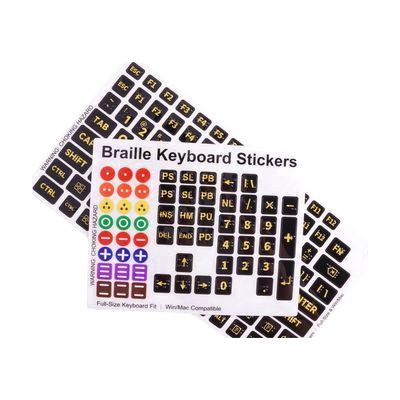
Braille Keyboard Stickers
by MaxiAids
Price is what the vendor listed when last checked. Confirm it with the vendor before buying.
What it is
Summary
AI-generated from vendor-published content · November 2, 2026
These stickers go on the keys of a full-size Windows or Mac keyboard. Each one has large, bold yellow letters on a matte black background, plus raised braille dots. That lets someone with low vision see the keys, and someone who reads braille feel them. The braille is embossed, not printed, so the yellow letters stay clear and easy to see. The set also comes with extra tactile stickers for marking things like power buttons, volume controls and brightness keys on laptops and displays. They are made of thick, rigid PET and are slim enough not to get in the way of typing. This is a labeling aid only. It does not read the screen aloud or change what the keys do, so it works best for people who already know the keyboard layout or are learning it.
Getting it
Where to get it
This is the vendor WhatCanHelp tracks for this product — it may also be available from other retailers or a local supplier, and prices vary.
How to fund this
These are common places to ask about paying for equipment like this. Each one decides its own eligibility and what it covers, so start by asking them.
Details
Quick Facts Catalog facts · auto-generated
- Type
- Addresses
- Platform
- Age range
- Complexity
- Ready to use
- Price
- $27.95
- Funding
- Out of pocket
- School district
- Vocational rehab
What setup looks like
- Out of the box
- Peel each sticker and press it onto the matching key. Take your time lining each one up so it sits flat and centered.
- Use the extra tactile stickers to mark power, volume, brightness or other controls you want to find by touch.
Compare & explore
Sources & fine print
Vendor facts (name, price, platforms, vendor link) sourced from MaxiAids — view on vendor site (opens in a new tab); last checked November 2, 2026.
Classification & description AI-generated from vendor-published content on November 2, 2026 · confidence: high. Vendor specs may lag; verify before relying on details in a clinical or funding artifact.