Communication devices
Augmentative and Alternative Communication — tools and strategies that supplement or replace speech for people who have difficulty communicating verbally. Ranges from low-tech picture boards to high-tech speech-generating devices.
-
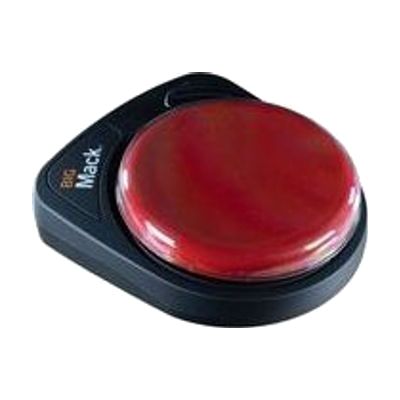
BIGmack
$155.00
The BIGmack is a single-button communicator that plays back a recorded message each time someone presses its large button. It holds about 2 minutes of recording, so you can store a phrase, a sound, or a short story line. It's a good fit for someone who has limited hand control or who is just starting to learn that pressing a button gets a response. A toy/appliance jack with a cable is included, so the button can also run a connected toy or appliance for cause-and-effect play. It also has an external switch jack for people who need a different kind of switch to activate it. Four colored tops (red, blue, yellow, green) swap in to personalize it, and a 9V battery is included. It only plays one recorded message at a time, so it works best as a first step or as one piece of a bigger communication plan.
Verified 4 days agoProfessional guidance helps -

LITTLEmack
$155.00
The LITTLEmack is a single-button talker: you record a message, and it plays that message back each time the button is pressed. It holds up to 2 minutes of recording, so the message can be a phrase, a sound, or a short sentence, and you can re-record it during the day as needs change. A clear snap cover holds a picture symbol over the button, and four interchangeable tops (red, blue, yellow, green) let you pick a color. It also has a jack for plugging in an external switch for someone who can't press the main button, and a toy/appliance jack with a cable for connecting a toy or appliance. This suits someone just starting out with communication who needs one simple way to say one thing. It only plays one message at a time, so it's a starting point rather than a full communication system.
Verified 4 days agoProfessional guidance helps -

BIG Step-by-Step
$220.00
The BIG Step-by-Step is a large-button voice output device that plays recorded messages one at a time, in order, each time the button is pressed. That makes it a good fit for telling a story, counting, giving step-by-step instructions, or sharing a joke. It holds four minutes of total recording time and stores messages on three separate levels, so you can keep one set for morning routines and another for a classroom activity. It comes with red, yellow, green, and blue tops and a clear snap-on cap that holds a picture symbol, and it runs on the 9V battery that comes with it. It suits someone who needs a simple way to take part in a routine or conversation by pressing one big button, and it is light enough to carry between school, therapy, and home.
Verified 4 days agoSetup with instructions -

LITTLE Step-by-Step
$220.00
The LITTLE Step-by-Step plays back a series of recorded messages in order, one for each press of its button. That makes it useful for telling a story, walking through the steps of a routine, counting, or telling a knock-knock joke. You can record three separate sets of messages, with about four minutes of total recording time shared across them, so one device can serve different activities during the day. It comes with red, yellow, green, and blue tops and a clear snap cap that holds a picture symbol, so the person pressing it sees what the message is about. It plays one message at a time and can't build new sentences, so it works best for planned, scripted turns.
Verified 4 days agoProfessional guidance helps -

TalkingBrix 2
$255.00
This set of three TalkingBrix 2 speech devices lets someone press a colored top to play one recorded message of up to 10 seconds. You can place them around a classroom or home for on-the-spot communication, use them to offer choices, or give several people each their own message. They can also connect together to act as a multi-message speech device. A clear snap cover holds a picture symbol so the message has visual context, but symbol overlays are not included. You can make them with AbleNet's free Symbol Overlay app for iPad. The battery is rechargeable.
Verified 4 days agoProfessional guidance helps -
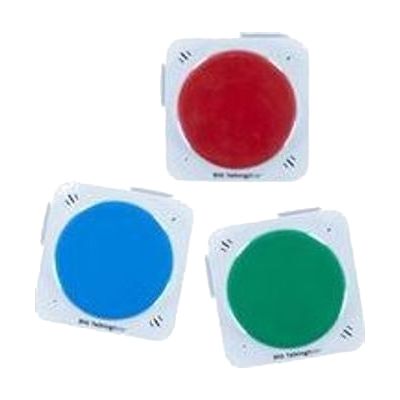
BIG TalkingBrix
$295.00
BIG TalkingBrix is a set of three single-message speech buttons. Pressing the large colored top plays a recorded message up to 10 seconds long. You can use each button on its own, or connect them to build a multi-message device for making choices. Because each button holds a different message, they work well placed around a classroom or home, or shared so several people each have their own message. A clear snap cover holds a picture symbol or photo so the user can see what the button says. Symbol overlays aren't included, but AbleNet offers a free iPad app for making them. The rechargeable battery and drop-resistant build suit busy settings.
Verified 2 days agoProfessional guidance helps -
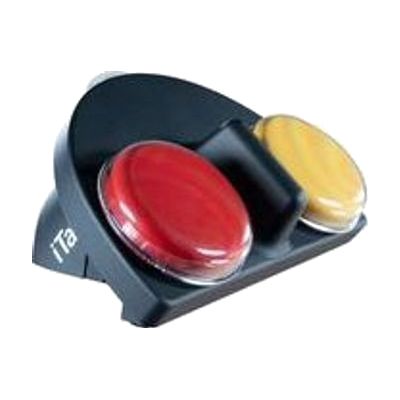
iTalk2
$215.00
The iTalk2 is a simple two-button talking device. Pressing the red or yellow top plays a recorded message, so someone can pick between two choices, like yes or no, or two foods or activities. You can record new messages quickly, or use the levels to pre-record up to three sets ahead of time. A clear snap cover holds picture symbols so the person can see what each button means. The soft-touch coating is easier to hold, and the digital sound is built to work in most settings. Symbol overlays are not included, but AbleNet offers a free iPad app for making them.
Verified 4 days agoProfessional guidance helps -
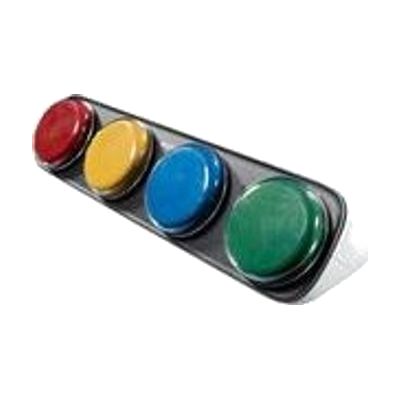
iTalk4
$275.00
The iTalk4 is a recordable speech device with four side-by-side colored buttons. Pressing a button plays the message you recorded for it, so someone can pick from four choices, answer a question, or ask for help or a break. You can record new messages on the spot, or use the levels feature to pre-record up to three sets of messages ahead of time. A clear snap cover holds picture symbols, which gives the person context for each button. Symbol overlays are not included, but a free AbleNet app for iPad can create them. It can also add communication to a switch-controlled toy or appliance. Batteries are included.
Verified 2 days agoProfessional guidance helps -
QuickTalker FeatherTouch 7
$265.00
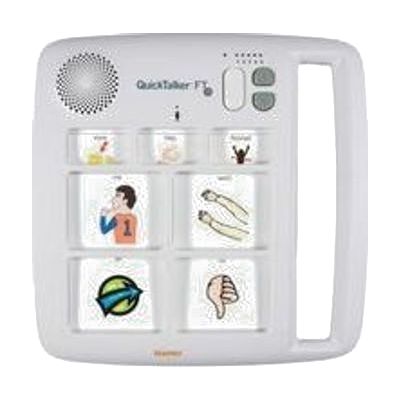
The QuickTalker FeatherTouch 7 is a portable voice output device that plays back recorded messages when someone touches its membrane surface. It responds to very light touches, so it works for small fingers or limited strength. It holds 23 messages across five recording levels: three core messages stay the same on every level, and four change from level to level. That makes it easy to set up one level for the classroom, another for the bus, and another for home. The device doesn't come with symbol overlays, so you'll need to make your own, and AbleNet offers a free iPad app for that. Batteries are included.
Verified 4 days agoProfessional guidance helps -

SoundingBoard
Est. $10–$50
SoundingBoard is an iPad, iPhone, and iPod touch app that turns the device into a communication board. You build boards with up to 20 message spots, using the built-in AbleNet symbols or your own photos. Each spot can hold a recorded message of almost any length, so a touch speaks a message in a voice you choose. It suits someone who needs to make choices or share simple messages and has a caregiver, teacher, or family member to build and record the boards. Because it runs on a larger iPad screen as well, the buttons can be made bigger. The app is also offered in French, German, and Spanish. Taking photos inside the app isn't supported on the previous-generation iPod touch or iPad 1.
Verified 4 days agoSetup with instructions -

Proloquo and Proloquo Coach - AssistiveWare
$99.99 every year
Also from $9.99 every month
Proloquo is a symbol-supported AAC app for iPad and iPhone that lets a nonspeaking person communicate by building messages that the device speaks aloud. It comes paired with Proloquo Coach, a companion app that gives step-by-step guidance to the person using AAC, their family, and educators as they get started. Proloquo is aimed at people who can use an iPad on their own, and the pairing is meant to take some of the overwhelm out of beginning AAC.
Verified 4 days agoProfessional guidance helps -

Proloquo4Text - AssistiveWare
$59.99 – $119.99
Proloquo4Text is an iOS app that speaks what you type, so someone who can't always use their voice can still say what they want. It predicts words and sentences from what you've typed to save time and effort, and keeps everything on a single screen. If you can write, you can use it, which makes it a fit for children, teens, and adults who read and spell well enough to type their messages.
Verified 4 days agoProfessional guidance helps -
TD Talk
TD Talk is a speech generating app that lets an adult who can read and type turn text into spoken words using their eyes or their fingers. You can pick from a large set of voices and languages, switch between conversation topics, and use word and phrase prediction to speed up typing. For face-to-face talks, See Through Mode makes the screen see-through, and a rear-facing Partner Window shows your typed text to the person across from you. It can also use a synthetic clone of your own voice from several voice banking providers. It comes pre-loaded on Tobii Dynavox I-Series, Pilot, and Navio devices, and a free trial version runs on your own iPad. The trial is touch-only, with no eye tracking, and has fewer languages and voices.
Verified 4 days agoProfessional guidance helps -

TD Phone
TD Phone is an app that lets someone place calls and send texts using eye gaze on a Tobii Dynavox TD I-Series device (TD I-13 or TD I-16). It connects by Bluetooth to an Android phone or iPhone, so it works without Wi-Fi, and your imported contacts can be searched or scrolled. Word and phrase prediction speed up message writing, and a popup makes incoming calls and texts easy to answer. During a call, the TD I-Series speaks for you in a synthetic voice, or in a clone of your own voice if you use a voice banking provider. It is designed for people who can't speak and have little or no hand movement, and it only runs on those two TD I-Series models.
Verified 4 days agoProfessional guidance helps -

Snap Scene
$49.99
Snap Scene lets you take a photo of a real moment, such as a toy, a playground, or a meal, and attach spoken recordings to parts of the picture. Your child can then tap the photo to communicate about what is happening right then. It's built for in-the-moment learning, so you can make something useful on the spot instead of building pages ahead of time. This is an app, not a complete communication system on its own: it runs on an iPad, a Windows tablet, or select Tobii Dynavox devices, and a free trial is offered before you buy.
Verified 4 days agoSetup with instructions -
Proloquo2Go - AAC app with symbols - AssistiveWare
$124.99 – $249.99
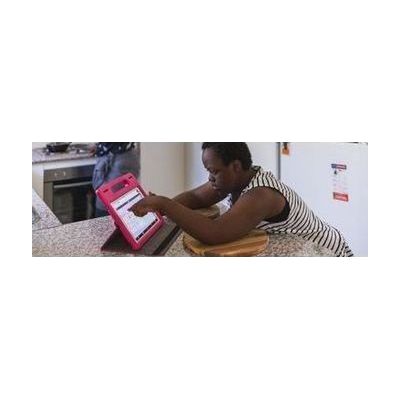
Proloquo2Go is a symbol-based AAC app for iPad and iPhone that gives nonspeaking children and adults a way to speak out loud and start conversations. Because it can be personalized to fit different needs, it works for a wide range of communicators. Expect the app to be only part of the picture: a speech-language pathologist can help choose the right layout and vocabulary, and the person using it will need time and a communication partner who models using it.
Verified 4 days agoProfessional guidance helps -

Tail Light Switch, Say It Play It (Yellow)
$209.95
The Tail Light Switch plays a recorded message of up to 20 seconds when someone gives it a gentle touch. At the same time, it lights up and vibrates, so the person gets light, motion, and sound feedback from a single press. It's a good fit for someone who has a hard time seeing or who is just learning that pressing something makes something happen. You can record a message, or use the switch to turn on other toys and devices. It runs on 4 AA batteries.
Not recently verifiedSetup with instructions -

Apple Live Speech & Personal Voice
Free
Live Speech lets you type what you want to say and have your device say it out loud, including during Phone and FaceTime calls and face-to-face conversations. You can save phrases you use often and group them into categories, such as a Coffee Shop set for ordering. You can pick from dozens of system voices or use a Personal Voice, which is a voice you create that sounds like you. Personal Voice is built by reading 10 randomized phrases aloud, and it's aimed at people who are at risk of losing their voice. These are built-in Apple features, so availability varies by device, region, and language.
Verified 3 days agoSetup with instructions -

Accent
Est. $4,000–$8,000
The Accent is a dedicated AAC (augmentative and alternative communication) device, a speech-generating tablet that lets someone communicate through symbols, words, and typing. It runs on Windows and supports several ways of selecting, including eye tracking and switch access, so it can be matched to how a person can physically use it. The glass is thicker and impact-resistant, the body resists splashes and dust, and the handle is stronger. It can also act as a keyboard and mouse for a connected computer, or work as a standalone computer. The communication software, such as NuVoice, is customized to the person, so plan on professional help to choose and set it up.
Verified 4 days agoProfessional setup required -

Novachat
Est. $1,500–$8,000
The NovaChat is a dedicated speech-generating device that runs on an Android platform. It gives someone who can't rely on speech a customizable way to talk, using software like WordPower to build messages for chatting, answering questions, or writing to others. It comes in a rugged wrap with easy-grip handles and a tempered-glass screen protector, so it's built to go with you through the day. A built-in speaker, visual cues that highlight selected items, and a feature called InputStick, which lets the device act as a wireless keyboard for a personal computer, round it out. Keyguards and similar touch-access supports can help with accurate selection.
Verified 4 days agoProfessional setup required -

Via
Est. $1,500–$8,000
The Via is a speech-generating device built on iOS, so it looks and feels familiar to anyone who has used an iPhone or iPad. It runs research-based AAC apps, including TouchChat, LAMP Words for Life, and WordPower. The family has several models: the Pro, the compact and durable Nano, and the Mini, which is also durable and portable. This is a complete communication device for someone who can't rely on speech. Choosing the right model, app, vocabulary, and way to access it is a big decision, so an evaluation with a speech-language pathologist helps.
Verified 4 days agoProfessional setup required -

Touchchat
$149.99 – $299.99
TouchChat is a speech-generating app for iPhone, iPad, and Mac that lets someone communicate by selecting words and symbols that the device speaks aloud. You can customize the vocabulary, pages, buttons, and voices, and the app offers word-based vocabularies like WordPower in English, Spanish, Canadian French, and Mandarin. It supports touch, scanning, and head tracking, so it can fit different ways of accessing a device. This is a full app, but you'll need a compatible Apple device, and getting the vocabulary and access method right is easier with a speech-language pathologist's help.
Verified 4 days agoProfessional guidance helps -

LAMP Words for Life
$299.99
LAMP Words for Life is an AAC app, which means it gives someone a way to talk by tapping words and phrases on a screen that speaks them aloud. It uses a motor-planning approach, so each word stays in the same place on the screen and a person can learn to reach for it without searching. The vocabulary holds about 4,500 core and fringe words, and a Vocabulary Builder feature lets you teach just a few words at a time. It is offered in English, Spanish, Canadian French, and German, each with matching voices. It suits someone just starting to communicate who will need room to grow into full sentences. It runs on an Apple device, so check the app compatibility page before buying.
Verified 4 days agoProfessional guidance helps -

Unity AAC
Unity AAC is a speech-generating app that helps someone communicate by tapping symbols that speak words and phrases aloud. It uses Minspeak multi-meaning symbols, so each symbol on the home screen opens a group of related words sorted by part of speech. The button locations stay consistent, which helps a person learn and recall words through repeated motor patterns. It comes with thousands of core and fringe words already stored, plus spaces you can edit to add your own vocabulary, and it has built-in teaching tools like an in-app tutorial, Vocabulary Builder, and Word Finder. It runs on iPhone, iPad, or Mac, so check that your Apple device is compatible before you commit. A 30-day trial is offered through a PRC-Saltillo account.
Verified 4 days agoProfessional setup required