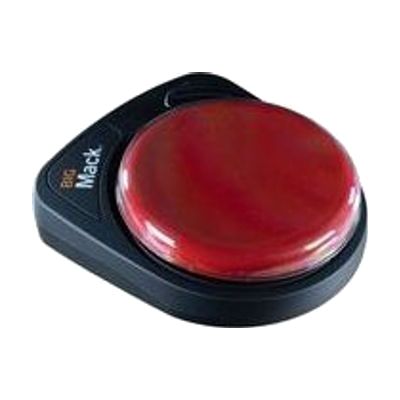
BIGmack
by AbleNet
Price is what the vendor listed when last checked. Confirm it with the vendor before buying.
What it is
Summary
AI-generated from vendor-published content · October 1, 2026
The BIGmack is a single-button communicator that plays back a recorded message each time someone presses its large button. It holds about 2 minutes of recording, so you can store a phrase, a sound, or a short story line. It's a good fit for someone who has limited hand control or who is just starting to learn that pressing a button gets a response. A toy/appliance jack with a cable is included, so the button can also run a connected toy or appliance for cause-and-effect play. It also has an external switch jack for people who need a different kind of switch to activate it. Four colored tops (red, blue, yellow, green) swap in to personalize it, and a 9V battery is included. It only plays one recorded message at a time, so it works best as a first step or as one piece of a bigger communication plan.
Getting it
Try before you buy
Devices like this are often available to borrow through your state's AT Act program — typically free or low-cost — so you can try it before buying or pursuing funding.
Where to get it
These are the vendors WhatCanHelp tracks for this product — it may also be available from other retailers or a local supplier, and prices vary.
How to fund this
These are common places to ask about paying for equipment like this. Each one decides its own eligibility and what it covers, so start by asking them.
Details
Quick Facts Catalog facts · auto-generated
- Addresses
- Platform
- Age range
- Complexity
- Professional guidance helps
- Price
- $155.00
- Funding
- AT Act lending
- Medicaid waiver
- Out of pocket
- School district
- Vocational rehab
What setup looks like
- Out of the box
- Turn the device on and press the large button to hear it work right out of the box, since the battery is included.
- Record a message by following the on-device steps, then press the button to play it back and adjust the volume.
- With a guide
- Plug in the included cable to run a toy or appliance, or add an external switch if the large button is hard to reach or press.
- Optionally pair it with Matrix Maker Plus software to make picture overlays that match the recorded message. Allow about 30 minutes to set up and test.
- With professional help
An SLP, OT, or ATP can help choose what message to record, where to place the button, and whether a different switch would work better. A first session usually takes about an hour. See manufacturer support resources for detailed instructions.
Compare & explore
Sources & fine print
Vendor facts (name, price, platforms, vendor link) sourced from AbleNet — view on vendor site (opens in a new tab); last checked October 31, 2026.
Classification & description AI-generated from vendor-published content on October 1, 2026 · confidence: high. Vendor specs may lag; verify before relying on details in a clinical or funding artifact.