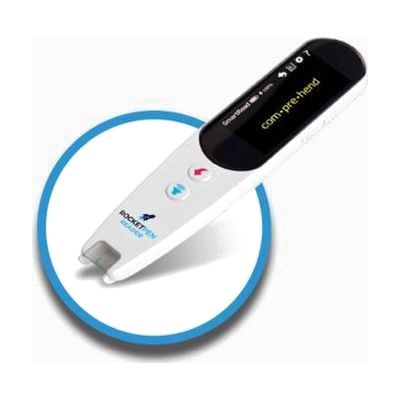
RocketPen Reader - A Superpower Reading Tutor
Last verified July 29, 2026 · classified April 26, 2026
What it is
Summary
AI-generated from vendor-published content · April 26, 2026
The RocketPen Reader is a handheld scanning pen that reads printed text aloud in a natural voice — you glide it across a line of text and it speaks the words, looks them up in a dictionary, and can break down how words are built syllable by syllable. It's designed for people who struggle with reading, particularly those with dyslexia, as well as language learners who need support decoding unfamiliar words; the syllabification and spell-out features go beyond what most basic reader pens offer. This is a self-contained device — no Wi-Fi, no app, no computer required — and it comes with built-in Oxford dictionaries, earbuds for private listening in classrooms, and supports both left- and right-handed use. It only scans English and French text, so it won't work for reading in other languages, and like all scanning pens, it works best on clearly printed text rather than handwritten or highly stylized fonts.
Quick Facts Catalog facts · auto-generated
- AT Act lending
- Out of pocket
- School district
- Vocational rehab
What Setup Looks Like
- Out of the box
- Insert batteries or charge the device.
- Power on and glide the pen tip across printed text to hear words read aloud — no pairing or configuration required for basic use.
- With a guide
- Review the included quick-start guide to configure preferred voice, scan direction (left or right hand), and dictionary selection.
- Practice scanning technique — holding the pen at the correct angle and speed — using sample text; most users find a comfortable technique within 15–30 minutes.
Getting it
Try Before You Buy
Devices like this are often available to borrow through your state's AT Act program — typically free or low-cost — so you can try it before buying or pursuing funding.
Where to Get It
This is the vendor WhatCanHelp tracks for this product — it may also be available from other retailers or a local supplier, and prices vary.
Some links may be affiliate links — WhatCanHelp may earn a small commission from purchases at no extra cost to you. More on affiliates →
As an Amazon Associate we earn from qualifying purchases.
How to Fund This
Equipment like this is often pursued through official state programs. These are common starting points — each program decides its own eligibility and what it covers, so the first step is always a phone call.
Compare & explore
Sources & fine print
Vendor facts (name, price, platforms, vendor link) sourced from smart Pen 4 U — view on vendor site; last verified July 29, 2026.
Classification & description AI-generated from vendor-published content on April 26, 2026 · confidence: high. Vendor specs may lag; verify before relying on details in a clinical or funding artifact.