Learning & literacy — assistive technology
Tools that support reading, writing, math, and studying — text-to-speech, word prediction, audiobooks, and software that makes academic and everyday text accessible to people with dyslexia and other learning differences.
Browse by type
- Learning and literacy software 113
- Keyboards, reading pens and input tools 33
- Braille, tactile and hands-on materials 817
- Hands-on sensory learning 100
- Switches for early learning 32
- Guides for teachers and families 76
A product can fit more than one type, so these counts add up to more than the total.
Core picks
A starting set that shows the range, from simple tools to specialist devices. Not a ranking, and not a recommendation for any one person.
-
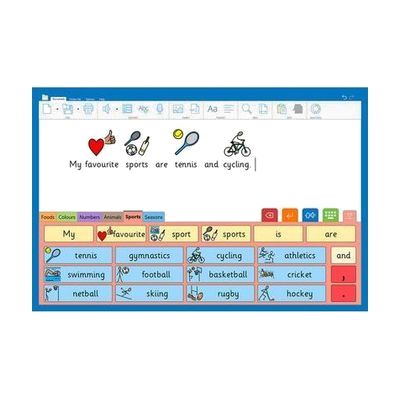
Clicker
Est. $150–$400
Clicker is writing software that helps learners plan, write and review their work using speech, word prediction, symbols and picture support. It's aimed at children who need extra support with writing, and it runs on Windows.
Verified 4 days agoProfessional guidance helpsWord prediction, text-to-speech and picture grids help students who struggle to get ideas into writing.
-
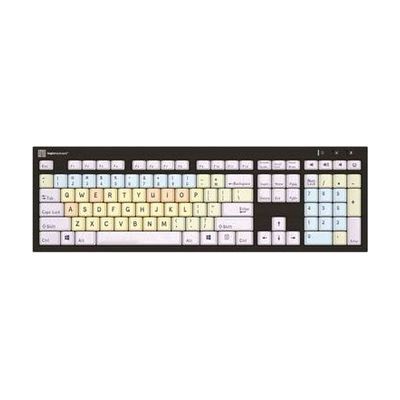
Dyslexie Keyboard
$132.00
This is a Mac keyboard with key labels printed in the Dyslexie typeface, a font made for readers with dyslexia, so the letters on the keys are easier to tell apart. Vowels, consonants, numbers and function keys each have their own color, which helps someone learn where everything sits. It's a good fit for a learner who is still building typing skills or who finds standard key labels hard to read. A USB LED light comes in the box and lights up the keys when plugged in.
Verified 2 days agoReady to useA Mac keyboard in a dyslexia-friendly typeface, so b, d, p and q are easier to tell apart.
-

Time Timer 12 inch
$42.95
The Time Timer 12 inch is a 60-minute timer that shows the time left as a red area on its face, so you can see time shrinking without reading numbers. It also has an audible alarm for when time is up, which can help someone who has trouble sensing how long an activity or wait will last.
Verified todayReady to useA shrinking red disk shows how much time is left, no clock-reading needed.
-

Accessible Literacy Learning (ALL)
Est. $149–$499
The ALL Reading Program teaches basic reading skills to students who are nonverbal and use AAC (augmentative and alternative communication). Students can work through the lessons by touch, eye gaze, or scanning, so the program can follow whichever access method works best for them. It runs on Windows and iOS, and on Tobii Dynavox I-Series and I-110 devices. A teacher, SLP, or AT specialist will likely get the best results by choosing the right access method and guiding how the program is used.
Verified 4 days agoProfessional guidance helpsA structured reading and writing curriculum built for learners who use AAC.
-
Talking Typer, for iOS devices
Talking Typer is a free iOS app that teaches keyboarding and reads aloud as you type, so you get spoken feedback while you practice. It's from the American Printing House for the Blind and suits anyone learning to type without relying on seeing the screen.
Verified 3 days agoSetup with instructionsFree iPhone and iPad app that teaches touch typing through spoken feedback, built for blind and low-vision students.
-
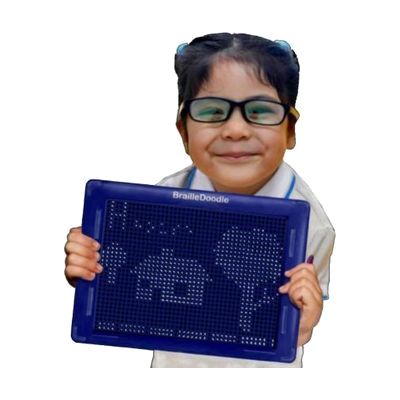
BrailleDoodle Braille Teaching Aid
$179.00
The BrailleDoodle is a two-sided, reusable tablet for learning braille and making tactile pictures. You raise small ball bearings with a magnetic stylus to form dots, feel what you've made, then press the bearings down to erase and start over. The braille side has "no fail" practice spaces for letters, numbers, some symbols, and sight words, plus two rows of 19 braille cells for writing words and full sentences. The other side is a blank grid of 41 by 31 holes for drawing shapes, graphs, and diagrams, which makes it handy for math, science, and art. It includes two stencils plus a bonus one, and other stencils are sold separately for topics like math braille and contractions. It is made for learners of any age and skill level.
Verified todaySetup with instructionsRaise and erase braille dots by hand to practice letters or sketch tactile diagrams, no power needed.
Step-by-step guide
Reading, writing and learning differences: finding tools that fit: A step-by-step guide to assistive technology for reading, writing and studying — text-to-speech, word prediction, reading pens — with borrowing, school AT planning, matching and funding.
More learning & literacy products
-
Talking Typer for Windows
$79.00
Talking Typer for Windows is typing-training software that speaks each lesson aloud and also shows it on screen. It includes drills, practice sessions, and typing games, and it adjusts to the student's skill level and to how much they can see. It's meant for students who are learning to type and need audio support to do it.
Verified 3 days agoReady to use -
All in One EyeGaze Education: eyetuitive for Windows
Est. $800–$2,000
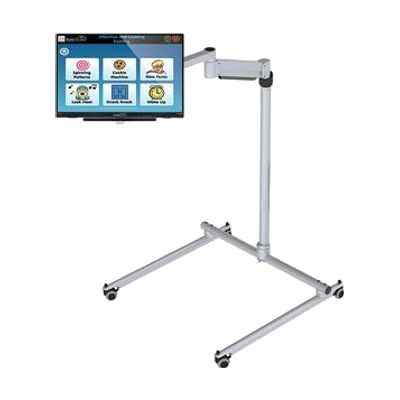
This is a ready-to-assemble eye gaze package for a special needs classroom, built around eyetuitive for Windows. The bundle includes a touch PC or monitor, a REHAdapt stand to hold it, and Inclusive EyeGaze software. With eye gaze, a student controls the screen by looking at it instead of using a mouse or touch, which opens up learning activities and communication for children who can't use those tools easily. Because the pieces come together in one package, a school doesn't have to match a tracker, screen, mount, and software on its own. Getting the student positioned well and the tracking calibrated is where a therapist or AT specialist can make a real difference.
Verified 4 days agoProfessional guidance helps -

Rhyming Pocket/Dice Cards
Est. $12–$25
This is a set of 50 double-sided cards, each showing a colorful picture with a clear printed word, made for practicing rhyming. They help learners build on what they know about letters and sounds and strengthen early reading skills. The cards are 11cm x 11cm, wipe clean, and come in a zip-top bag. You can use them on their own for simple matching and sorting games. They also work with the Touch and Talk or foam dice for extra game ideas, but those are sold separately.
Verified 4 days agoReady to use -
Submersible Audio Light Sensor (SALS)
$53.00
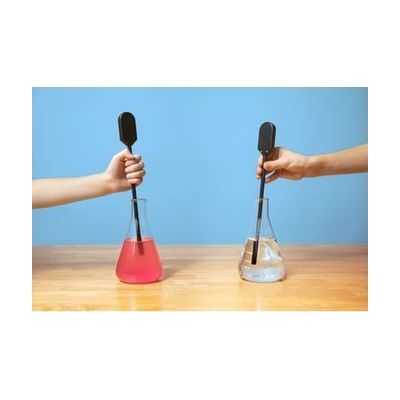
The Submersible Audio Light Sensor turns light into sound, so a student who can't see a science demonstration can hear it instead. It has a plastic-covered glass tube with a rectangular box on one end. The tip of the tube senses light, and the box changes what it senses into a tone and passes the signal to an app. The app works on iOS, Android, and MATT Connect. It's built for science activities, and the name says the probe can go underwater. You'll need a phone or tablet running one of those apps to hear the results.
Verified 3 days agoSetup with instructions -

Turtle Switch
$159.95
The Turtle Switch is a turtle-shaped toy that responds to a light touch with music, lights, vibration, or all three at once. You choose which of the three outputs are active. The music is custom songs made by the manufacturer, and the music, lights, and vibration play only for as long as the toy is pressed. It's a good fit for a young child who is learning cause and effect, or who needs a gentle, rewarding reason to reach for and touch something. It runs on 2 AA batteries and measures about 9 inches long, so it works as its own play and sensory item.
Not recently verifiedSetup with instructions -

Building on Patterns: Kindergarten, Print Teacher Kit
$309.00
This is the print teacher kit for the second edition of Building on Patterns, a kindergarten program that teaches beginning braille users reading, writing, and spelling. It's the teacher's half of the program, so each braille learner will also need their own student kit. The teacher kit comes in print or braille, and this is the print version, which suits a teacher or aide who reads print and guides the lessons.
Verified 3 days agoProfessional guidance helps -
NaturalReader
Free plan · paid up to $159 every year
NaturalReader is text-to-speech software that reads documents, PDFs, images and web pages out loud, and it can save the audio as an MP3. Its camera scanner reads printed text, and the Chrome extension reads web pages, emails and PDFs, and can read your own writing back in Google Docs so you can catch mistakes by ear. It works as a web app, on iOS, Android and desktop, so it suits students or adults who find reading easier by listening, or who have trouble seeing small print. There is a free plan, but the paid plans are billed yearly, so check what each level includes before you commit.
Verified 4 days agoSetup with instructions -
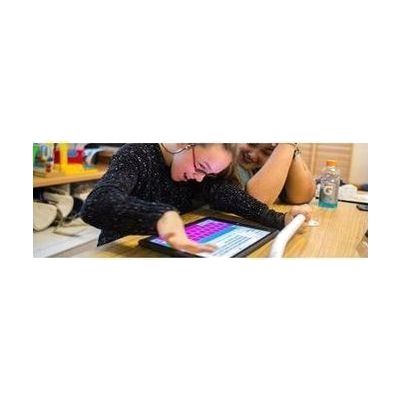
Keeble - AssistiveWare
Est. $4–$20
Keeble is an accessible keyboard for iPhone and iPad that you can use to type in almost any iOS app. It lets you change the colors and fonts, including a dyslexia-friendly font. It also has ways to cut down on typos, like selecting a key when you lift your finger and speaking each letter or word as you type. It's made for people with physical or vision impairments who find the standard keyboard hard to use, and it also has features for people with dyslexia.
Verified 4 days agoSetup with instructions -

Paint by Number Safari - Under the Sea
$45.65
This paint-by-number art set has an under-the-sea theme and is made by the American Printing House for the Blind. It introduces beginning and intermediate young artists to basic art ideas, nature, and the colors of the sea.
Verified 3 days agoReady to use -

Accessible Code & Go Robot Mouse Accessible Activity Set
$106.34
Colby is a programmable robot mouse that students teach to run a maze and reach the cheese. Kids press colorful buttons on the mouse to build a sequence of moves, and Colby lights up and makes sounds as it goes. It has two speeds. This accessible set adds tactile graphics so students who are blind or have low vision can explore coding by touch, and a companion activity guide introduces the coding ideas. It's a good fit for young learners starting with early coding concepts, ideally with an adult or teacher helping them through the first activities.
Verified 3 days agoSetup with instructions -

Koosh Switch
$129.95
The Koosh Switch is a soft, textured switch that works two ways: as a stand-alone toy that responds with lights, music, and vibration, or as a switch that activates other devices. People who enjoy the koosh feel get a touch-friendly target to press or reach for, which makes it a good fit for encouraging reaching and cause-and-effect play. It runs on 2 AA batteries and measures about 8 by 5 by 4½ inches. It contains latex, so it isn't suitable for anyone with a latex allergy.
Not recently verifiedProfessional guidance helps -

Building on Patterns: Primary Braille Literacy Program: First Grade: Unit 3 Teacher's Edition, Braille
$83.42
This is the braille-format Teacher's Edition for Unit 3 of the first grade level of Building on Patterns, a primary braille literacy program. It is the teacher's guide for the unit, not something a child reads on their own. It is bought separately from the First Grade Unit 3 Student Kit (UEB), so plan to order both. Teachers who read braille and teach early braille readers will get the most from it.
Verified 3 days agoProfessional guidance helps -
Typio Typing Tutor Software
$99.95
Typio is a typing tutor that teaches the full QWERTY keyboard through spoken guidance and high-visibility on-screen visuals, so a student who is blind or has low vision can learn to touch type. It includes 45 lessons that save progress and move forward only when the student reaches the goals set for them. Teachers can build custom lessons, keep records for each student, and print detailed reports. It also has a free-type mode that tracks stats without prompting, and a practice mode for reviewing lessons. It runs on its own without a screen reader or other accessibility program.
Verified todayProfessional guidance helps -
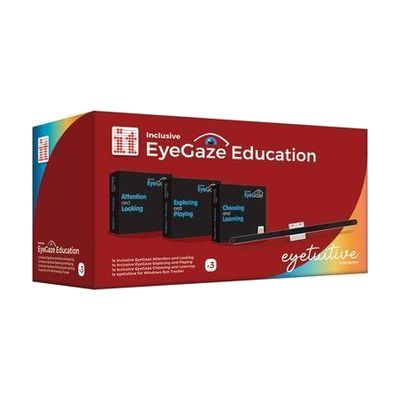
Inclusive EyeGaze Education: eyetuitive for Windows
Est. $800–$2,500
This bundle pairs eye gaze software for teaching early eye gaze access and choice-making with an eyetuitive eye tracker for Windows. It's meant for children who are learning to control a computer with their eyes.
Verified 4 days agoProfessional guidance helps -
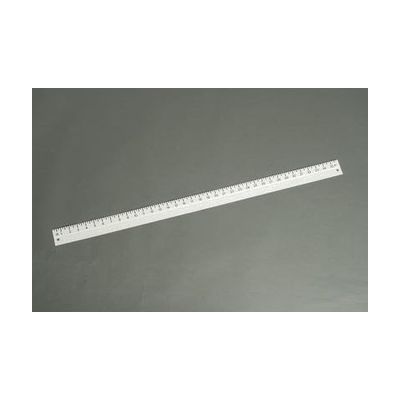
Braille-Large Print Yardstick
$29.90
This yardstick lets a student measure by touch or by sight. One edge has raised-line marks every 1/4 inch, with a braille number at each inch. The opposite edge has black large print marks, also in 1/4 inch steps. It's made of durable white plastic and has a hole for hanging, so it can be stored on a wall or hook. The tactile and large print markings sit on the same ruler, so a braille reader and a low vision reader can share it in a math or science class. It measures in inches only.
Verified 3 days agoReady to use -
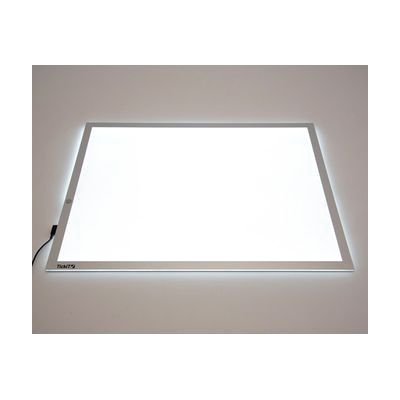
Sensa LED Light Panel - A2
Est. $150–$350
The Sensa LED Light Panel is a flat, slim panel that gives off bright, even light from its A2-sized surface, with three brightness settings. Children place objects, shapes, or translucent pieces on it to explore light, color, and shape, and it suits science, art, and math activities. The large lit area (about 595mm x 420mm) leaves room for several children to work around it together. A lock function stops the panel from being switched off by accident, and a low-profile magnetic connector helps keep the cord from becoming a trip hazard. At 3kg with rounded edges, it is easy to move and wipe clean. It needs adult supervision, and the accessories shown in the product photos are sold separately.
Verified 4 days agoReady to use
Browse all 1099 learning & literacy products in the catalog →