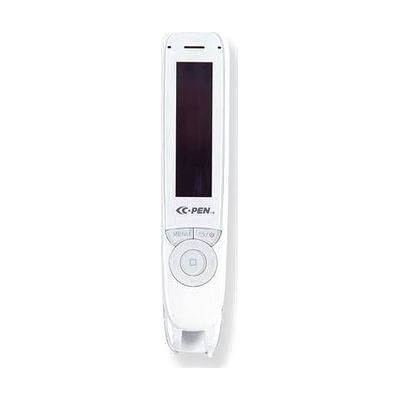
C-Pen Reader2 Pen Scanner UPDATED
Last verified July 29, 2026 · classified April 26, 2026
What it is
Summary
AI-generated from vendor-published content · April 26, 2026
The C-Pen Reader2 is a handheld scanning pen that you drag across a line of printed text and it reads the words aloud through a built-in speaker or headphones, essentially acting as an on-demand text-to-speech tool for physical documents. It's designed for students, professionals, or anyone who struggles to read printed text independently — particularly people with dyslexia, low vision, or language processing challenges who need immediate audio support while reading books, worksheets, or exam materials. The package is complete out of the box: the pen, carry case, headphones, and charging cable are all included, and it works as a standalone device with no phone or computer required for its core reading function. One important limitation: it reads line by line as you drag it, so it requires reasonably steady hand movement to capture text cleanly, and it only works on printed text — handwriting and some low-contrast or glossy surfaces will give poor results.
Quick Facts Catalog facts · auto-generated
- AT Act lending
- Out of pocket
- School district
- Vocational rehab
What Setup Looks Like
- Out of the box
- Charge the pen via the included micro-USB cable before first use.
- Drag the pen tip across a printed line of text — the pen reads it aloud through the built-in speaker immediately.
- With a guide
- Configure preferred reading accent and Auto-read mode (reads on lift vs. reads on button press) through the pen's on-screen menu.
- If using Exam Lock mode, set the PIN and desired locked feature set to restrict functions during testing — allow 10–15 minutes to configure with the user guide.
Getting it
Try Before You Buy
Devices like this are often available to borrow through your state's AT Act program — typically free or low-cost — so you can try it before buying or pursuing funding.
Where to Get It
This is the vendor WhatCanHelp tracks for this product — it may also be available from other retailers or a local supplier, and prices vary.
Some links may be affiliate links — WhatCanHelp may earn a small commission from purchases at no extra cost to you. More on affiliates →
As an Amazon Associate we earn from qualifying purchases.
How to Fund This
Equipment like this is often pursued through official state programs. These are common starting points — each program decides its own eligibility and what it covers, so the first step is always a phone call.
Compare & explore
Sources & fine print
Vendor facts (name, price, platforms, vendor link) sourced from Scanning Pens — view on vendor site; last verified July 29, 2026.
Classification & description AI-generated from vendor-published content on April 26, 2026 · confidence: high. Vendor specs may lag; verify before relying on details in a clinical or funding artifact.