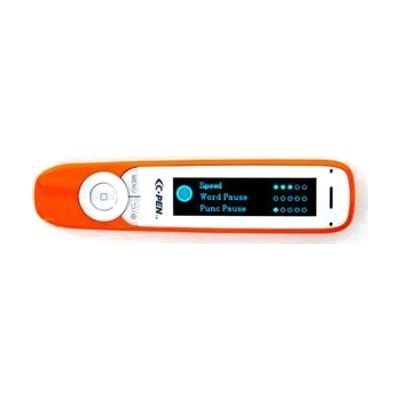
C-Pen Exam2 Pen UPDATED
Last verified July 29, 2026 · classified April 26, 2026
What it is
Summary
AI-generated from vendor-published content · April 26, 2026
The C-Pen Exam2 is a handheld scanning pen that reads printed text aloud through a built-in speaker or earphone jack — you drag it across a line of text and it speaks the words back in a clear digital voice. It's designed for students with dyslexia, reading difficulties, or print disabilities who need independent access to printed materials, including during formal exams where devices like tablets or phones aren't permitted. This is a standalone device that works on its own without a phone, app, or internet connection — just charge it, scan text, and listen. One important limitation: it reads fonts between 6.5 and 22 points, so very small print or decorative fonts may not scan reliably, and it reads left-to-right text only, so complex layouts like columns or tables can produce jumbled output.
Quick Facts Catalog facts · auto-generated
- AT Act lending
- Out of pocket
- School district
- Vocational rehab
What Setup Looks Like
- Out of the box
- Charge the pen via the included Micro-USB cable before first use.
- Power on and drag the pen tip across a line of printed text — it reads aloud through the speaker or plug in earphones for private listening.
- Use the circular button to toggle auto-read mode on or off based on preference.
- With a guide
- Review the included instruction manual to configure preferred language, accent, and auto-read settings.
- Practice scanning technique (consistent speed and pressure) using sample printed text — allow 15–30 minutes to get comfortable with scan accuracy.
Getting it
Try Before You Buy
Devices like this are often available to borrow through your state's AT Act program — typically free or low-cost — so you can try it before buying or pursuing funding.
Where to Get It
This is the vendor WhatCanHelp tracks for this product — it may also be available from other retailers or a local supplier, and prices vary.
Some links may be affiliate links — WhatCanHelp may earn a small commission from purchases at no extra cost to you. More on affiliates →
As an Amazon Associate we earn from qualifying purchases.
How to Fund This
Equipment like this is often pursued through official state programs. These are common starting points — each program decides its own eligibility and what it covers, so the first step is always a phone call.
Compare & explore
Sources & fine print
Vendor facts (name, price, platforms, vendor link) sourced from Scanning Pens — view on vendor site; last verified July 29, 2026.
Classification & description AI-generated from vendor-published content on April 26, 2026 · confidence: high. Vendor specs may lag; verify before relying on details in a clinical or funding artifact.