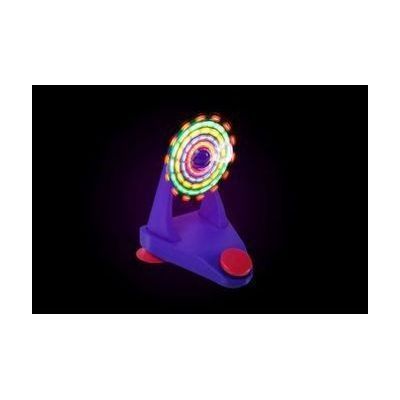
LED Fan
Price is what the vendor listed when last checked. Confirm it with the vendor before buying.
Last verified June 26, 2026 · classified April 26, 2026
What it is
Summary
AI-generated from vendor-published content · April 26, 2026
This is a small desktop fan with built-in LED lights that cycles through over 30 color patterns, controllable either by pressing a button directly on the unit or by plugging in an external switch. It's designed for people with significant motor limitations who can't operate a standard fan — particularly those who use switches via sip-and-puff, head movement, finger flex, or other minimal-movement inputs. You get a functional cooling fan plus a visually engaging light display, and it comes ready to use on battery power with suction cups to hold it in place. Important note: the LED light patterns can trigger seizures, so this is not appropriate for anyone with a seizure disorder — Enabling Devices explicitly flags this warning.
Quick Facts Catalog facts · auto-generated
- AT Act lending
- Medicaid waiver
- Out of pocket
- School district
What Setup Looks Like
- Out of the box
Install three AAA batteries, attach suction cups to a flat surface, and press the red button to activate the fan and LED lights. - With a guide
- Plug a compatible switch into the external jack and position it within the user's range of motion.
- Use the side switch to enable continuous play mode if the user cannot reliably re-activate independently.
- Allow 15–30 minutes to test switch placement and activation method for best access.
- With professional help
- An occupational therapist (OT) or assistive technology professional (ATP) can assess which switch type and body site gives the most reliable and least effortful access.
- If this is part of a broader switch access program (e.g., cause-and-effect learning or environmental control), an OT or SLP should coordinate its use within that plan. See manufacturer support resources for detailed instructions.
Getting it
Try Before You Buy
Devices like this are often available to borrow through your state's AT Act program — typically free or low-cost — so you can try it before buying or pursuing funding.
Where to Get It
This is the vendor WhatCanHelp tracks for this product — it may also be available from other retailers or a local supplier, and prices vary.
Some links may be affiliate links — WhatCanHelp may earn a small commission from purchases at no extra cost to you. More on affiliates →
As an Amazon Associate we earn from qualifying purchases.
How to Fund This
Equipment like this is often pursued through official state programs. These are common starting points — each program decides its own eligibility and what it covers, so the first step is always a phone call.
Compare & explore
Sources & fine print
Vendor facts (name, price, platforms, vendor link) sourced from Enabling Devices — view on vendor site; last verified June 26, 2026.
Classification & description AI-generated from vendor-published content on April 26, 2026 · confidence: high. Vendor specs may lag; verify before relying on details in a clinical or funding artifact.