Environmental control
Electronic Aids to Daily Living — devices that help people control their environment electronically (lights, TV, doors, phone) using whatever input method works for them. The modern term for environmental control units.
-
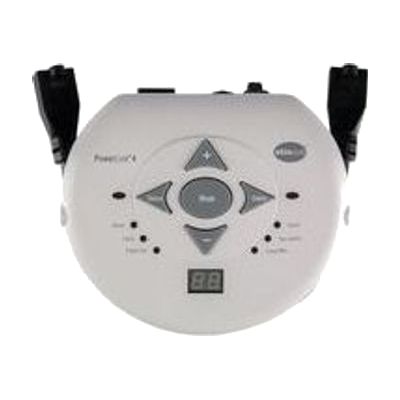
PowerLink 4 (North America)
$330.00
The PowerLink 4 is a control unit that lets someone use a single switch to turn on a plugged-in appliance, such as a fan, a blender, or a toy. It has two outlets and two switch jacks, and it also works with AbleNet's Big Beamer and Jelly Beamer wireless switches. Six control modes decide how the appliance runs: it can act like a normal switch, run for a set time from 1 to 99 seconds or minutes, toggle on and off, count activations, or need both switches pressed together. The built-in display makes setting times and viewing counts simple, which suits cause-and-effect practice, cooperative play, and tracking progress. You will need your own switch and appliance, since neither is included.
Verified 4 days agoProfessional guidance helps -
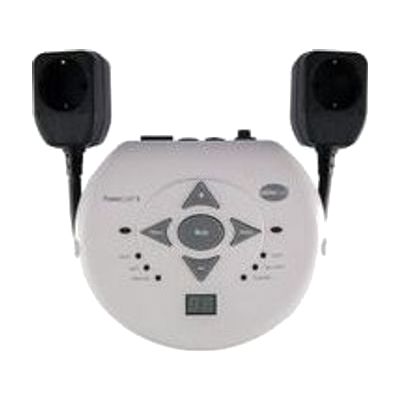
PowerLink 4 (Central Europe)
$330.00
The PowerLink 4 lets someone use a single switch to turn a plugged-in appliance on and off, such as a fan, a blender, or a battery-operated toy adapted for it. You choose how it responds from six modes, including a direct on-while-pressed mode, a timed mode that runs for 1 to 99 seconds or minutes, and a latch mode where one press turns the appliance on and the next turns it off. A built-in display makes it easy to set exact times, and a count mode shows how many times the switch was activated, which helps with tracking progress. This is the Central Europe version, and it takes any single switch, including AbleNet's wireless Big and Jelly Beamer switches. The outlets can power up to two appliances, and a two-switch mode requires both switches to be pressed, for shared or safer activation. It is only one piece of the setup, so you'll need a switch and an appliance to go with it.
Verified 4 days agoProfessional guidance helps -
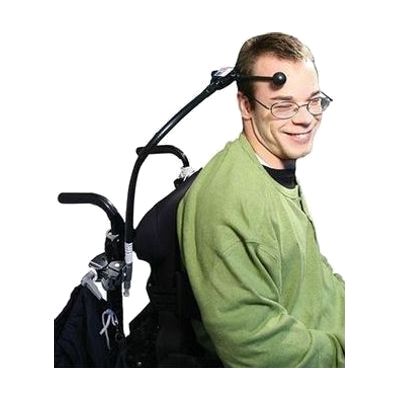
Ultimate Switch
$99.95
The Ultimate Switch is a ball end wobble switch: a ball on a toggle that activates when someone nudges it, so even a very light touch from the head, elbow, shoulder, or neck can work. It's built to take heavy use, and it can be paired with an appliance switch unit to run things like lights, kitchen appliances, and a television. It comes in several styles, including a gooseneck with clamp, a wireless version, and a switch-only option with no gooseneck, so the right choice depends on where and how it will be positioned. This is one piece of a larger setup, not a standalone tool. It needs something to control, and finding the best spot and body part for access is where an OT or ATP can help most.
Not recently verifiedProfessional guidance helps -
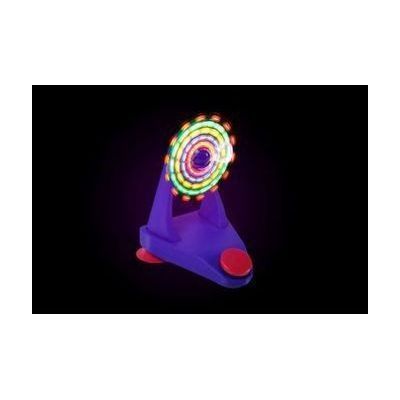
LED Fan
$69.95
This battery-powered fan blows a breeze and puts on a light show at the same time, with LED lights that cycle through more than 30 color patterns. You can start it by pressing the red button on the front, or by plugging a switch of your choice into the external jack, so someone who can't press a button can still turn it on with a movement like a sip and puff, a grip, a twitch, or a press with a hand, chin, or head. Two suction cups on the base hold it in place. The manufacturer warns against using it with anyone who is prone to seizures, so check that before you buy. The switch is sold separately, and choosing the right one for the person's movement is often the harder part.
Not recently verifiedSetup with instructions -
RelayKeys
Free
RelayKeys lets one computer send keystrokes and mouse movements to other devices over Bluetooth, so those devices think a regular keyboard and mouse are connected. It's aimed at people who depend on one dedicated system, like an eye gaze setup, but need to use other computers, tablets, or phones for work or fun. It works over Bluetooth rather than a shared network, which matters in schools and offices where network sharing isn't allowed. It's open source and runs as software on the main computer plus Bluetooth hardware, with a couple of hardware options. Expect to build or set up the hardware and install software, so it suits someone comfortable following technical documentation.
Verified 4 days agoSetup with instructions -

FireAvert Automatic Shut-Off Device for Stoves and Microwaves
$199.99
The FireAvert is a safety device that shuts off a stove or microwave automatically, helping prevent kitchen fires when someone leaves cooking unattended or forgets that an appliance is on. It's meant for households where memory lapses or distraction make a left-on appliance a real worry, and for family members who want that added peace of mind. The maker says installation is simple and points to a full instructional video that walks you through setup.
Verified 2 weeks agoSetup with instructions -

Freedom
Est. $150–$350
The Freedom lets one switch control up to four different devices. You can move between them by holding the main switch down for a set time, or by tapping a second select switch. Each device plugs in through a standard 3.5mm switch jack, and you can program which channels are active so it skips any that are unused. The hold time is adjustable, and the keypad can be locked after setup so settings don't get changed by accident. Phones and tablets may need an extra adapter to connect, and the switch itself is sold separately.
Verified 4 days agoProfessional guidance helps -
iControl
Est. $600–$1,200
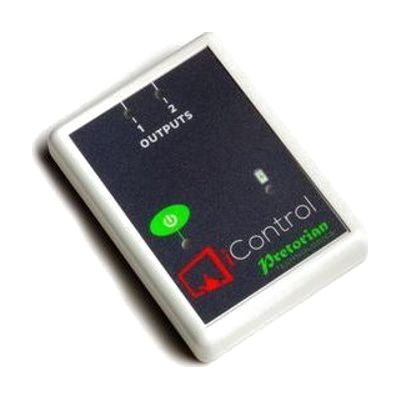
The iControl lets someone run up to two battery-operated toys or appliances without a wired switch, using a tablet or phone instead. Two 3.5mm sockets connect the devices, and the iClick app on iOS or Android sets how each one behaves. There are seven control modes, including direct, latching, timed, and cooperative, so it can teach cause and effect or let two people share control. On-screen buttons can be recolored or swapped for a photo, and the app works with iOS Switch Control scanning for people who can't use a touch screen. It works from up to 20 metres away. You'll need your own compatible tablet or phone, and the toys or appliances have to be battery-operated ones that can be connected through a 3.5mm socket.
Verified 4 days agoSetup with instructions -
IR Controller
Est. $150–$400
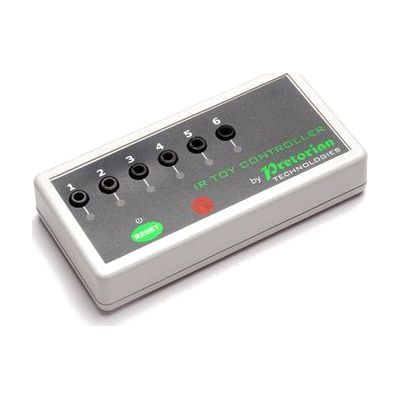
The IR Controller lets someone who uses an AAC (speech-generating) device run switch-adapted equipment from that same device. It picks up the infrared signal the AAC device sends out and turns it into six separate switch outputs. Those outputs can run things like a switch-adapted bubble machine or an appliance controller such as the iClick mains controller. Each output can work in Latched, Timed, or On/Off mode, and ready-made Gridsets/Pagesets (the page layouts used on AAC devices) can be downloaded and changed with your own pictures and button sizes. It suits someone who would rather control their surroundings through the device they already use than through a separate switch. It is a piece of a larger setup, so you will need an AAC device with an IR output and something switch-adapted to plug in.
Verified 4 days agoProfessional guidance helps -
it-Receive
Est. $150–$350
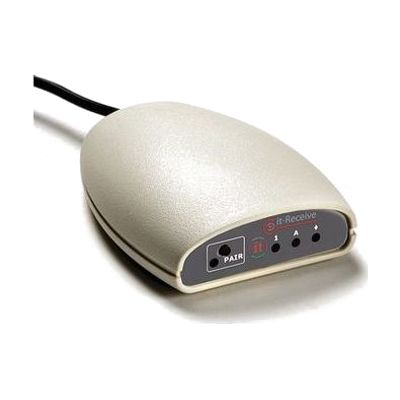
The it-Receive is a USB receiver that lets up to six Simply Works transmitter units, like switches, joysticks, rollerballs, and keyboards, control a computer wirelessly. You can mix any combination of those devices. It works from up to 10 metres (32 feet) away, so it suits classrooms and therapy rooms where people sit in different spots. With the Switch Centre software, it spots which program is running and adjusts its settings to match, and you can program custom switch functions for one person's needs. The receiver doesn't include the transmitters, so you'll need to have those on hand.
Verified 4 days agoSetup with instructions -
Switcher-4
Est. $150–$350
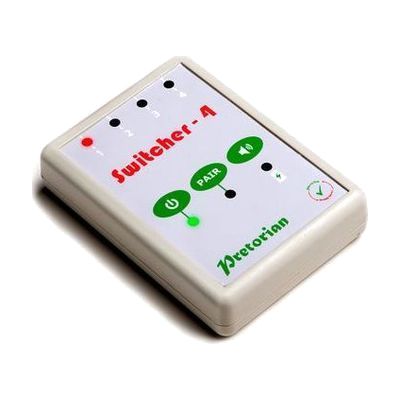
The Switcher-4 lets one person run up to four devices, such as a communicator, phone, or tablet, from a single switch. You move between the connected devices without swapping cables or asking for help. A light, and an optional beep, show which device is active. It was designed with wheelchair and lap-tray users in mind. It comes with four device cables and a USB charging cable, and its built-in battery recharges over USB. Pairing and alert settings are saved even when it powers down. The it-Switch is sold separately, so you'll need to add that before it does anything.
Verified 4 days agoProfessional guidance helps -
ToyBox
Est. $50–$150
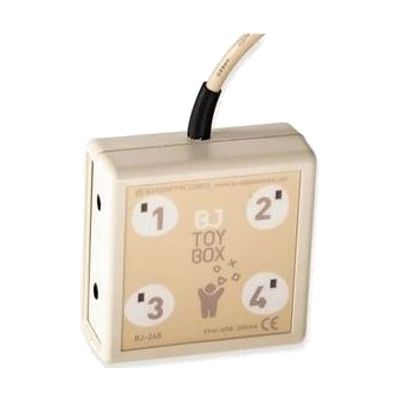
ToyBox is Windows software that lets you run up to four switch-adapted toys or devices from the computer screen. You choose one to four on-screen buttons, set them up in one or two rows, and change how they look to suit the user. It can work in direct, timed, or on/off modes, and it can play a sound when a device turns on. It also supports scanning with one or two switches, with adjustable timing, so it works as a place to teach and practice that skill. You'll need the toys or devices themselves, already adapted for switch use, and some way to connect them to the computer.
Verified 4 days agoProfessional guidance helps -

Twin SLAT
Est. $80–$200
The Twin SLAT sits between one or two access switches and low-voltage battery toys or appliances, and it changes how a switch press controls them. It has two independent channels and eight modes. The modes include direct (on only while pressed), latched (press once for on, again for off), timed, and co-operative modes where two people must both press before anything happens. Timed settings run from 5 seconds up to 1 hour, set on a two-digit LED display, and a button lets you cancel a timed run early. It's a good fit for teaching cause and effect, turn-taking, and timing, or for giving someone a way to run a toy or small appliance with the kind of switch press that works for them. This is a control box, not a standalone toy: you'll need your own switches and the toy or appliance to connect.
Verified 4 days agoProfessional guidance helps -
IR Keyboard & Mouse
Est. $150–$350
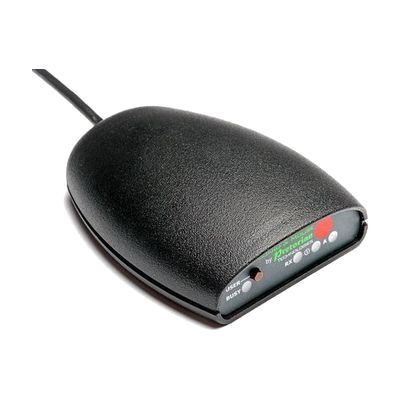
The IR Keyboard & Mouse lets someone who uses an AAC (augmentative and alternative communication) device type and move a mouse on an outside computer. It works through the infra-red output found on most AAC devices, so there is no wireless pairing to deal with. You set up the keyboard and mouse controls by loading downloadable Gridset or Pageset layouts, and you can build your own with larger, eye-gaze-friendly buttons or a layout for a non-UK keyboard. It supports up to four separate user settings, so several people in one room can each have their own control without interference. It suits someone who needs to get onto a computer now and then, such as when moving between work or learning spaces.
Verified 4 days agoProfessional guidance helps -
iClick
Est. $150–$350
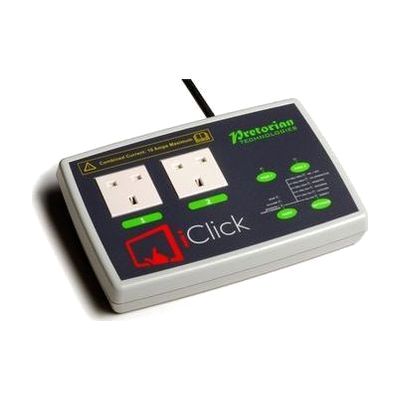
The iClick lets you switch electrical appliances on and off from an iPad, with no cables between the two. You plug up to two mains devices into its sockets and control them separately through a free app. Modes include holding to run (good for teaching cause and effect), touch on/touch off, a timer from 1 second up to 250 minutes, and a two-person mode that needs two people to work together. It can also be used with wireless switches, and the app works with iOS Switch Control for someone who can't use the touchscreen directly. The sockets are UK mains type, and you need to supply your own iPad (iPad 3 or later).
Verified 4 days agoSetup with instructions -
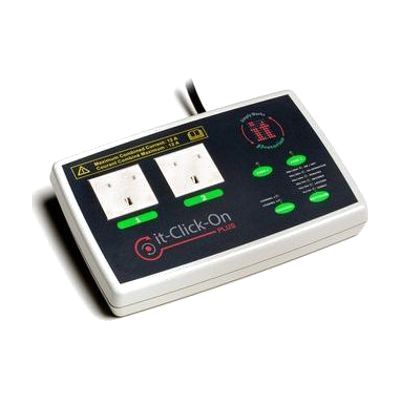
it-Click-On Plus
Est. $120–$250
The it-Click-On Plus lets a person use a switch to turn mains-powered appliances on and off, such as a lamp, a fan, or a toy. It has two mains sockets that can run separately or together, and two 3.5mm inputs for wired switches. It also has a built-in receiver for the it-Switch wireless switch, which works from up to 10 metres away, and wired and wireless switches can be mixed. You can pick from several control modes, including direct, latched, timed, cooperative, and two-switch on/off. A small LED display helps with pairing and with changing the mode and time, and the unit remembers its settings after it's switched off. The sockets are 220V, 50Hz, so check that this matches your electricity supply before buying. This unit only controls the appliance. You will need your own switch, and choosing the right switch and mode for the person is where help from a professional pays off.
Verified 4 days agoProfessional guidance helps -

Control USB
The Control USB plugs into a Windows computer and lets someone run other devices from an on-screen grid. It sends infra-red signals to anything that takes an IR remote, such as a TV, a toy, or sensory equipment. It can also switch up to 16 mains-powered devices, but that needs the Enabler Socket+, which is sold separately. You build the grids yourself, choosing the pictures, the text, and the number and layout of cells, and one cell can run a whole sequence of commands. It works with The Grid 2, Grid 3, and PowerPoint, and with whatever access method the person already uses, including mouse, keyboard, or eye gaze. This suits someone who controls a computer in a non-standard way and wants to use it to run things around them.
Verified 4 days agoProfessional guidance helps -
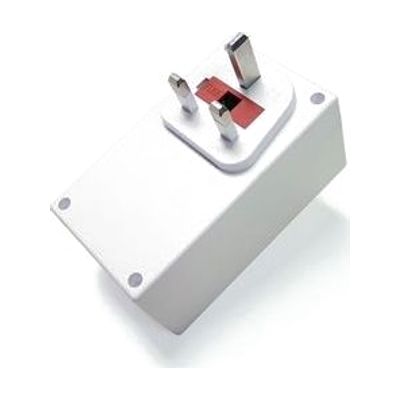
Enabler Socket+ (UK version)
Est. $60–$150
The Enabler Socket+ is a mains power socket that a person can turn on and off with a switch. You plug in a lamp, fan, heater, or stereo, or a switch-adapted toy or device, and press a standard 3.5mm switch to control it. It can also be driven from the Control USB, and up to 16 units can be linked so one person can manage several devices in a room. Three modes let you pick how it behaves: on while pressed, latched on and off, or timed. It uses radio signals that work through walls, so the switch doesn't need to be near the socket. This is the UK version, so check that it matches your plug type and voltage. It does nothing on its own, since you'll need a switch or a Control USB to operate it.
Verified 4 days agoSetup with instructions -
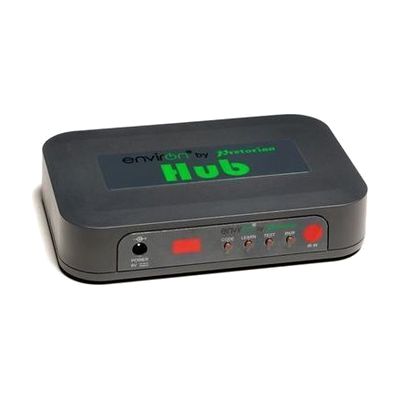
EnvirON Hub
Est. $150–$350
The EnvirON Hub is the central box in the EnvirON system. It lets someone control things like a TV, radio, lamp, or fan using the free EnvirON App on an Apple device, a wireless switch, or a scanning remote. For infrared devices, you point the existing remote at the Hub and press a button so the Hub learns that signal. Lamps, fans, and other mains-powered devices are controlled through iClick controllers, which are separate. It works with iOS Switch Control, so someone who uses a Bluetooth switch such as the APPlicator or iSwitch can scan through choices and operate their surroundings that way. Because the system has several parts, it helps to have someone experienced choose and set up the right access method.
Verified 4 days agoProfessional guidance helps -
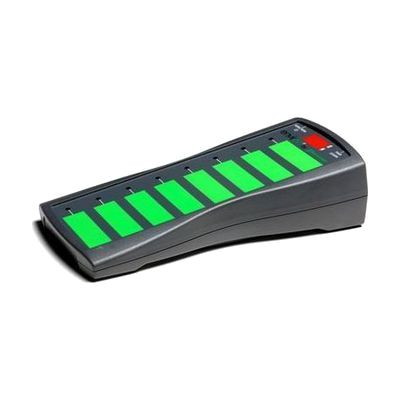
EnvirON Scanning Remote
Est. $150–$350
The EnvirON Scanning Remote lets someone control up to eight functions on infrared and mains-powered devices, such as a TV, radio, lights or kitchen appliances, from one handheld unit. Its large touch-sensitive buttons can be pressed directly, or you can run it with one or two switches that step through the options (scanning). That makes it useful for a person who can't reach or press small buttons but can reliably hit a switch. It's built to work with the EnvirON Hub and the free EnvirON iOS app, and it also works with iOS Switch Control through switches like the APPlicator or iSwitch. Plan on choosing and positioning switches and teaching the scanning pattern; it works best as part of a larger setup.
Verified 4 days agoProfessional guidance helps -

EnvirON Starter Pack
Est. $250–$600
The EnvirON Starter Pack is a bundle that lets someone control everyday devices like a TV, lamp, radio, or kitchen appliance without using the original remote or wall switch. It includes a hub that sends infra-red (IR) commands, two large and two small wireless switches that each handle one function, and an iClick that turns mains-powered appliances on and off through a free app. You can run it from an iPad, from switches, or from a scanning remote, and the free iOS app works with Switch Control devices such as the APPlicator or iSwitch. It suits someone who can't easily use standard remotes or controls, and it also works well for teaching cause-and-effect and early environmental control skills in a classroom or at home. The wireless switches each do a single job, so you'll plan out which device each one operates.
Verified 4 days agoSetup with instructions -
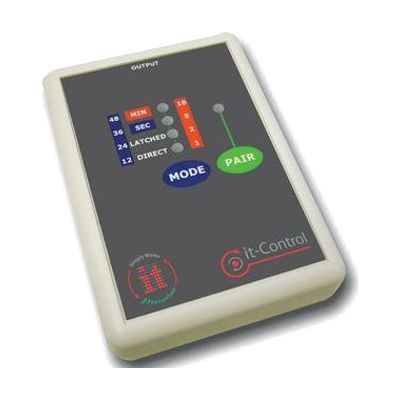
it-Control
Est. $60–$120
The it-Control sits between a switch and a switch-adapted toy, so a child can press a switch to make the toy run. The Pro version described here has two channels, so you can run two toys or devices at once. Each channel can pair with up to three wireless it-Switches, and wired switches work too, alone or mixed with wireless ones. It can run a toy while the switch is held, switch it on and off with each press, or run it for a timed stretch set in seconds or minutes. It also has two cooperative modes: in one, two switches must be pressed together, and in the other, one switch turns the toy on and another turns it off. That makes it a good fit for early cause-and-effect play, turn-taking, and play between two children. It uses 2 AA batteries (included) and 3.5mm jacks. You'll need switches and a switch-adapted toy; neither comes with it.
Verified 4 days agoSetup with instructions -
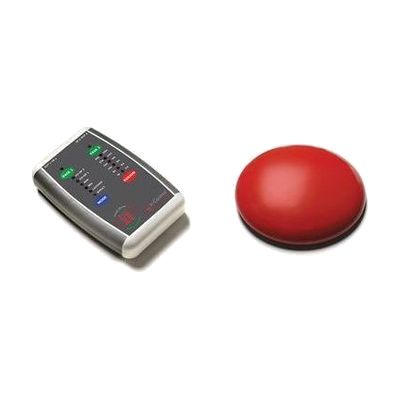
it-Control Pro Starter Pack
Est. $150–$300
This starter pack pairs the it-Control Pro, a two-channel controller, with a wireless it-Switch so someone can run switch-adapted toys or other devices with a light touch. The controller has two 3.5mm output jacks, so you can plug in two toys at once. It works in several modes: direct, latched, timed (in seconds or minutes), and two cooperative modes where two people share control. Up to three wireless switches can pair to each channel, or you can connect wired switches instead, with a range of up to 10 metres. The switch has a low, slanted profile and responds to very small movements, which suits someone with limited strength. The pack's switch comes in small or large sizes and four colours, so check which version is included before ordering.
Verified 4 days agoProfessional guidance helps -
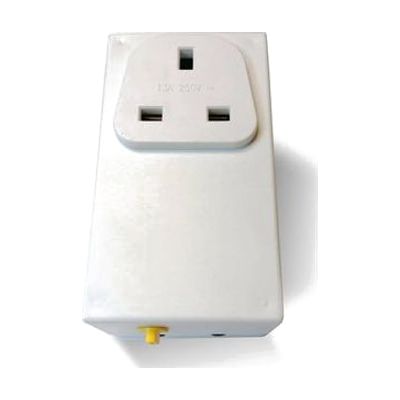
Participation Box
Est. $50–$120
The Participation Box lets someone use a switch to turn a mains-powered appliance on and off. You plug a lamp, fan, toy, TV, or similar device into the box, plug the box into the wall, and connect your own switch. It has three modes. Direct mode keeps the appliance running only while the switch is held. Timed mode runs it for a preset time, with six choices between 2 and 90 seconds. On/off mode flips the appliance on or off with each press. It works with switches that are pressed, blown into, sucked on, or activated in other ways. The box is small and light, but no switch comes with it, so you'll need to choose one that matches how the person can move.
Verified 4 days agoSetup with instructions