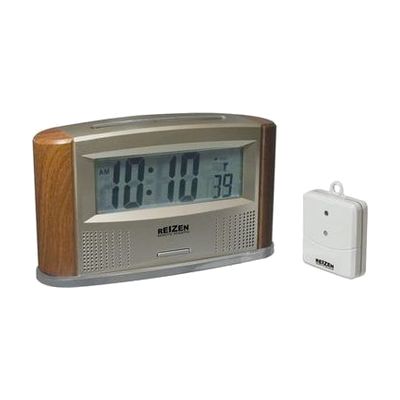
Reizen Atomic Talking Clock with Indoor-Outdoor Thermometer
by Reizen
Last verified June 17, 2026 · classified April 26, 2026
What it is
Summary
AI-generated from vendor-published content · April 26, 2026
This standalone talking clock announces the current time, date, indoor temperature, and outdoor temperature (via a wireless remote sensor) either on demand with a button press or automatically on a schedule throughout the day. It's well-suited for someone who is blind or has low vision and wants reliable time and weather information without needing to read a screen — though the large backlit LED display also helps those with some remaining vision. Everything you need is in the box: main unit, wireless outdoor sensor, and a spoken-word interface that requires no app or computer. The atomic radio sync that keeps the clock accurate automatically won't work in Hawaii or Alaska, so users in those states will need to set and maintain the time manually.
Quick Facts Catalog facts · auto-generated
- AT Act lending
- Out of pocket
What Setup Looks Like
- Out of the box
Press the talk button to hear the current time, date, or temperature read aloud in a female voice. - With a guide
- Insert 2 AA batteries in the main unit and 2 AAA batteries in the wireless outdoor remote sensor (not included with purchase).
- Place the outdoor sensor outside and allow the clock to sync with the US Atomic Clock signal — typically within a few minutes in most US locations.
- Use the scroll button to cycle the display between time, date, indoor temp, and outdoor temp, and optionally set automatic vocal announcements for the 8am–10pm window. Allow 15–30 minutes for initial setup. See manufacturer support resources for detailed instructions.
Getting it
Try Before You Buy
Devices like this are often available to borrow through your state's AT Act program — typically free or low-cost — so you can try it before buying or pursuing funding.
Where to Get It
Some links may be affiliate links — WhatCanHelp may earn a small commission from purchases at no extra cost to you. More on affiliates →
As an Amazon Associate we earn from qualifying purchases.
Wondering how equipment like this gets paid for? See the official funding programs in your state.
Compare & explore
Sources & fine print
Vendor facts (name, price, platforms, vendor link) sourced from Reizen — view on vendor site; last verified June 17, 2026.
Classification & description AI-generated from vendor-published content on April 26, 2026 · confidence: high. Vendor specs may lag; verify before relying on details in a clinical or funding artifact.