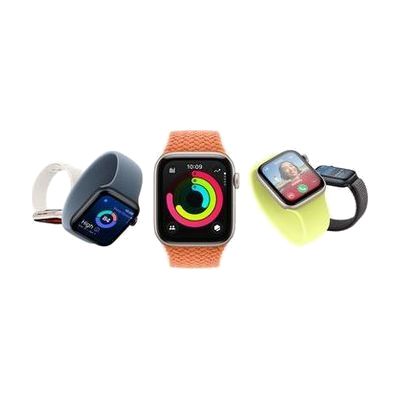
Apple Watch SE 3
by Apple
Price is what the vendor listed when last checked. Confirm it with the vendor before buying.
What it is
Summary
AI-generated from vendor-published content · October 1, 2026
The Apple Watch SE 3 is a smartwatch that puts a heart sensor, wrist temperature sensing, GPS, and motion sensors on your wrist. Fall Detection and Crash Detection are built in to help get attention quickly if something goes wrong. It has a speaker and microphone, so you can take calls, dictate messages, and listen to audio from the watch itself. An Always-On display lets you check the time without raising your arm, which helps if lifting or turning a wrist is tiring. This is a general consumer device, so its accessibility value comes from how you set it up. It is built for the Apple ecosystem and pairs with an iPhone, so plan on that pairing before you rely on it.
Getting it
Many states lend devices like this for trial periods, free or at low cost — find your state's AT lending program.
Where to get it
This is the vendor WhatCanHelp tracks for this product — it may also be available from other retailers or a local supplier, and prices vary.
How to fund this
These are common places to ask about paying for equipment like this. Each one decides its own eligibility and what it covers, so start by asking them.
Details
Quick Facts Catalog facts · auto-generated
- Platform
- Age range
- Complexity
- Setup with instructions
- Price
- $229.00
- Funding
- Out of pocket
- Vocational rehab
What setup looks like
- With a guide
- Charge the watch, then pair it with your iPhone by following the on-screen prompts. Allow about 20-30 minutes for pairing and first-time setup.
- Turn on Fall Detection and add emergency contacts so the safety features can reach the right people.
- Adjust text size, display, sounds, and touch settings to fit the wearer, and choose which notifications and apps appear. Allow another 15-30 minutes. See manufacturer support resources for detailed instructions.
Compare & explore
Sources & fine print
Vendor facts (name, price, platforms, vendor link) sourced from Apple — view on vendor site (opens in a new tab); last checked October 31, 2026.
Classification & description AI-generated from vendor-published content on October 1, 2026 · confidence: high. Vendor specs may lag; verify before relying on details in a clinical or funding artifact.