Duxbury Braille Translation For Windows
Price is what the vendor listed when last checked. Confirm it with the vendor before buying.
Last verified September 19, 2026 · classified April 26, 2026
What it is
Summary
AI-generated from vendor-published content · April 26, 2026
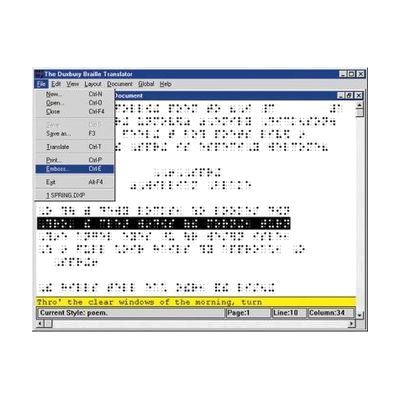
Duxbury Braille Translator (DBT) converts documents from standard print formats into properly formatted braille files ready to send to a braille embosser, and can also back-translate braille into print. It's the industry-standard tool used by braille publishers, schools for the blind, and transcriptionists who need to produce high-quality braille materials — including textbooks, math notation, and documents in over 170 languages. This is software only; you'll also need a compatible braille embosser to produce physical braille output, and the software works with Word, HTML, and other common file formats as input. The learning curve is real — DBT has a lot of configuration options for formatting standards, contracted braille rules, and language settings, so expect to invest time in training or consult a certified braille transcriptionist to get consistent, standards-compliant output.
Quick Facts Catalog facts · auto-generated
- AT Act lending
- Out of pocket
- School district
- Vocational rehab
What Setup Looks Like
- Out of the box
Install the software on a Windows PC and open a document to begin translation. - With a guide
- Configure your target braille code (Grade 1, Grade 2, Nemeth math, etc.) and language settings using the DBT documentation.
- Connect and configure your braille embosser within DBT's embosser setup wizard.
- Run a test translation and emboss a sample document to verify formatting — allow 1-2 hours for initial configuration. See manufacturer support resources for detailed instructions.
- With professional help
- A certified braille transcriptionist or AT specialist familiar with Library of Congress formatting standards can review output for compliance and configure templates for recurring document types.
- Expect 2-4 hours of professional consultation for complex workflows like math (Nemeth code) or multi-language documents.
Getting it
Try Before You Buy
Devices like this are often available to borrow through your state's AT Act program — typically free or low-cost — so you can try it before buying or pursuing funding.
Where to Get It
This is the vendor WhatCanHelp tracks for this product — it may also be available from other retailers or a local supplier, and prices vary.
Some links may be affiliate links — WhatCanHelp may earn a small commission from purchases at no extra cost to you. More on affiliates →
As an Amazon Associate we earn from qualifying purchases.
How to Fund This
Equipment like this is often pursued through official state programs. These are common starting points — each program decides its own eligibility and what it covers, so the first step is always a phone call.
Compare & explore
Sources & fine print
Vendor facts (name, price, platforms, vendor link) sourced from Duxbury Systems — view on vendor site; last verified September 19, 2026.
Classification & description AI-generated from vendor-published content on April 26, 2026 · confidence: high. Vendor specs may lag; verify before relying on details in a clinical or funding artifact.