Accessible software
Software designed for accessibility — screen readers, magnifiers, voice control, switch-accessible programs, and reading and writing supports.
-

SoundingBoard
Est. $10–$50
SoundingBoard is an iPad, iPhone, and iPod touch app that turns the device into a communication board. You build boards with up to 20 message spots, using the built-in AbleNet symbols or your own photos. Each spot can hold a recorded message of almost any length, so a touch speaks a message in a voice you choose. It suits someone who needs to make choices or share simple messages and has a caregiver, teacher, or family member to build and record the boards. Because it runs on a larger iPad screen as well, the buttons can be made bigger. The app is also offered in French, German, and Spanish. Taking photos inside the app isn't supported on the previous-generation iPod touch or iPad 1.
Verified 4 days agoSetup with instructions -
AbleNet Symbol Overlay App
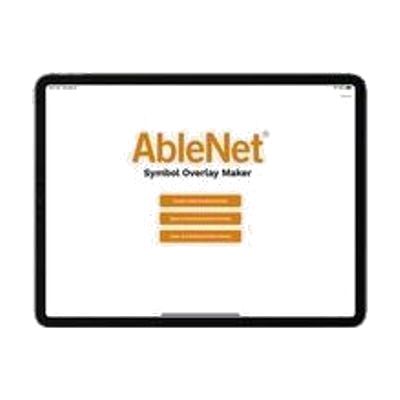
This free iPad/iPhone app lets you build printable symbol overlays for AbleNet speech devices and switches. You search thousands of SymbolStix symbols by keyword or category, add text under each one, and print using templates made for AbleNet's devices. The overlays can show a core word on a single-message device like the BIGmack, label what each button says on a multi-message device like the QuickTalker, or show what will happen when a switch is pressed. It also helps when several devices or switches are used in one activity, since each can be labeled. The app is a design tool only, so you need an AbleNet speech device or switch to put the overlays on, plus a printer.
Verified 4 days agoProfessional guidance helps -

Proloquo and Proloquo Coach - AssistiveWare
$99.99 every year
Also from $9.99 every month
Proloquo is a symbol-supported AAC app for iPad and iPhone that lets a nonspeaking person communicate by building messages that the device speaks aloud. It comes paired with Proloquo Coach, a companion app that gives step-by-step guidance to the person using AAC, their family, and educators as they get started. Proloquo is aimed at people who can use an iPad on their own, and the pairing is meant to take some of the overwhelm out of beginning AAC.
Verified 4 days agoProfessional guidance helps -
Keeble - AssistiveWare
Est. $4–$20
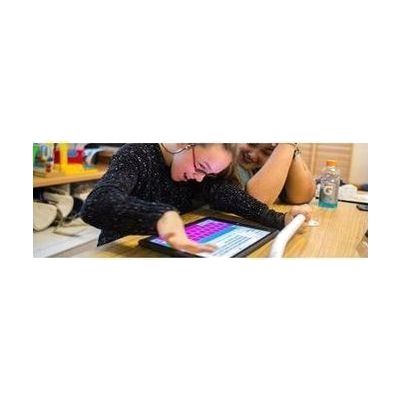
Keeble is an accessible keyboard for iPhone and iPad that you can use to type in almost any iOS app. It lets you change the colors and fonts, including a dyslexia-friendly font. It also has ways to cut down on typos, like selecting a key when you lift your finger and speaking each letter or word as you type. It's made for people with physical or vision impairments who find the standard keyboard hard to use, and it also has features for people with dyslexia.
Verified 4 days agoSetup with instructions -
TD Talk
TD Talk is a speech generating app that lets an adult who can read and type turn text into spoken words using their eyes or their fingers. You can pick from a large set of voices and languages, switch between conversation topics, and use word and phrase prediction to speed up typing. For face-to-face talks, See Through Mode makes the screen see-through, and a rear-facing Partner Window shows your typed text to the person across from you. It can also use a synthetic clone of your own voice from several voice banking providers. It comes pre-loaded on Tobii Dynavox I-Series, Pilot, and Navio devices, and a free trial version runs on your own iPad. The trial is touch-only, with no eye tracking, and has fewer languages and voices.
Verified 4 days agoProfessional guidance helps -
TD Control
TD Control is Windows software that lets you run your computer with your eyes. It handles navigating Windows, browsing the web, email and social media, games, reading, and video. It's meant for someone who can't use their hands for a mouse or keyboard but wants to use their computer independently. It starts at a beginner level and builds toward full eye-only control as the user gets more practice. It comes with TD I-13 and TD I-16 devices and PCEye 5 eye trackers, so it works as part of an eye gaze setup rather than as a standalone program.
Verified 4 days agoProfessional guidance helps -
TD Browse
TD Browse is a web browser built for eye control. You look at links and controls to scroll, click, and move around a page, and no earlier eye tracking experience is needed. It helps people who can't use their hands to browse the internet. Color-coded links help you hit both large and small targets accurately, and you can jump back to favorite sites from your browsing history. It only runs on Tobii Dynavox TD I-Series devices (the TD I-13 and TD I-16), so it isn't something you can install on a regular computer or tablet.
Verified 4 days agoProfessional guidance helps -

TD Phone
TD Phone is an app that lets someone place calls and send texts using eye gaze on a Tobii Dynavox TD I-Series device (TD I-13 or TD I-16). It connects by Bluetooth to an Android phone or iPhone, so it works without Wi-Fi, and your imported contacts can be searched or scrolled. Word and phrase prediction speed up message writing, and a popup makes incoming calls and texts easy to answer. During a call, the TD I-Series speaks for you in a synthetic voice, or in a clone of your own voice if you use a voice banking provider. It is designed for people who can't speak and have little or no hand movement, and it only runs on those two TD I-Series models.
Verified 4 days agoProfessional guidance helps -
Sensory Eye FX 2
Price on request: ask the vendor
Sensory Eye FX 2 is software that teaches and practices eye gaze control through visual, exploratory activities. The activities run across five levels that get harder step by step, building the early skills behind eye gaze use: engaging with the screen, interacting, and focusing. Clinicians can personalize it and record a client's eye movements during an assessment, which helps them see signs of progress over time. It's meant for people of any age who are learning eye gaze access, and it needs eye tracking hardware to work (see below).
Verified 4 days agoProfessional guidance helps -

Snap Scene
$49.99
Snap Scene lets you take a photo of a real moment, such as a toy, a playground, or a meal, and attach spoken recordings to parts of the picture. Your child can then tap the photo to communicate about what is happening right then. It's built for in-the-moment learning, so you can make something useful on the spot instead of building pages ahead of time. This is an app, not a complete communication system on its own: it runs on an iPad, a Windows tablet, or select Tobii Dynavox devices, and a free trial is offered before you buy.
Verified 4 days agoSetup with instructions -

Pathways for Snap Scene
Pathways is a free companion app that coaches parents on how to use Snap Scene, Tobii Dynavox's scene-based communication app, with their child. It offers tips, suggestions, and videos on getting more out of Snap Scene and on applying proven techniques to support a child's communication. It's a guide, not a communication tool on its own, so it only makes sense alongside Snap Scene.
Verified 4 days agoSetup with instructions -

Boardmaker 7 Student Center
Est. $99–$499
Student Center is the app a learner opens to do Boardmaker 7 activities that a teacher, therapist, or parent has assigned. Those activities show up in the learner's account on their own. It runs on Windows, Mac, and Chromebook computers, iPads, and Tobii Dynavox devices, and it works with or without an internet connection. Access settings for eye gaze, switch, mouse, and touch can be saved to the learner's login, so the right setup is ready each time. The app comes with any Boardmaker 7 Subscription, so you need that subscription before it's useful. The subscription tier decides whether you can assign material and track progress.
Verified 4 days agoProfessional guidance helps -
Gaze Viewer
Gaze Viewer is software that records where a person looks while they use a Tobii Dynavox eye tracker. It can capture this from many kinds of applications, including web pages, e-books, and games. You can save the results as images or videos, which makes it easier to look back at eye tracking skills and compare progress over time. It's meant for a therapist, teacher, or family member who wants to see how someone is using their eyes to control a computer. It needs a Tobii Dynavox eye tracker to work. It comes with or can be added to some eye gaze devices, such as the I-Series and PCEye, and it is also sold as standalone software.
Verified 4 days agoProfessional guidance helps -

Pictello - AssistiveWare
Pictello is an iOS app for building visual stories and schedules, one page at a time. You add your own photos, videos, and voice recordings, or use the built-in text-to-speech voices, so each page can speak aloud. People use it for social stories, daily schedules, and retelling what happened on an outing or holiday. It also gives learners a way to practice reading and storytelling, and to share information with confidence. It runs only on Apple devices, so you will need an iPhone or iPad.
Verified 4 days agoSetup with instructions -
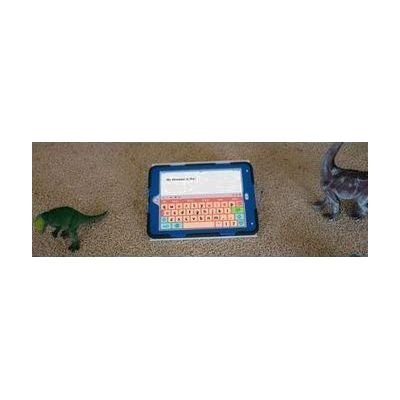
Keedogo Plus - AssistiveWare
Est. $3–$20
Keedogo Plus is an iPad keyboard made for young children who are just starting to read, write, and type. It strips the layout down to the essential keys, so early writers can practice without being distracted by symbols and functions they don't need yet. You can pick a QWERTY or ABC letter order, choose from five themes, and turn on color-coded vowels. Keys show lowercase letters, and the keyboard works in almost any app as a stand-in for the standard iOS keyboard.
Verified 4 days agoReady to use -
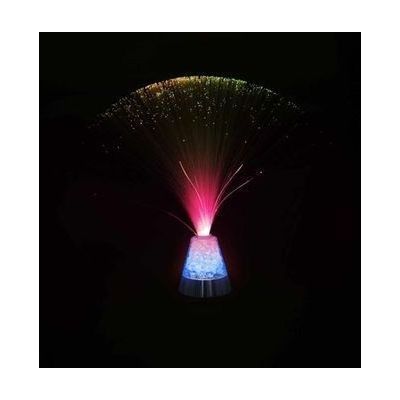
Fiber Optic Sensory Light
$48.95
This fiber optic light has a base with color-changing crystals and a spray of glowing fiber strands that slowly cycle through red, green, blue, yellow and white. It gives a calm, soothing visual focus and can help build visual attention. It's switch activated, so a person can use a switch to turn the lights on and see cause and effect in action. Plan on getting a compatible switch separately if you want that switch-controlled play. The light stands about 13 inches tall and runs on 3 AAA batteries.
Not recently verifiedSetup with instructions -

Gel Pad Activity Center
$474.95
The Gel Pad Activity Center is a tabletop unit with three soft gel pad switches, and each one sets off a different cause-and-effect response. The green pad runs a fan and plays music, the red pad starts a spinning light and music, and the yellow pad vibrates while glitter swirls inside a dome with music. It gives a child sound, touch, and visual feedback from a single press, which makes it a good fit for teaching cause and effect, building tactile awareness, and encouraging visual attention. It's a complete, self-contained unit that runs on batteries, but the music tracks can vary, so you can't count on a specific tune.
Not recently verifiedSetup with instructions -

Jellyfish Soother
$57.95
The Jellyfish Soother is a glowing jellyfish toy that cycles through rainbow colors while it plays ocean sounds and gentle music for about four minutes. It's activated with an external switch, so pressing the switch starts the lights and sound, which makes it a good way to practice cause and effect and build sensory awareness. It measures about 7 by 7 by 8 inches, weighs around a pound, and runs on 3 AAA batteries. The switch isn't included, so you'll need to pick one the user can press reliably.
Not recently verifiedSetup with instructions -

Misty the Whale
$62.95
Misty the Whale is a soft plush toy that plays a four-minute melody with ocean sounds each time you press a switch plugged into her, while her belly changes colors. That makes her a good fit for a child working on visual attention or learning that a press causes something to happen. Her right fin changes the volume between three levels, and a loop lets you hang her up. She needs an external switch that is sold separately, and she runs on 3 AAA batteries.
Not recently verifiedSetup with instructions -

Spinning Light Show
$136.95
The Spinning Light Show is a battery-powered sensory toy that throws spinning, multicolored light designs when someone presses a switch. Because the lights only play when a switch is pressed, it gives a clear, visual way to practice cause and effect and to build visual attention. It runs on 3 AAA batteries and measures about 6½ by 7½ by 4½ inches. The switch is not included, so you'll need to supply one that fits the person's reliable movement. It is not for anyone who is prone to seizures.
Not recently verifiedSetup with instructions -
VoiceOver
Free
VoiceOver is the screen reader built into Apple devices. It speaks what's on the screen out loud, sends it to a braille display, or does both, so someone who can't see the screen can still use their device. You move around with gestures on a touchscreen or trackpad, or with a Bluetooth keyboard. You can adjust the voice, speaking speed, how much detail it gives, and the sounds and haptic (vibration) feedback. It can also describe images and screen elements, even in apps and web pages that don't label them, and it can describe things the camera sees, like people, doors, text, and furniture. Some features are not offered in every region or language.
Verified 3 days agoSetup with instructions -
Apple Hearing Accessibility
Free
Apple's hearing accessibility features are built into its devices and cover Live Listen, Live Captions and support for Made for iPhone hearing devices. With Live Listen, your iPhone's microphone picks up people who are speaking from a distance, like across a dining table or in a lecture hall, and sends that sound to your AirPods, Beats headphones, or compatible hearing devices. You can also read Live Captions of the conversation on a paired Apple Watch, or on a nearby iPhone or iPad signed in to the same Apple Account. Apple Watch, iPhone, or iPad can act as a remote to start or stop a session, or jump back a few seconds to catch something you missed. Features and languages vary by region, so check availability before counting on a specific one.
Verified 3 days agoSetup with instructions -
Apple Switch Control & AssistiveTouch
Free
Switch Control is the scanning feature built into Apple devices. It lets someone run an iPhone, iPad, Mac, or Apple TV without touching the screen the usual way. Instead, the device highlights items one by one, and you pick the one you want using an adaptive switch, a game controller, a head or hand gesture, AirPods gestures, Back Tap, or a simple sound like a click or pop. You can build custom panels and keyboards, save different profiles for different times or places, and use one device to control other Apple devices on the same Wi-Fi network. It's free software, but plan on setting up the scanning style and your input method before it feels comfortable. If you use a physical switch, you'll need to buy that hardware separately.
Verified 3 days agoSetup with instructions -

Apple Live Speech & Personal Voice
Free
Live Speech lets you type what you want to say and have your device say it out loud, including during Phone and FaceTime calls and face-to-face conversations. You can save phrases you use often and group them into categories, such as a Coffee Shop set for ordering. You can pick from dozens of system voices or use a Personal Voice, which is a voice you create that sounds like you. Personal Voice is built by reading 10 randomized phrases aloud, and it's aimed at people who are at risk of losing their voice. These are built-in Apple features, so availability varies by device, region, and language.
Verified 3 days agoSetup with instructions