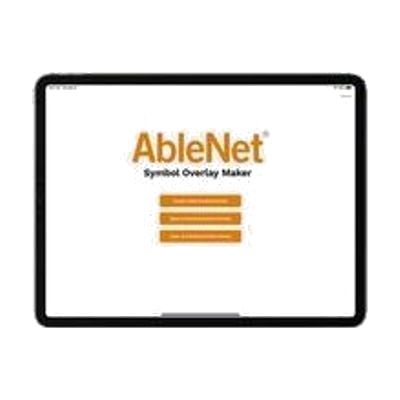
AbleNet Symbol Overlay App
by AbleNet
Contact vendor for pricing
Last verified September 17, 2026 · classified April 26, 2026
What it is
Summary
AI-generated from vendor-published content · April 26, 2026
This free iOS app generates printable symbol overlays — the paper or cardstock label sheets that sit on top of AbleNet speech devices and switches to show pictures and words for each button. It's designed for teachers, therapists, and parents who need a quick way to customize overlays for devices like the BIGmack or QuickTalker FT series without needing graphic design skills. The app includes the SymbolStix symbol library (thousands of images searchable by keyword or category) and pre-sized templates matched to specific AbleNet hardware, so you print and place rather than measure and cut. This is a companion tool, not a standalone solution — it only creates overlays and requires an AbleNet speech device or switch to be useful, and printing requires access to a color printer for best results.
Quick Facts Catalog facts · auto-generated
- Out of pocket
What Setup Looks Like
- Out of the box
- Download the free app from the Apple App Store.
- Select the template matching your AbleNet device model.
- Search for symbols, arrange them on the template, and print.
- With a guide
- Review AbleNet's symbol overlay tutorials to learn vocabulary selection strategies for the specific device user.
- Consult the SymbolStix category structure to find appropriate core and fringe vocabulary symbols.
- Plan overlays around specific activities or routines for best communication outcomes — allow 30–60 minutes for first overlay design. See manufacturer support resources for detailed instructions.
Getting it
Many states lend devices like this for free trial periods — find your state's AT lending program.
Where to Get It
This is the vendor WhatCanHelp tracks for this product — it may also be available from other retailers or a local supplier, and prices vary.
Some links may be affiliate links — WhatCanHelp may earn a small commission from purchases at no extra cost to you. More on affiliates →
As an Amazon Associate we earn from qualifying purchases.
Wondering how equipment like this gets paid for? See the official funding programs in your state.
Compare & explore
Sources & fine print
Vendor facts (name, price, platforms, vendor link) sourced from AbleNet — view on vendor site; last verified September 17, 2026.
Classification & description AI-generated from vendor-published content on April 26, 2026 · confidence: high. Vendor specs may lag; verify before relying on details in a clinical or funding artifact.