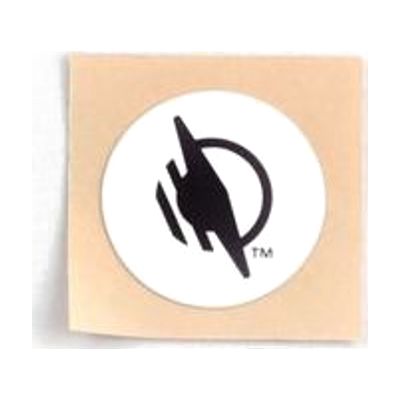
WayTag Stickers - 25 Pack
by wayaround
Price is what the vendor listed when last checked. Confirm it with the vendor before buying.
Accessory or replacement part Made to go with another product — check it fits what you have.
Last verified September 20, 2026 · classified April 26, 2026
What it is
Summary
AI-generated from vendor-published content · April 26, 2026
WayTag Stickers are NFC tags — small quarter-sized stickers you attach to everyday objects like clothing, medication bottles, food cans, or files — that store custom labels you create in the free WayAround smartphone app. When you scan the tag with your phone, the app reads back the label you recorded, and with VoiceOver (iPhone) or TalkBack (Android) enabled, the information is spoken aloud. This is a strong solution for someone who is blind or has low vision and needs a practical way to independently identify and organize items throughout their home or workplace. This 25-pack of stickers is one tag format in the WayAround system — you'll also need the free app, and some surfaces (metal objects like cans or cabinets) require a different square tag type sold separately. Note that sticker tags may not survive washing machines or freezers, so check tag compatibility before applying to clothing or frozen food packaging.
Quick Facts Catalog facts · auto-generated
- Out of pocket
What Setup Looks Like
- Out of the box
Peel and stick a WayTag to any non-metal item — tags are ready to be programmed right away. - With a guide
- Download the free WayAround app on your iPhone or Android phone.
- In the app, tap to create a new label — type or record your description for the item.
- Hold your phone near the sticker to write the label to the tag, then scan again anytime to read it back.
- Enable VoiceOver or TalkBack in your phone's accessibility settings to hear labels spoken aloud — full setup takes about 20-30 minutes for initial tags. See manufacturer support resources for detailed instructions.
Getting it
Many states lend devices like this for free trial periods — find your state's AT lending program.
Where to Get It
This is the vendor WhatCanHelp tracks for this product — it may also be available from other retailers or a local supplier, and prices vary.
Some links may be affiliate links — WhatCanHelp may earn a small commission from purchases at no extra cost to you. More on affiliates →
As an Amazon Associate we earn from qualifying purchases.
Wondering how equipment like this gets paid for? See the official funding programs in your state.
Compare & explore
Sources & fine print
Vendor facts (name, price, platforms, vendor link) sourced from wayaround — view on vendor site; last verified September 20, 2026.
Classification & description AI-generated from vendor-published content on April 26, 2026 · confidence: high. Vendor specs may lag; verify before relying on details in a clinical or funding artifact.