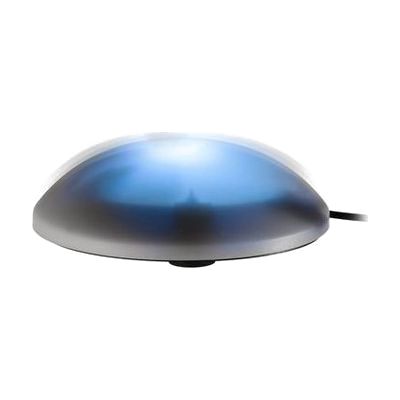
Vibe-Lite Switch
by AbleNet
Last verified June 20, 2026 · classified April 26, 2026
What it is
Summary
AI-generated from vendor-published content · April 26, 2026
The Vibe-Lite Switch is a large-button switch that lights up and vibrates when pressed, giving users three types of feedback simultaneously — visual, tactile, and auditory — to confirm each activation. It's particularly well-suited for people with limited hand strength or dexterity who benefit from extra sensory reinforcement, and for early learners who are working on cause-and-effect understanding. The switch offers three operating modes (momentary, latching, and timed) and the sensory features can be turned off individually, making it adaptable across a range of users and goals. This is a switch input device only — it needs to be connected to a compatible switch-accessible device, toy, or software to actually control anything.
Quick Facts Catalog facts · auto-generated
- AT Act lending
- Medicaid waiver
- Out of pocket
- School district
- Vocational rehab
What Setup Looks Like
- Out of the box
- Insert the included AA batteries and press the switch to confirm the light and vibration feedback work.
- Select the desired operation mode (momentary, latch, or timed) using the mode selector.
- If using timed mode, adjust the timer dial to the desired duration between 5 seconds and 2 minutes.
- With a guide
- Connect the switch via its output jack to a switch-adapted toy, scanning AAC device, or computer interface.
- Test the connection to confirm the target device responds correctly to switch activations.
- Adjust or disable blink and vibration features based on the user's sensory preferences — allow 15–30 minutes for initial configuration. See manufacturer support resources for detailed instructions.
- With professional help
- An occupational therapist (OT) or speech-language pathologist (SLP) should assess whether this switch's activation force, placement, and feedback type are appropriate for the individual user.
- An AT professional (ATP) can integrate the switch into a broader access solution — scanning AAC, environmental controls, or switch-accessible software — typically over 1–2 sessions.
Getting it
Try Before You Buy
Devices like this are often available to borrow through your state's AT Act program — typically free or low-cost — so you can try it before buying or pursuing funding.
Where to Get It
Some links may be affiliate links — WhatCanHelp may earn a small commission from purchases at no extra cost to you. More on affiliates →
As an Amazon Associate we earn from qualifying purchases.
How to Fund This
Equipment like this is often pursued through official state programs. These are common starting points — each program decides its own eligibility and what it covers, so the first step is always a phone call.
Compare & explore
Sources & fine print
Vendor facts (name, price, platforms, vendor link) sourced from AbleNet — view on vendor site; last verified June 20, 2026.
Classification & description AI-generated from vendor-published content on April 26, 2026 · confidence: high. Vendor specs may lag; verify before relying on details in a clinical or funding artifact.