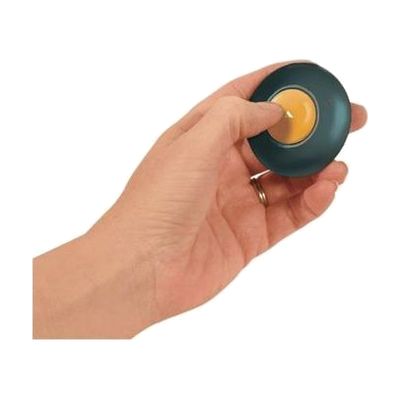
GoTalk Button
Price is what the vendor listed when last checked. Confirm it with the vendor before buying.
Last verified September 16, 2026 · classified April 26, 2026
What it is
Summary
AI-generated from vendor-published content · April 26, 2026
The GoTalk Button is a small, single-message voice output device — press the button and it plays back whatever you recorded, up to 10 seconds. It's well-suited for someone who needs a simple, reliable way to communicate one frequently-used message: a greeting, a request, a yes/no response, or a step-by-step verbal prompt placed around a room. This is a complete, standalone device that works right out of the box — no apps, no pairing, no charging cable. The 10-second limit means it's genuinely for a single short message, not a replacement for a more capable AAC device; for multi-message or multi-step communication needs, you'd want several of these or a different tool entirely.
Quick Facts Catalog facts · auto-generated
- AT Act lending
- Medicaid waiver
- Out of pocket
- School district
What Setup Looks Like
- Out of the box
- Hold the record button, speak your message (up to 10 seconds), then release.
- Press the large play button to activate and hear the message back — ready to use immediately.
Getting it
Try Before You Buy
Devices like this are often available to borrow through your state's AT Act program — typically free or low-cost — so you can try it before buying or pursuing funding.
Where to Get It
These are the vendors WhatCanHelp tracks for this product — it may also be available from other retailers or a local supplier, and prices vary.
Some links may be affiliate links — WhatCanHelp may earn a small commission from purchases at no extra cost to you. More on affiliates →
As an Amazon Associate we earn from qualifying purchases.
How to Fund This
Equipment like this is often pursued through official state programs. These are common starting points — each program decides its own eligibility and what it covers, so the first step is always a phone call.
Compare & explore
Sources & fine print
Vendor facts (name, price, platforms, vendor link) sourced from Attainment Company — view on vendor site; last verified September 16, 2026.
Classification & description AI-generated from vendor-published content on April 26, 2026 · confidence: high. Vendor specs may lag; verify before relying on details in a clinical or funding artifact.