Keedogo Plus - AssistiveWare
Price is what the vendor listed when last checked. Confirm it with the vendor before buying.
Last verified September 16, 2026 · classified April 26, 2026
What it is
Summary
AI-generated from vendor-published content · April 26, 2026
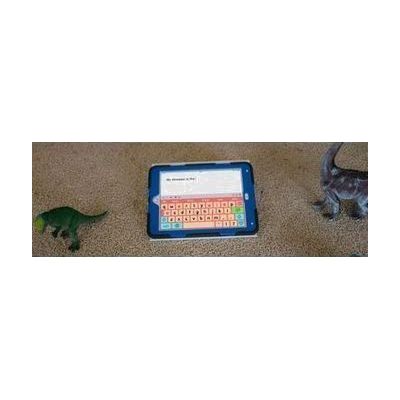
Keedogo Plus is an iOS keyboard app designed to replace the standard iPad keyboard with a simplified, child-friendly layout that shows only the keys early learners actually need. It's built for young children just beginning to read and write — the kind of kid who gets lost or frustrated by a full keyboard crowded with symbols, numbers, and function keys they don't recognize yet. You get a choice of QWERTY or ABC layouts, lowercase letter labels, optional color-coded vowels, and multiple visual themes, and the keyboard works as a system-wide replacement across most iPad apps. This is an iOS-only app and won't work on Android, Windows, or any platform other than iPad.
Quick Facts Catalog facts · auto-generated
- Out of pocket
- School district
What Setup Looks Like
- Out of the box
Download the app and it appears as a selectable keyboard option in iPad Settings under Keyboard > Keyboards > Add New Keyboard. - With a guide
- Enable Keedogo Plus in iPad Settings under General > Keyboard > Keyboards.
- Choose preferred layout (QWERTY or ABC) and theme within the app settings.
- Practice switching to Keedogo Plus in a familiar app like Notes to confirm it's working — allow 10–15 minutes total setup.
Getting it
Many states lend devices like this for free trial periods — find your state's AT lending program.
Where to Get It
This is the vendor WhatCanHelp tracks for this product — it may also be available from other retailers or a local supplier, and prices vary.
Some links may be affiliate links — WhatCanHelp may earn a small commission from purchases at no extra cost to you. More on affiliates →
As an Amazon Associate we earn from qualifying purchases.
Wondering how equipment like this gets paid for? See the official funding programs in your state.
Compare & explore
Sources & fine print
Vendor facts (name, price, platforms, vendor link) sourced from AssistiveWare — view on vendor site; last verified September 16, 2026.
Classification & description AI-generated from vendor-published content on April 26, 2026 · confidence: high. Vendor specs may lag; verify before relying on details in a clinical or funding artifact.